HR Approval
Management Software
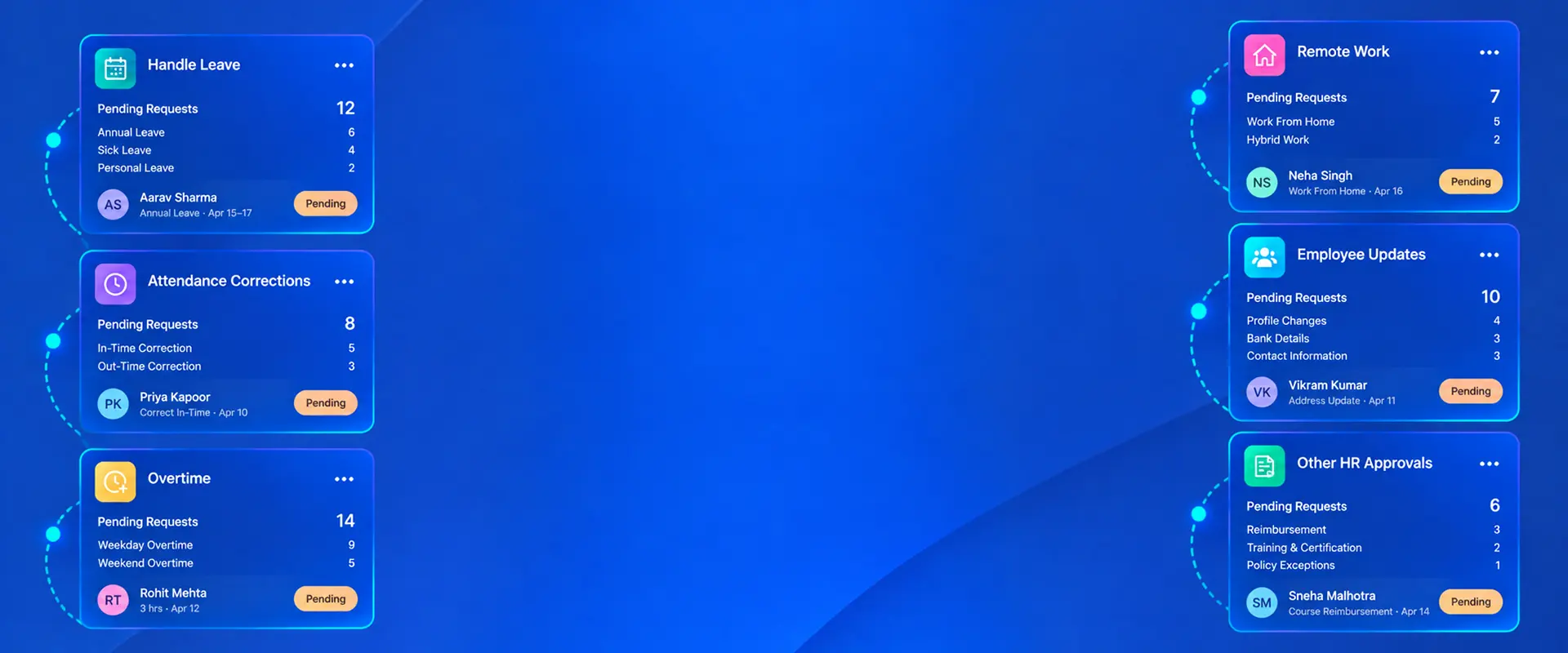
Handle leave, attendance corrections, overtime, remote work, employee updates and other HR approvals with the relevant request details in view. Bizcompass helps managers and HR teams follow approval responsibilities and recorded decisions.
Multi-Level Approvals with Clear Responsibilities
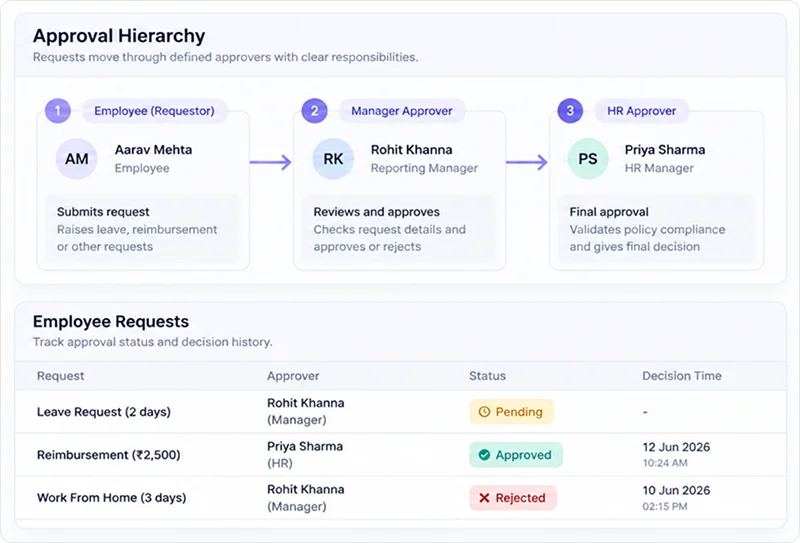
Process employee requests through the applicable approval levels, with responsible approvers assigned to their respective decisions. Identify requests awaiting action and those already approved or rejected.
Approval Hierarchy & Decision History
The Approve/Reject Hierarchy identifies who approved a request, their role and the recorded decision time. HR can trace completed decisions to the relevant approver.
Approve Attendance Corrections and Log Requests
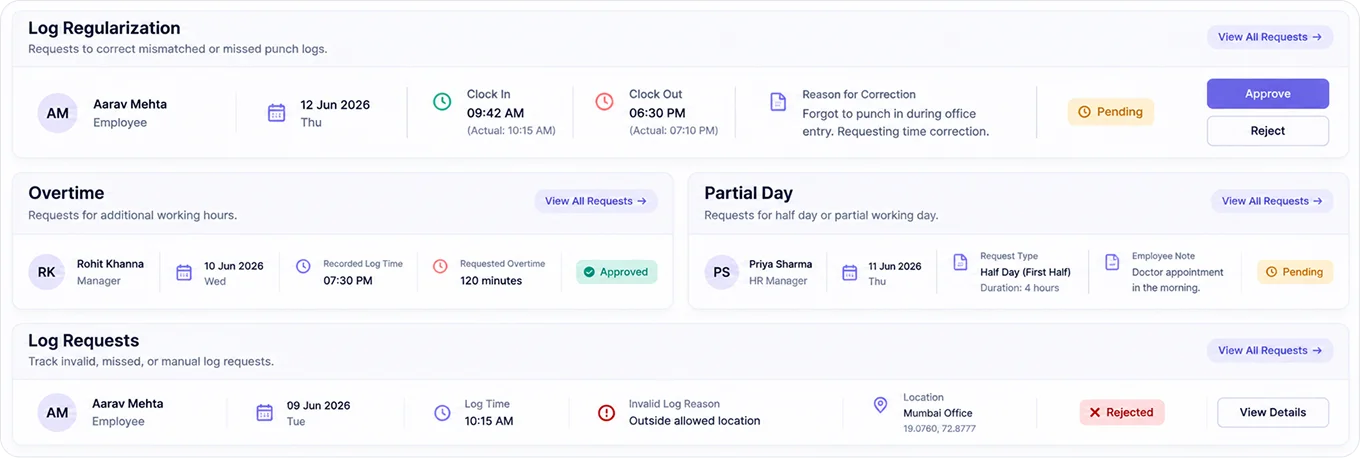
Review Log Regularization requests for missed or incorrect clock-in and clock-out entries, including the requested times and reasons. Log Request approvals provide recorded log information, invalid-log reasons and available attendance photos or locations.
Overtime, Partial Day &
Timelog Change Approvals
Assess overtime requests using the recorded log time, overtime date and requested minutes. Partial Day approvals show the request type, duration and employee notes. Timelog Change is another available approval category.
Leave, Comp-Off and
Remote Work Approvals
Decide on leave requests with the applied dates, duration and reason available. For Comp-Off Credit applications, examine the requested credit, applicable dates, expiry information and approval status.
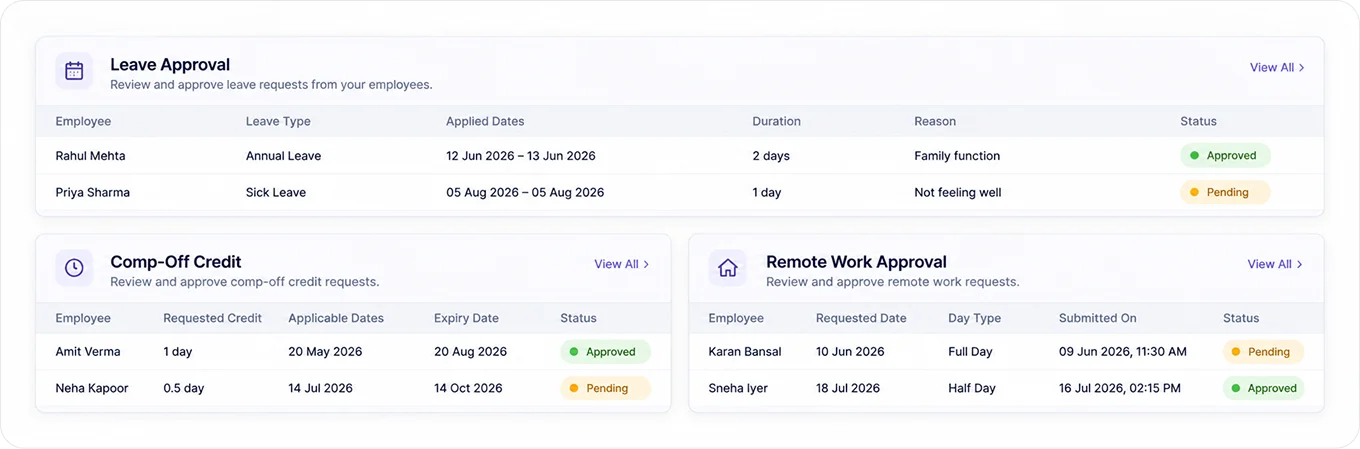
Remote Work Request Approvals
Review remote-work applications by requested date, day type and submission details, with the current approval status showing whether a decision is pending or complete.
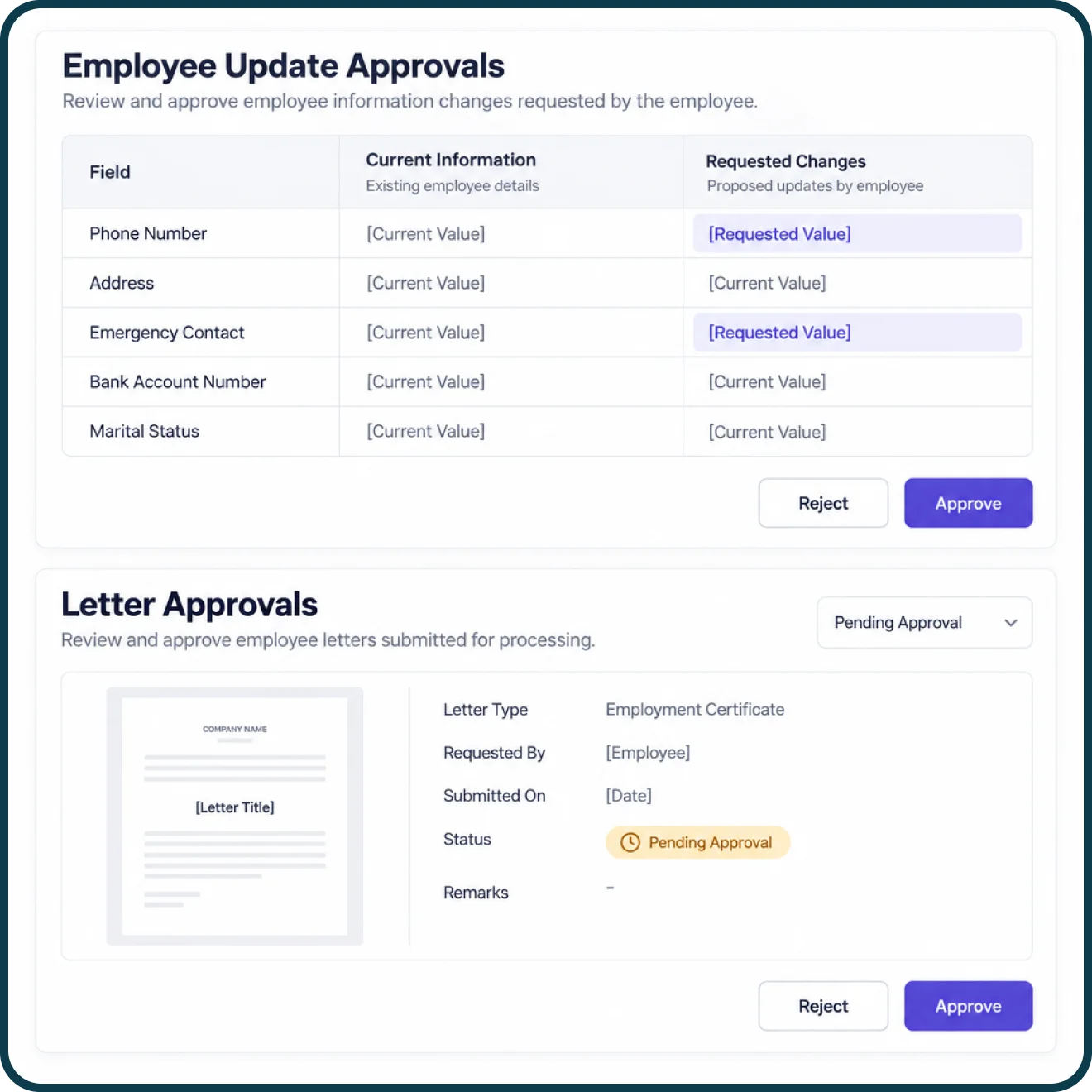
Employee Updates and Letter Approvals
Compare existing employee details with requested changes before approving profile updates. For employee and candidate letters, examine the letter type and document, along with its recorded approval status and history.
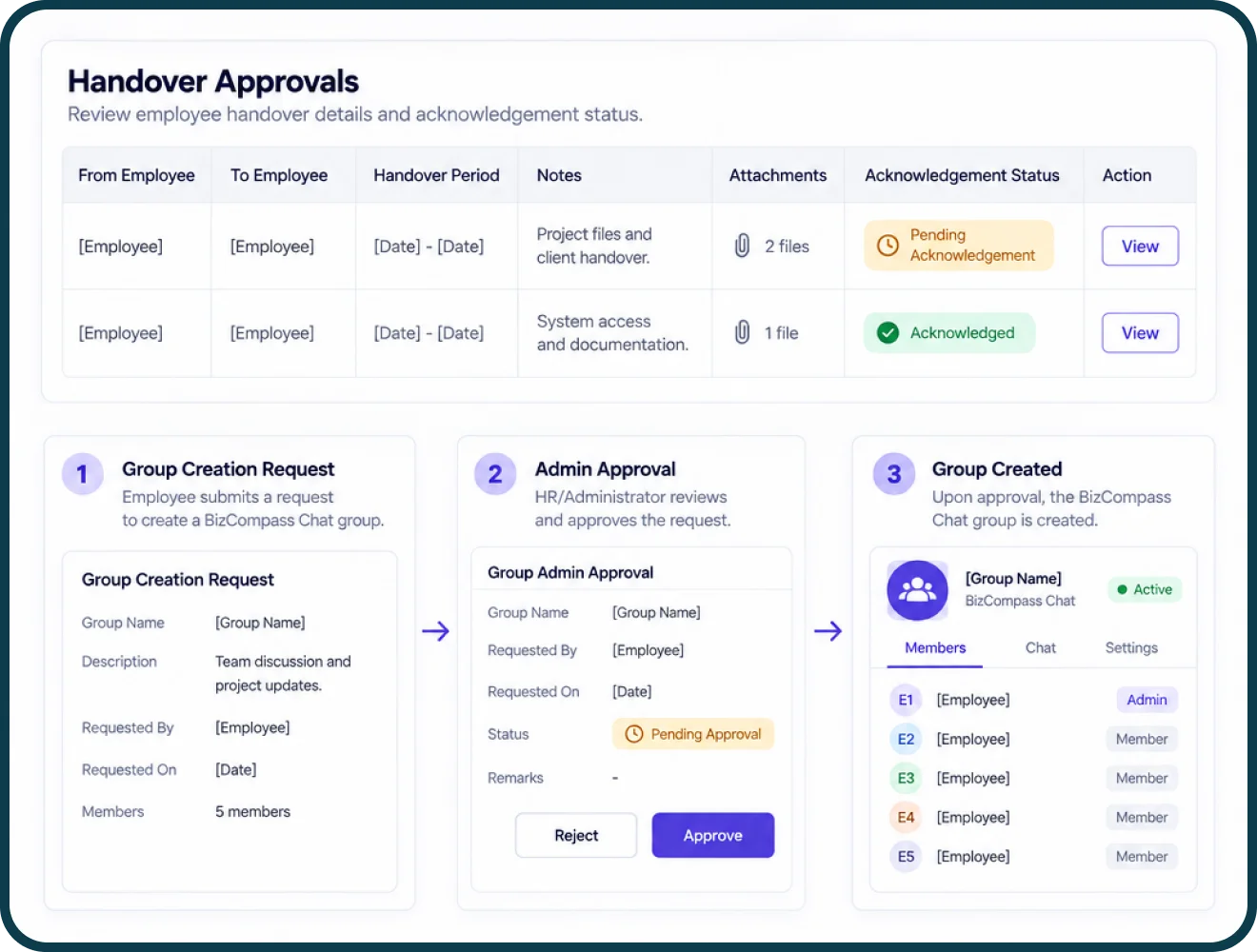
Handover and Bizcompass Chat Group Approvals
Review employee handovers with the relevant dates, notes, attachments and acknowledgement statuses. For Bizcompass Chat, users can submit requests to create new groups. Once the Group Admin request is approved, the group is created in Bizcompass Chat.