HR Dashboard & Analytics
Software
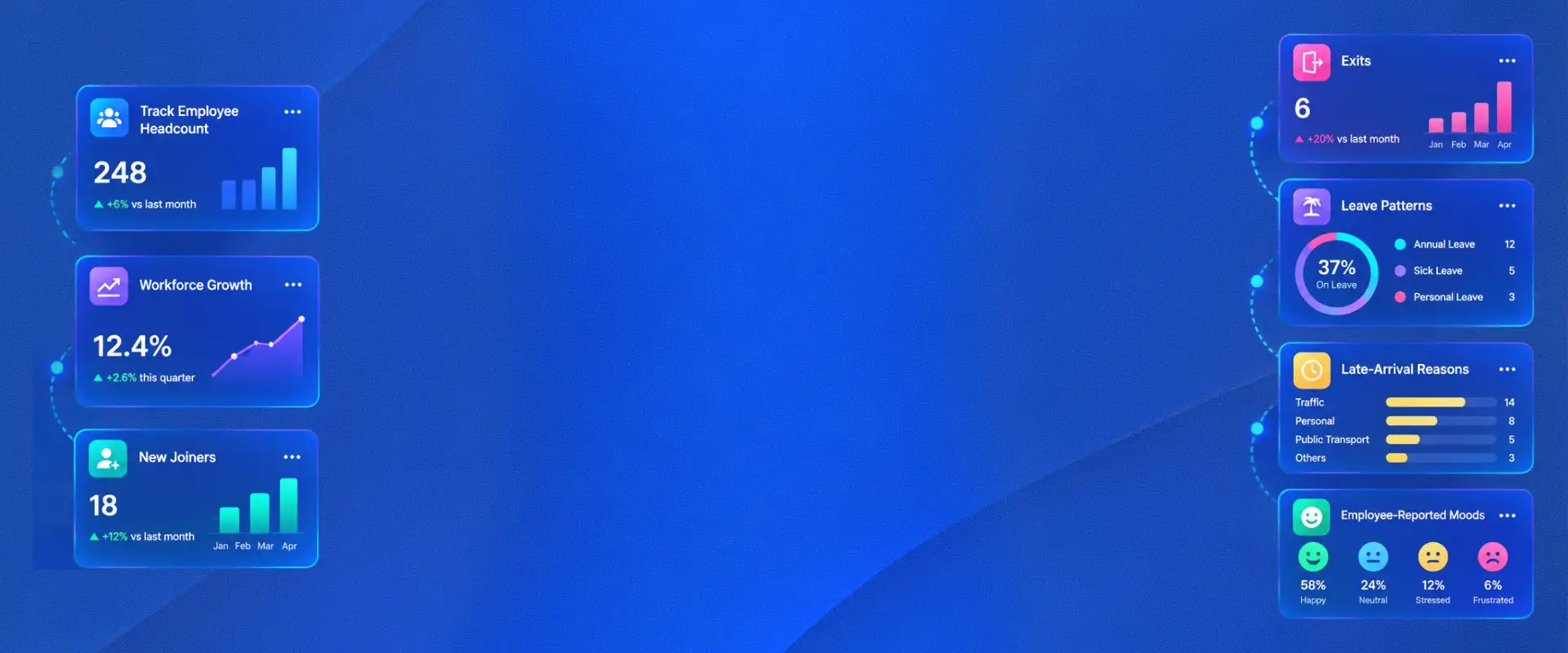
Track employee headcount, workforce growth, new joiners, exits, leave patterns, late-arrival reasons and employee-reported moods through interactive HR dashboards. BizCompass connects workforce statistics with relevant employee records for clearer analysis.

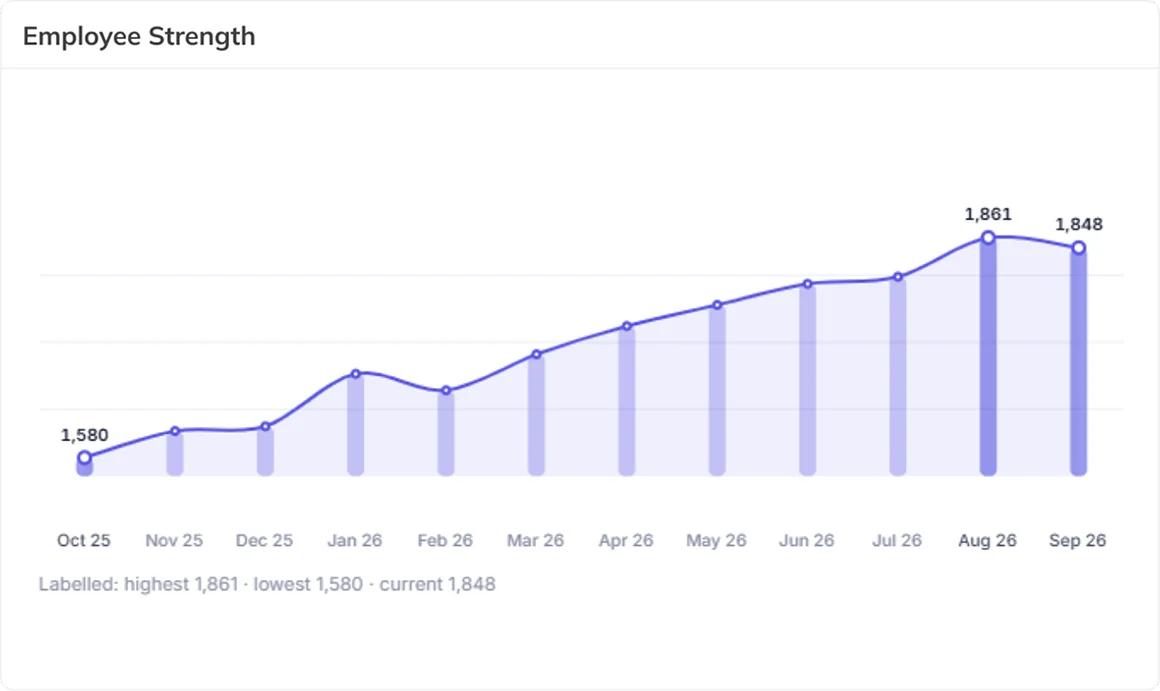
Track Monthly Employee Headcount
Monitor employee strength month by month to understand how your workforce size changes throughout the year. The dashboard also provides employee details such as joining date, company, branch, department and designation alongside the headcount figures.

Understand Monthly Workforce Growth and Decline
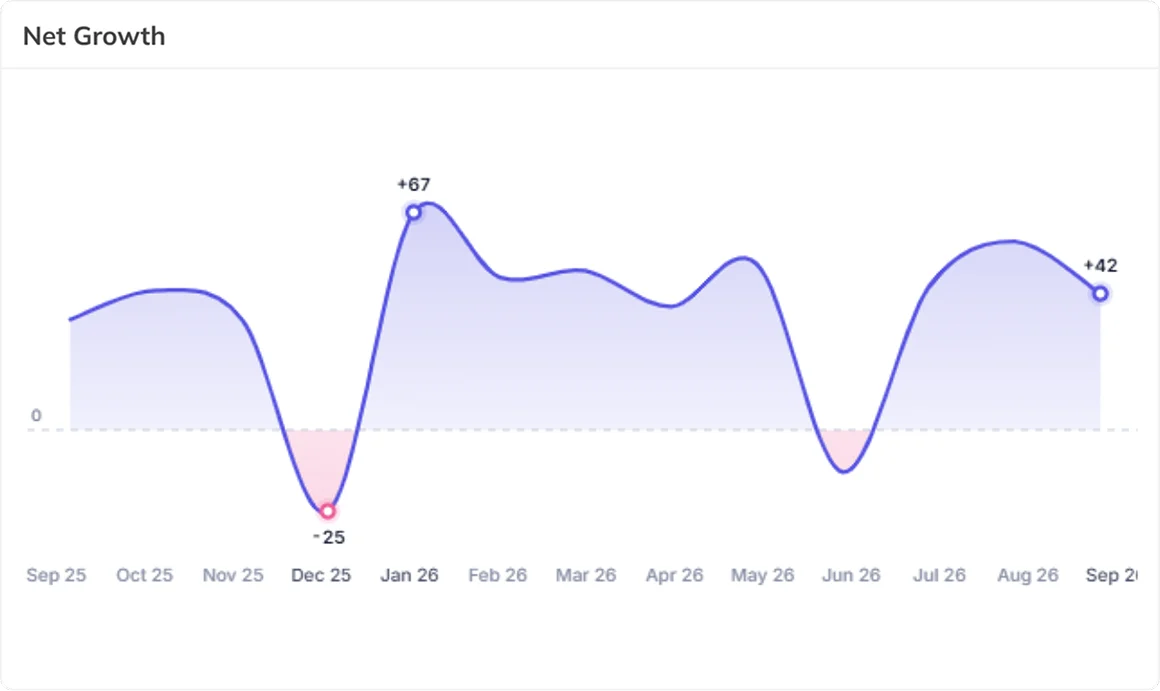
Identify months when employee numbers increased, decreased or remained relatively stable. The Net Growth dashboard shows these changes through a monthly trend chart, helping HR understand workforce movement beyond the total employee count.

Compare New Joiners and Employees Leaving
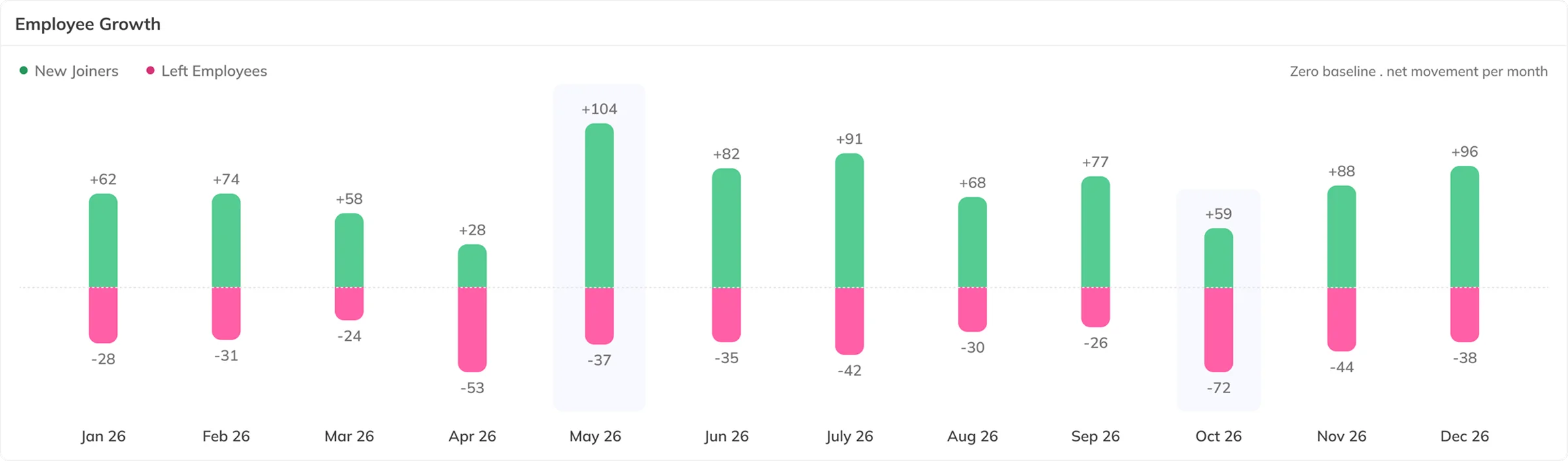
Understand how hiring and employee exits contribute to workforce changes. The Employee Growth dashboard compares new joiners and employees leaving each month, with related employee records and available joining or leaving dates.

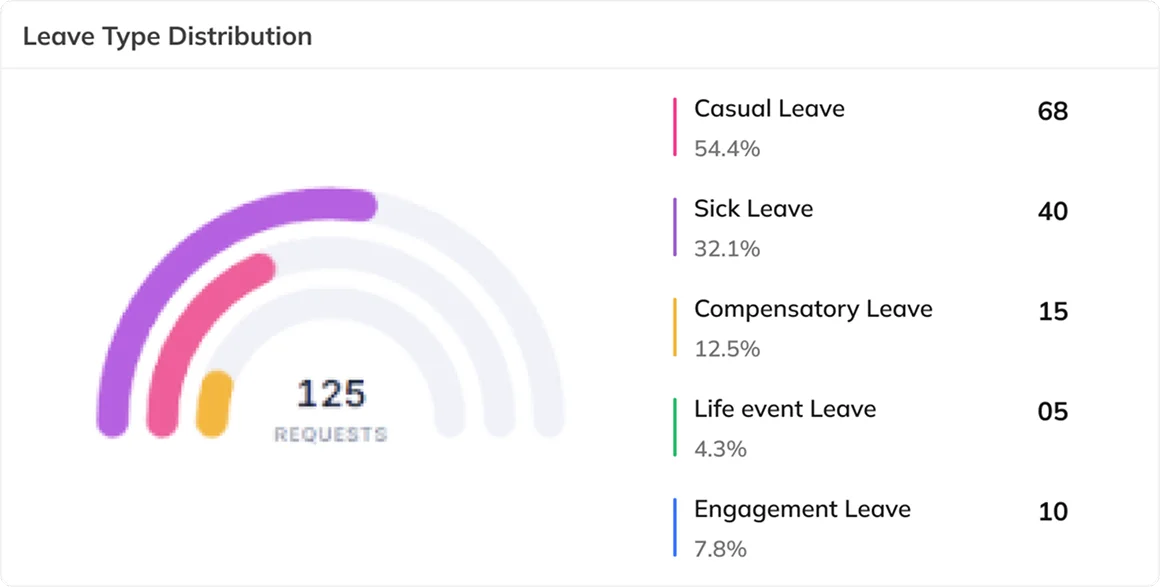
Understand Employee Leave by Type
Analyze how recorded leave is distributed across categories such as casual, unpaid and other configured leave types. The Leave Type dashboard shows counts and percentages, supported by employee leave records with dates, duration, hours and reasons.
Employees with No Recorded Leave
The No Leave Employee dashboard identifies employees included in the no-leave category, with their company, branch and designation details. This provides a separate employee list alongside leave usage information.

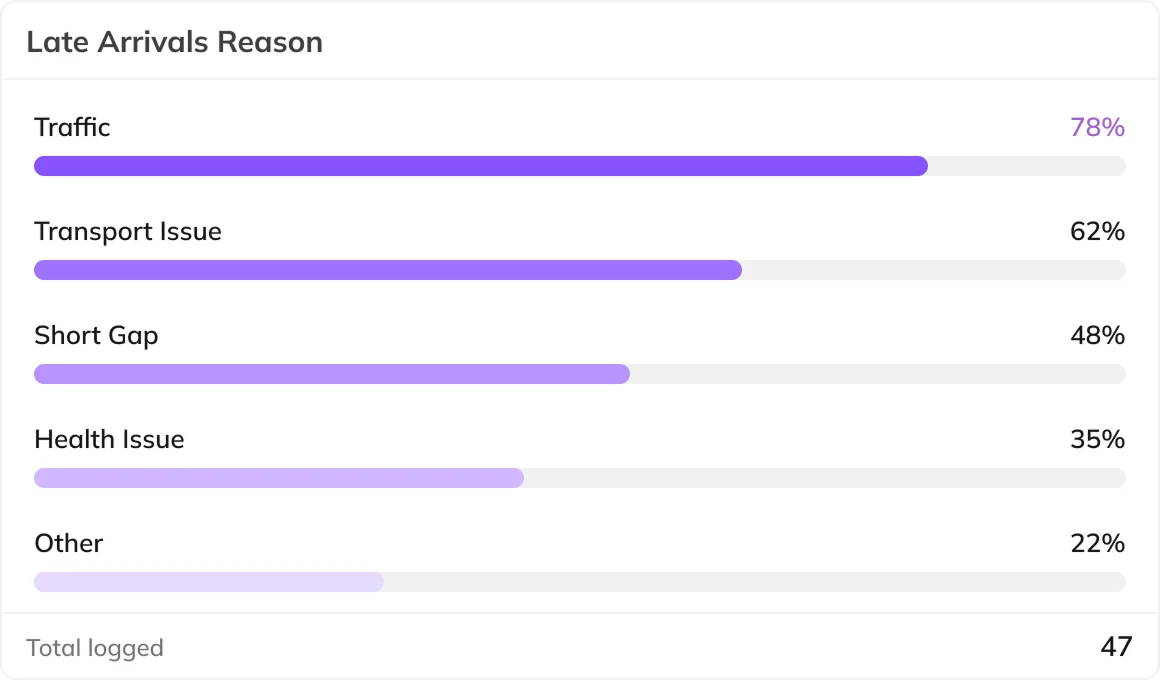
Analyze Recorded Reasons for Late Arrivals
Understand which reasons are recorded most frequently for employees arriving late, including traffic, transport issues and health concerns. The Late Reason dashboard shows each reason's count and percentage, with employee records containing the late-arrival date, time and stated reason.

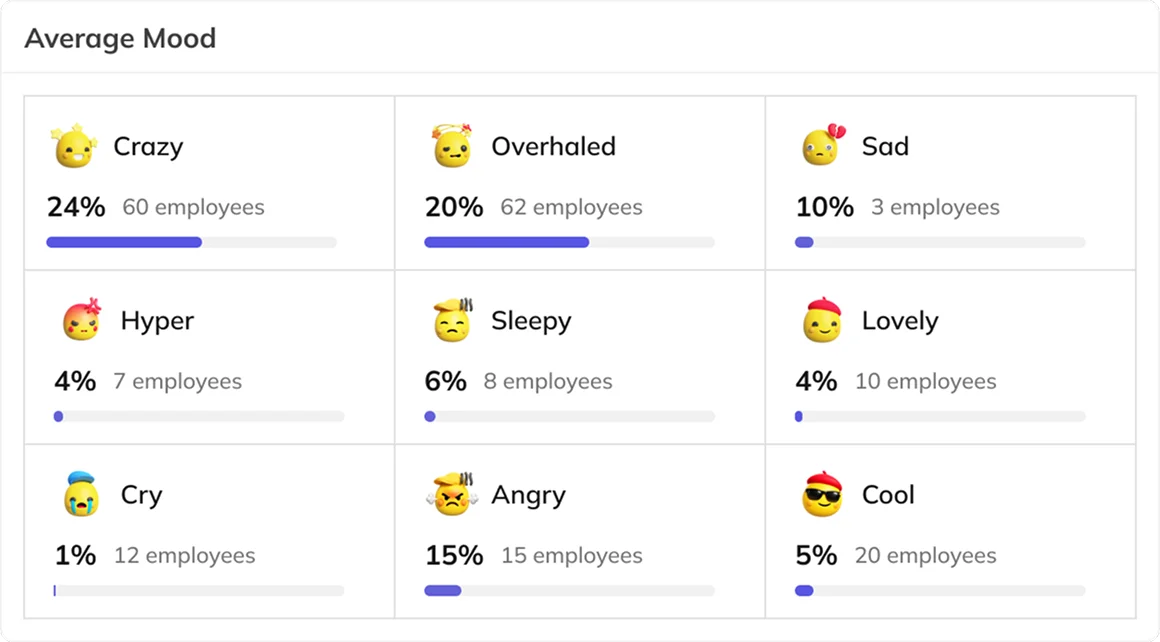
Understand Employee-Reported Mood Patterns
See the moods employees have recorded through the Average Mood dashboard. It displays mood categories, reported percentage values, employee counts and monthly mood-entry frequency, helping HR understand the information employees have shared about how they feel.