Employee Management
Software
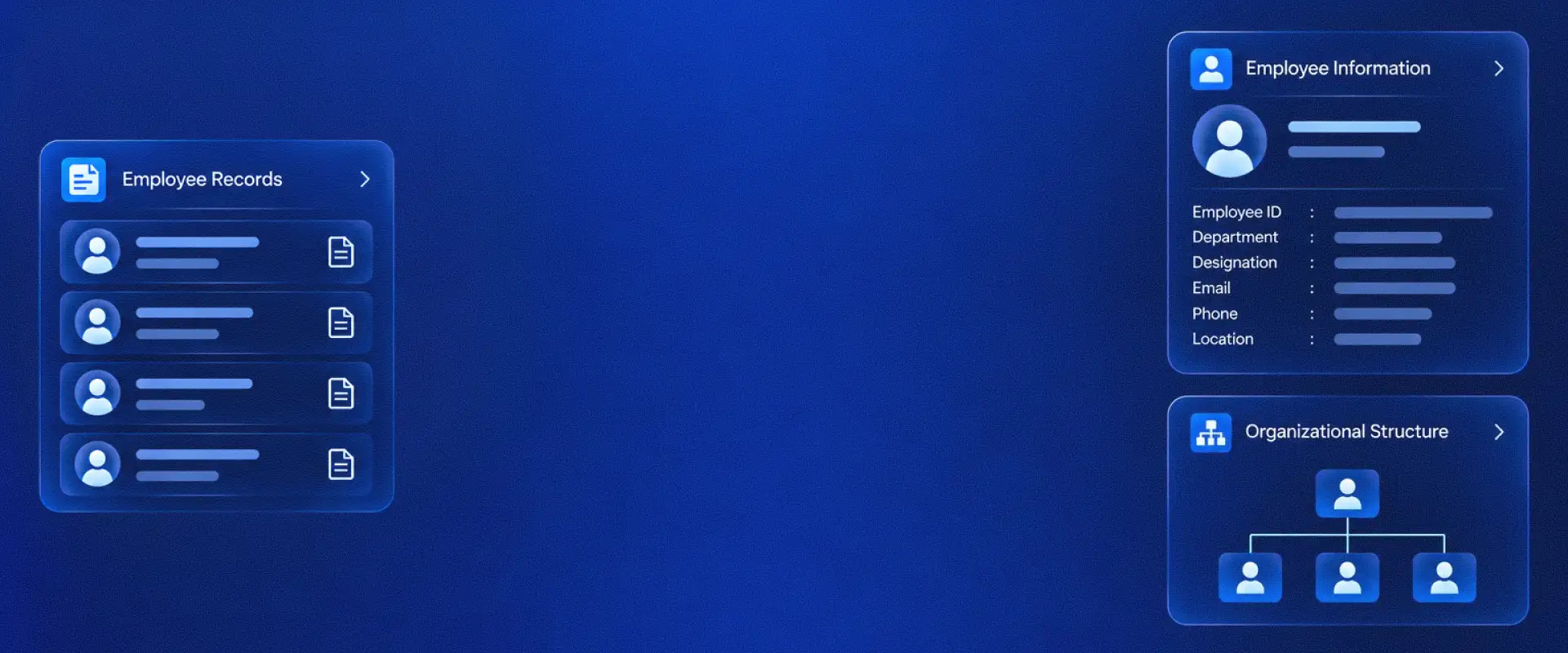
Maintain employee records, update personal and employment details, manage bulk operations, configure employee settings and keep workforce information organized from one place.
Find Employee Records and Key Actions
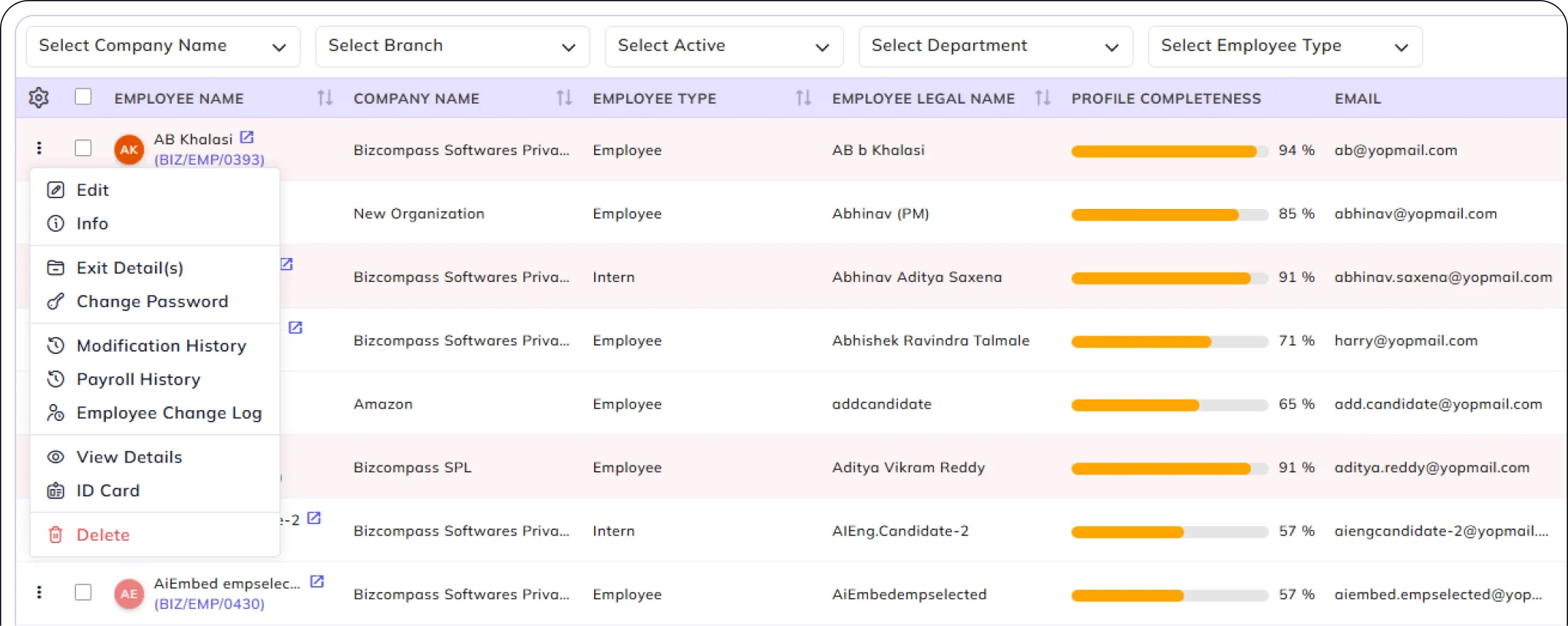
View employees across companies, branches and departments, check profile completeness and find records using available filters. Access employee actions to view or edit details, open history, view ID cards or continue into related HR processes such as Exit Management.
Create & Update Detailed Employee Information
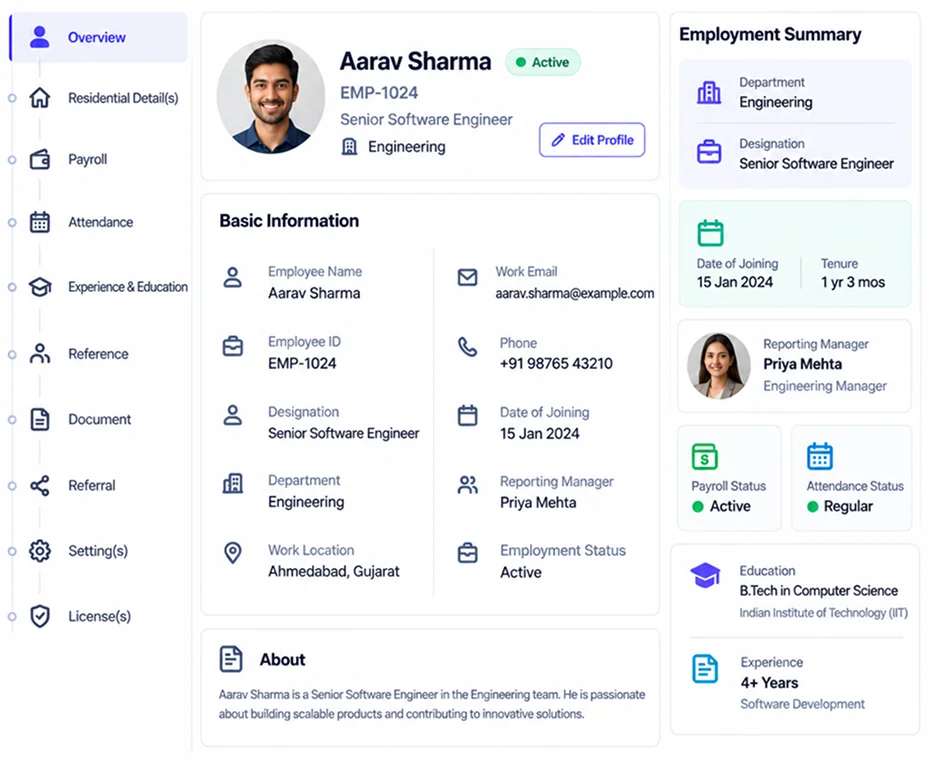
Create and edit employee records with personal and contact information, residential details, joining dates, job assignments and reporting managers. Maintain the information HR needs as employees join and their details change.
Maintain Education, Experience and Reference Details
Record employee qualifications, education, previous work experience and references alongside their employment information, keeping essential employee details together.
Manage Employee Data & License Allocation in Bulk
Use bulk operations to import employee records, update employee information and manage license assignments without handling every employee individually.
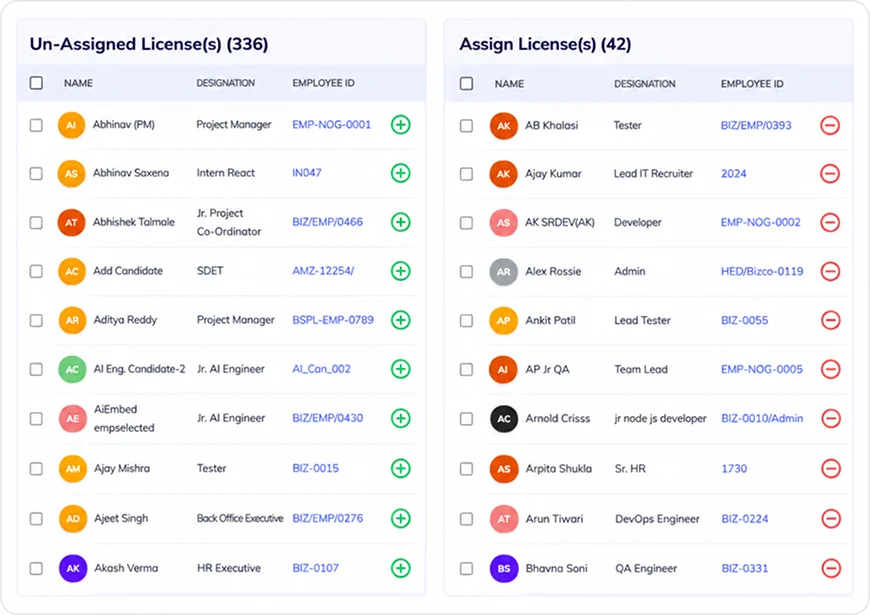
Assign & Remove Employee Licenses
Select a license, review assigned and unassigned employees, check license availability and assign or remove licenses for selected employees.
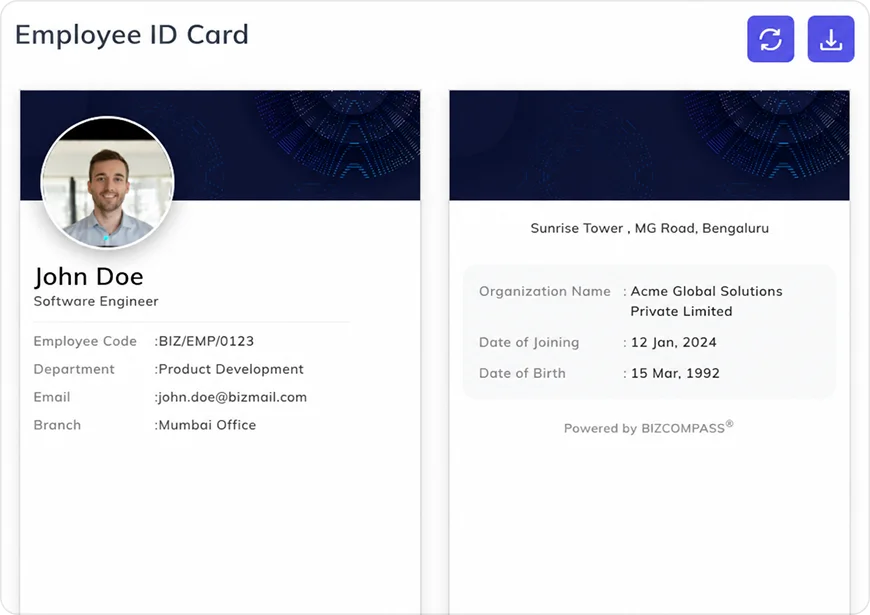
Access Digital Employee ID Cards
View and download employee ID cards containing key employee information, including name, code, designation, department and branch.

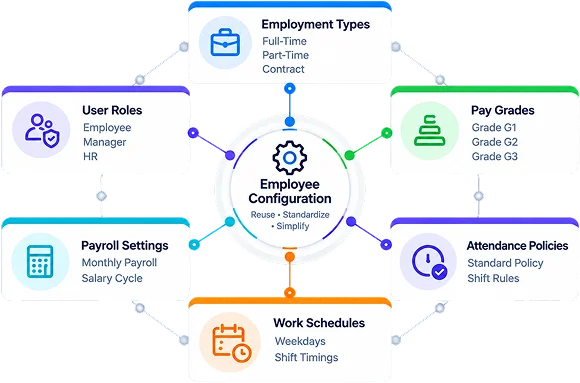
Standardize Employee Setup With Reusable Defaults
Create employee default configurations for employment types, user roles, pay grades, payroll settings, attendance policies and work schedules. Keep common selections ready for employee setup instead of configuring each record individually.
Control Self-Onboarding
Information and Approvals
Configure which employee details can be changed during self-onboarding, which updates require approval and which fields must be completed. Apply the relevant rules to employee information requirements.
View Reporting and Approval
Hierarchies
Use the organization chart to view reporting relationships and approval hierarchies, helping HR understand how employees, managers and teams are connected.
Configure Employee Information and Workforce Structure
Maintain departments, sub-departments, divisions, designations, employment types, relations and other employee information categories. Keep employee classifications and organizational details consistent across records.
Review Employee Changes & Employment History
Use Employee Change Logs to see dated updates to reporting managers, assigned shifts, attendance policies and other employee details. Compare previous and updated values to understand what changed and when.
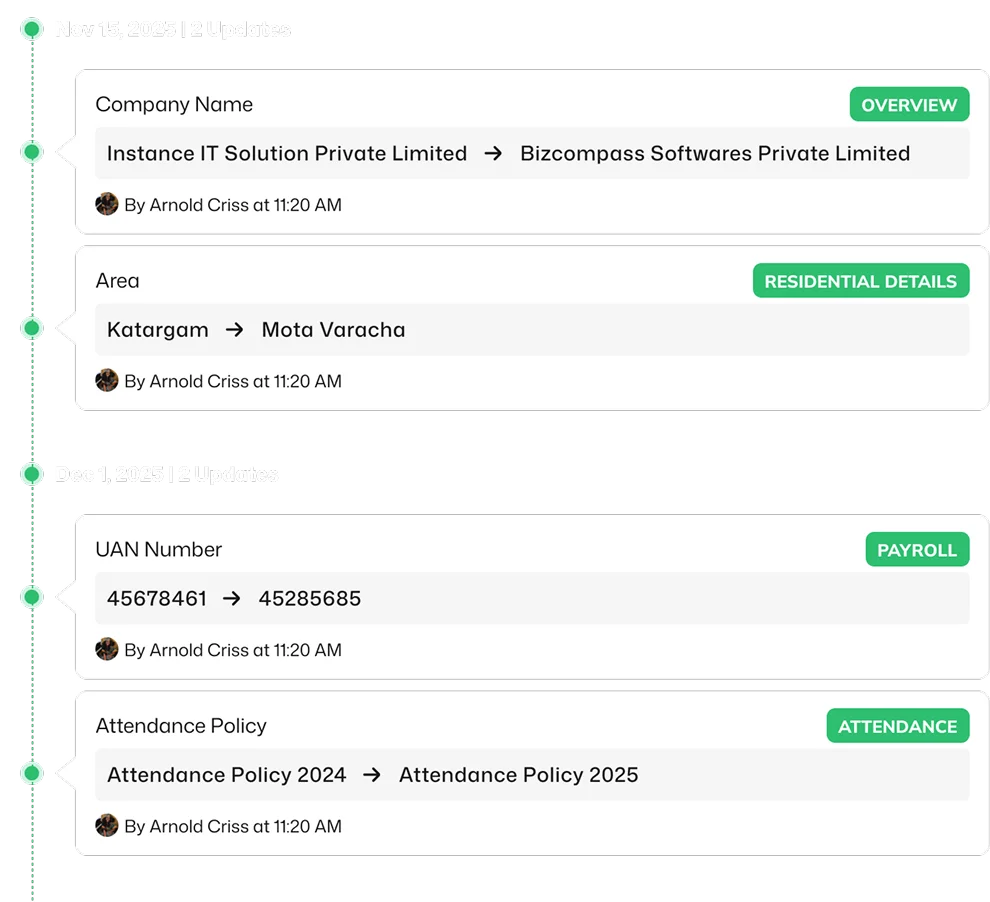
Track Employment Modifications and Movements
Review Modification History for changes to company, branch, payroll branch, employee type and other employment details, including effective dates when an employee's assignment changes.
Access Employee Payroll History
Open Payroll History from the employee record to review available payroll-related information alongside the employee's details.