
Project Workflow Management Software for Modules, Roles & Task Flows
Configure Project Modules and Reusable Defaults
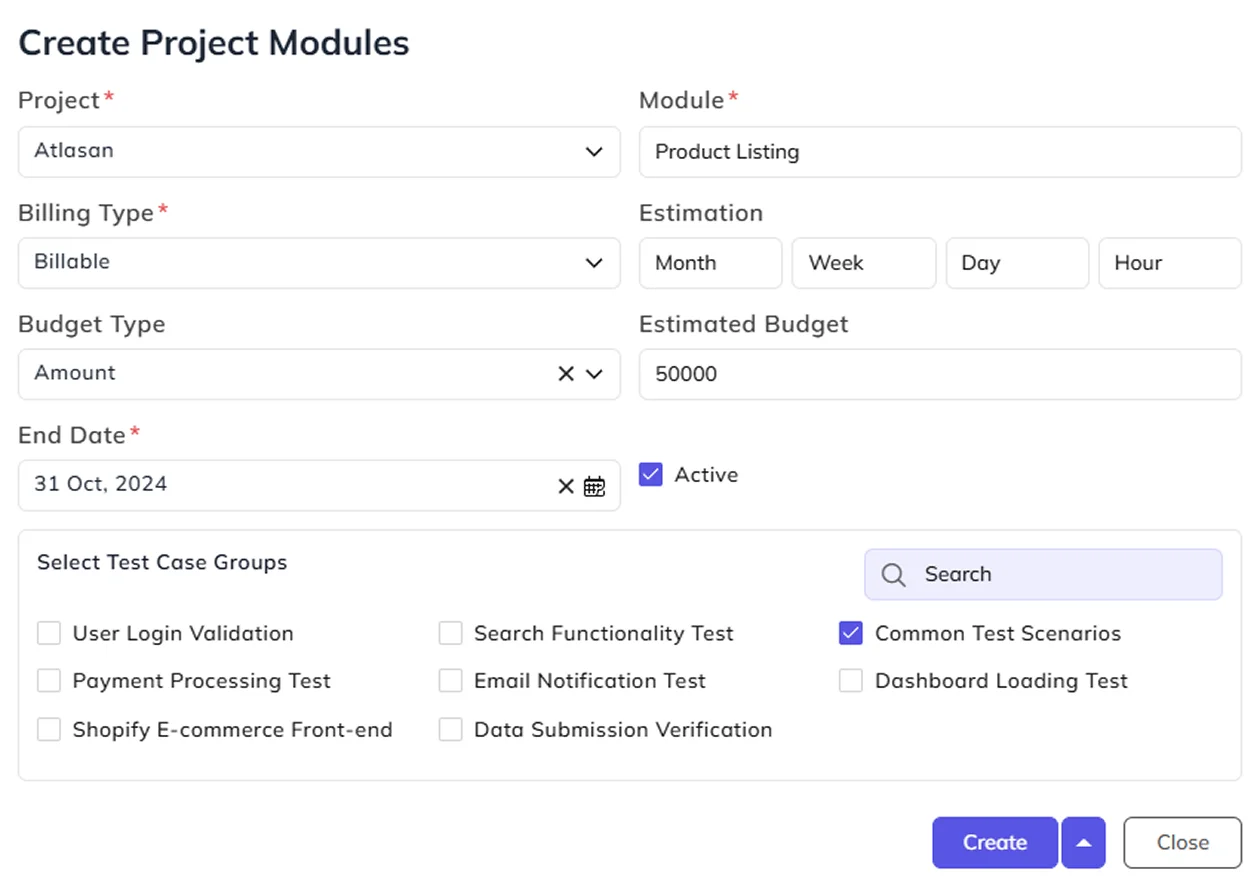
Different areas of project work may need different time estimates, budgets and testing requirements. Configure these details at the module level, while Default Modules help maintain consistent setups for work associated with the same project categories.
Define Project Role Permissions and Default Users
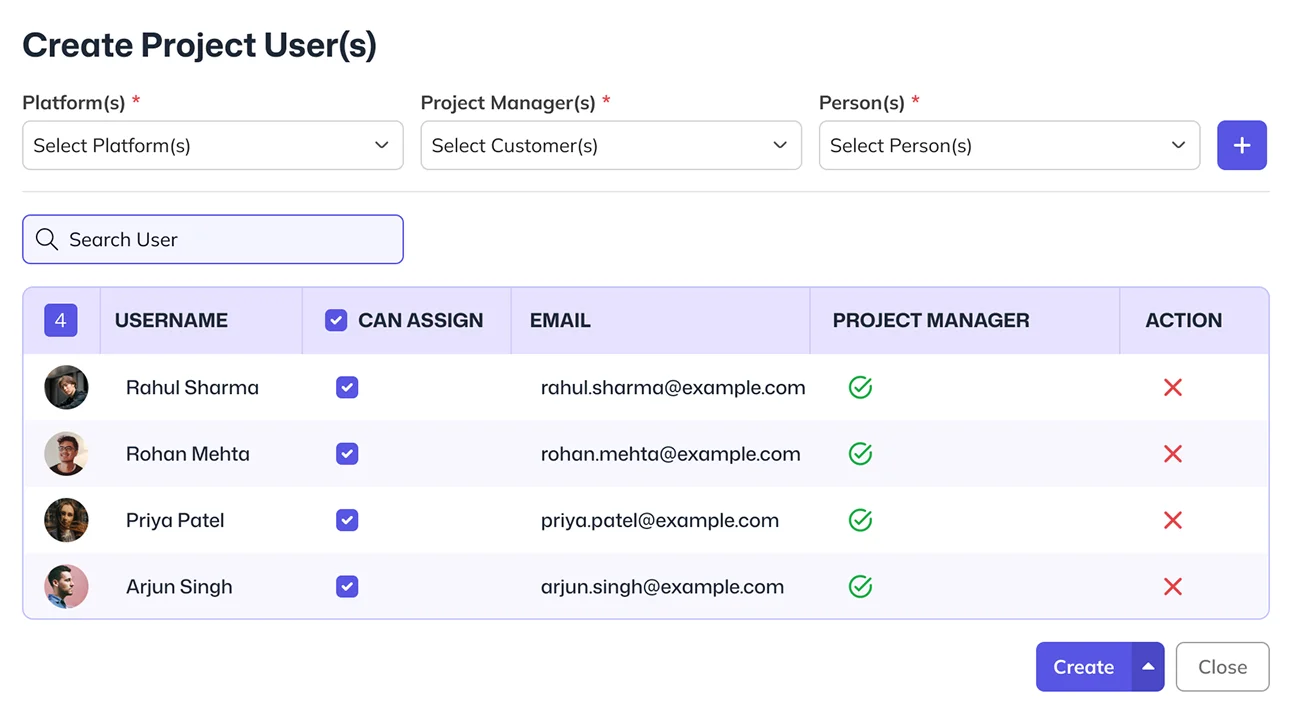
Give different project roles the appropriate control over task creation, editing and assignment. Project Mode Templates help establish those rules, while Default Project Users keeps platform-specific team members and assignment rights organized for project setup.
Configure Task Flows, Status Settings & Priorities
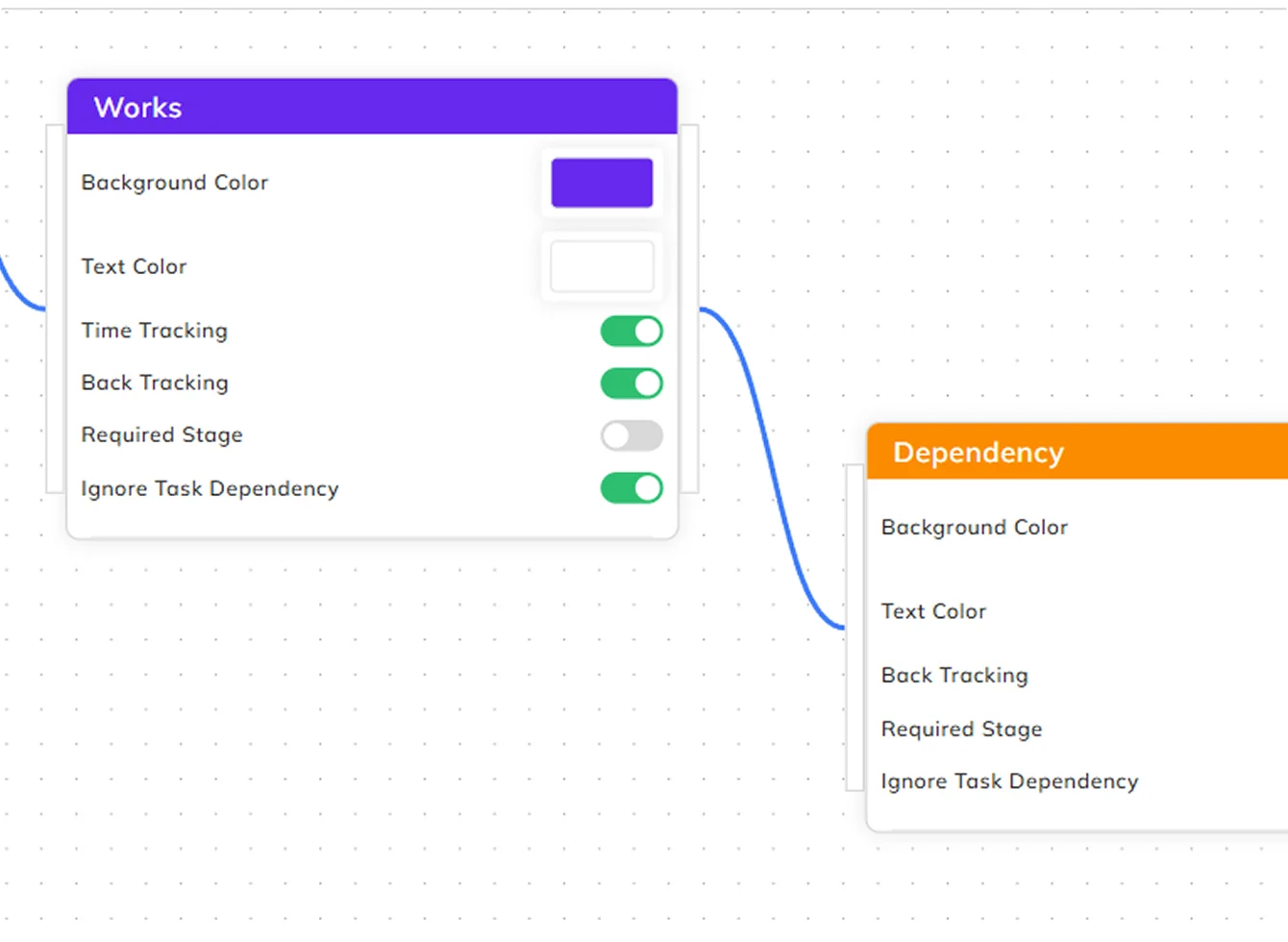
Give project tasks a defined sequence of stages, with the relevant settings for time tracking, review requirements and backtracking. Maintain task statuses and project priorities with consistent names and visual indicators, so teams can work with rules suited to their process.
Define Test Scenarios With Clear Validation Criteria
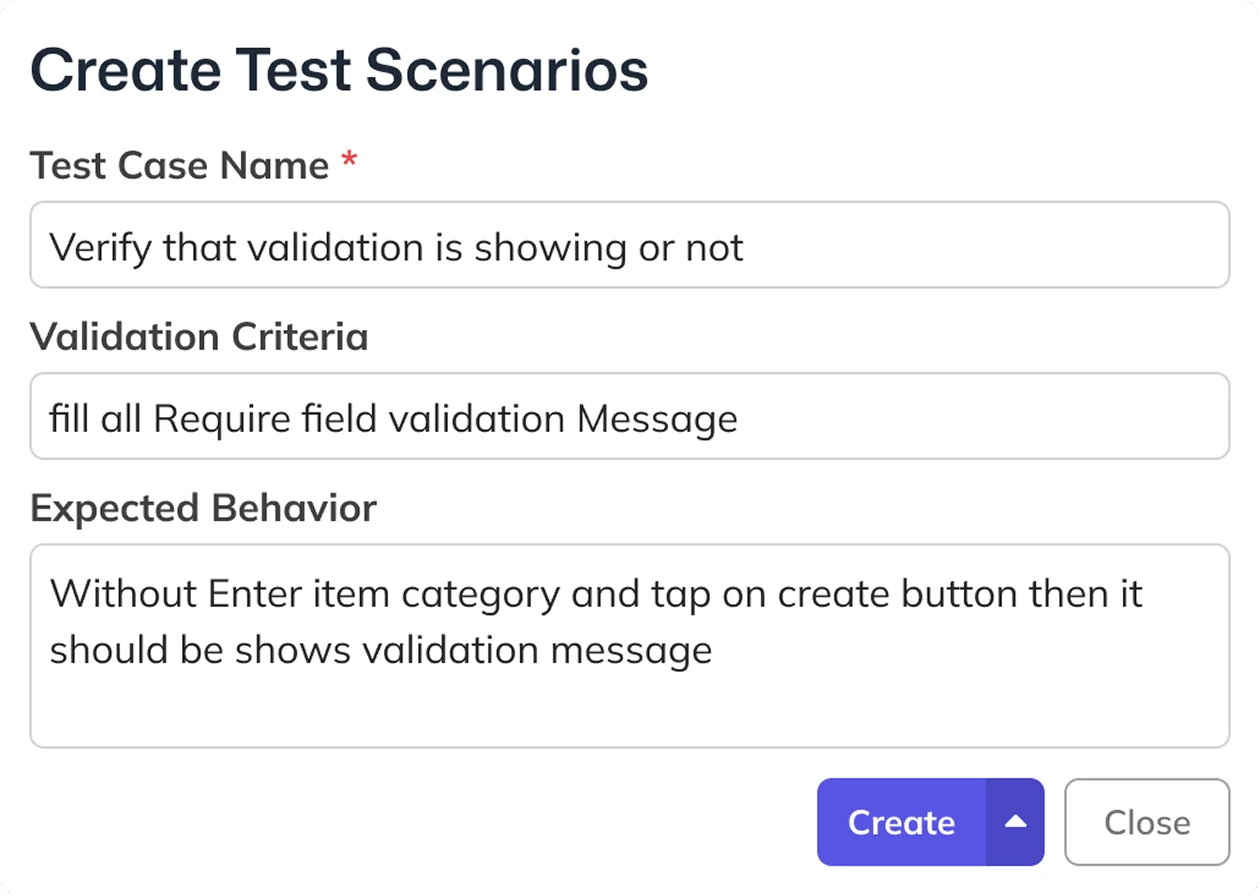
Testing works better when the expected result is clear before the checks begin. BizCompass helps teams document validation criteria and expected behavior, then organize related test scenarios into groups for the relevant project categories and modules.
Configure Project Progress Alerts and Recipients
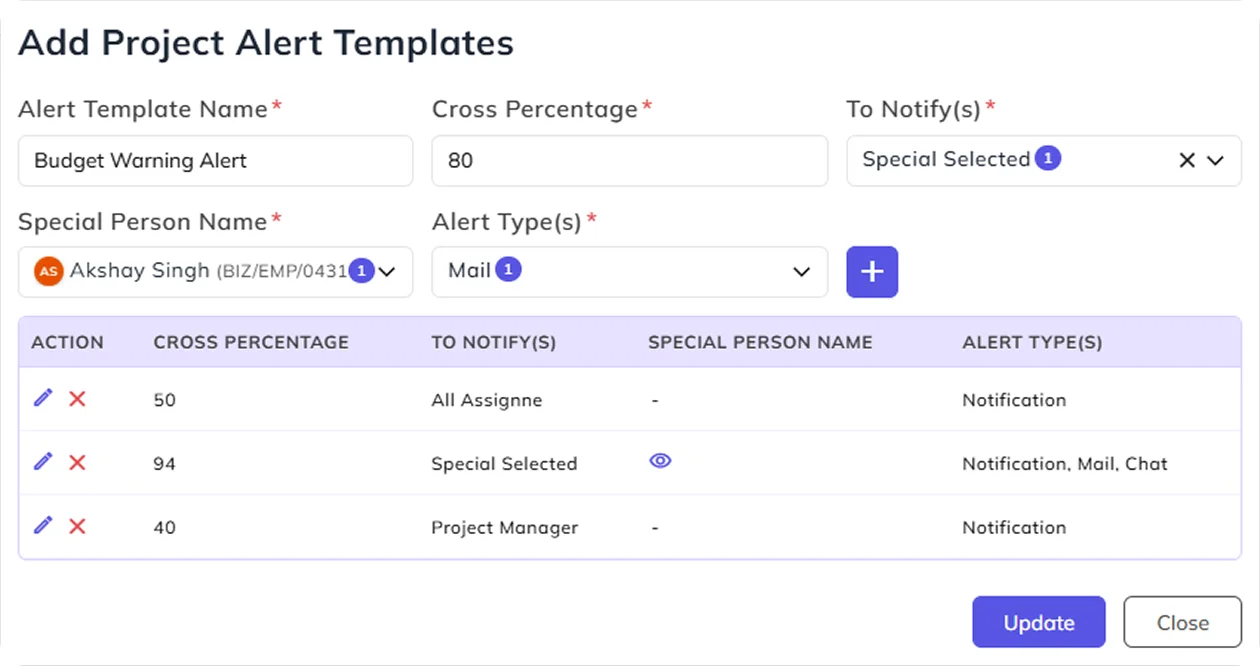
Keep project progress notifications focused on the people who need them. Define alert templates with completion-percentage thresholds, selected recipients and available alert types, then use the relevant settings within individual projects.
Keep Project Platforms & Change Reasons Consistent
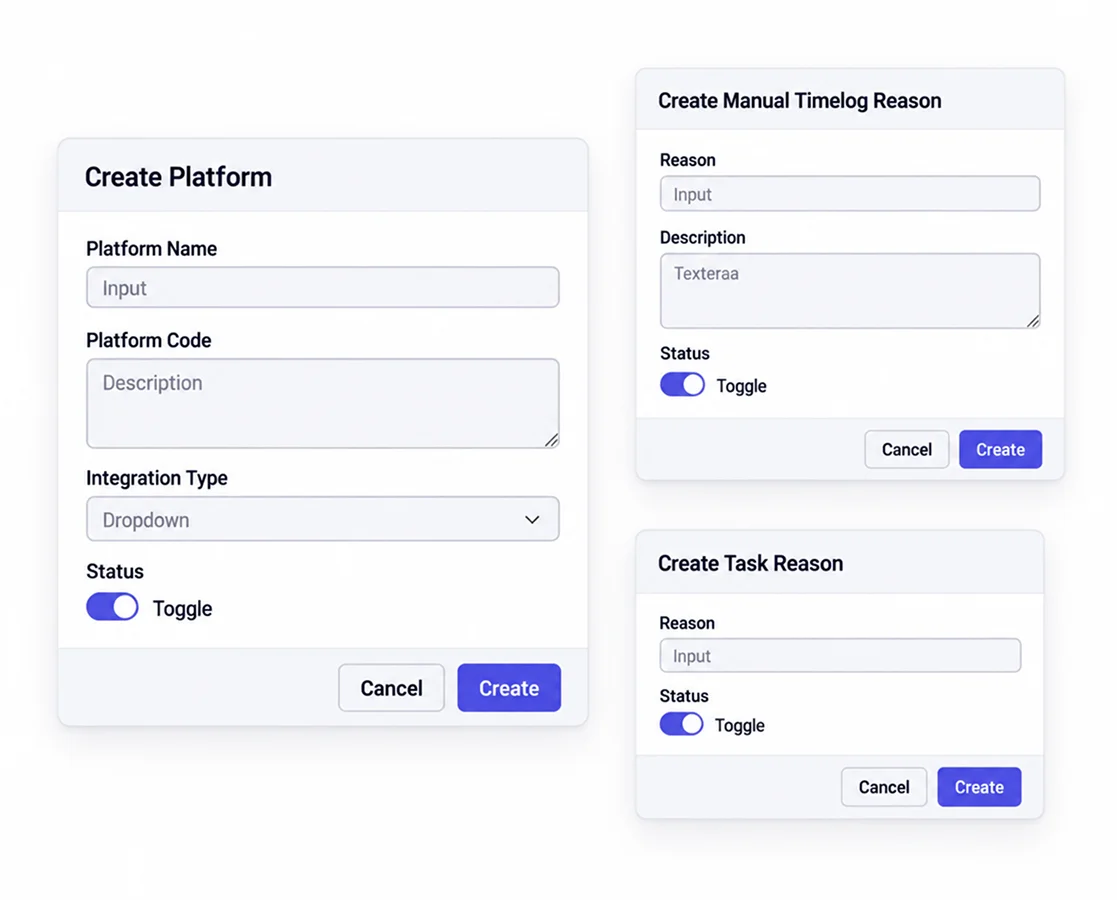
Clear project records depend on consistent information, especially when work is recorded across platforms or time entries need adjustment. BizCompass provides platform and reason settings for manual time logs, timer deviations and related task or issue cases, helping teams retain meaningful context behind those records.
Frequently Asked Questions
Project workflow management software helps teams configure how project work is organized, assigned and moved between stages. BizCompass includes project modules, role permissions, task flows, statuses, test scenarios and project alert templates.