
Project Dashboard Software for Task Status, Workload & Costs
When you're managing several projects, knowing which one needs attention shouldn't mean searching through different modules. BizCompass Project 360 lets you select a project and bring its progress, people, working hours and costs into one view, so you have the context you need for your next decision.
Know What Needs Attention in Each Project
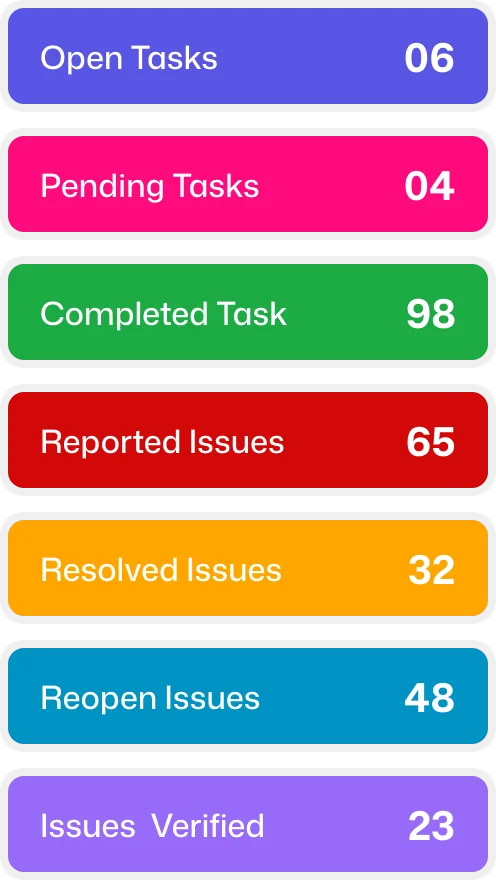
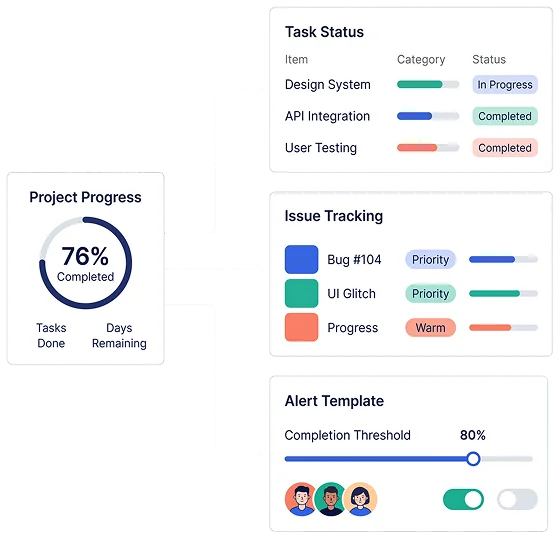
Completed work doesn't always mean a project is free of pending issues. Understand what remains open, what has been resolved and where a closer look is needed. Project alert templates also help define who should receive notifications when configured progress thresholds are reached.
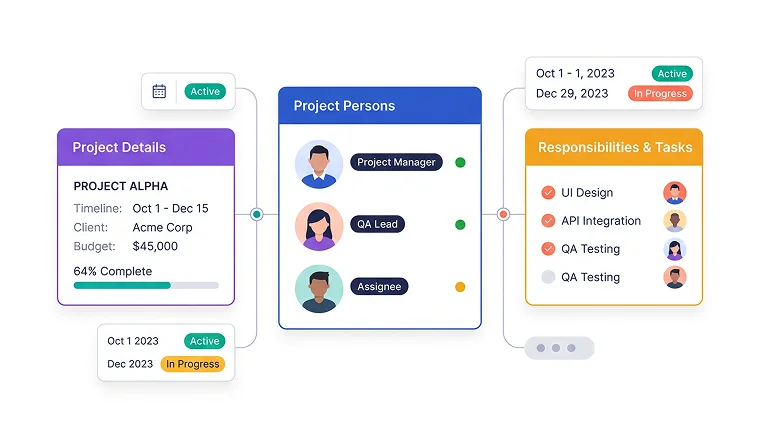
Keep Project Details & Team Roles in View
Project dates, customer details and budgets are easier to act on when responsibilities are clear. Having this information alongside project managers, QA members and assignees helps teams involve the right people in planning and progress discussions.
Keep Project Responsibilities & Activity Clear
When a project needs attention, it's important to know who is involved and what is happening around their work. Project 360 keeps customer and project details connected with managers, QA team members and assignees, while team status and meeting information help make follow-ups more focused.
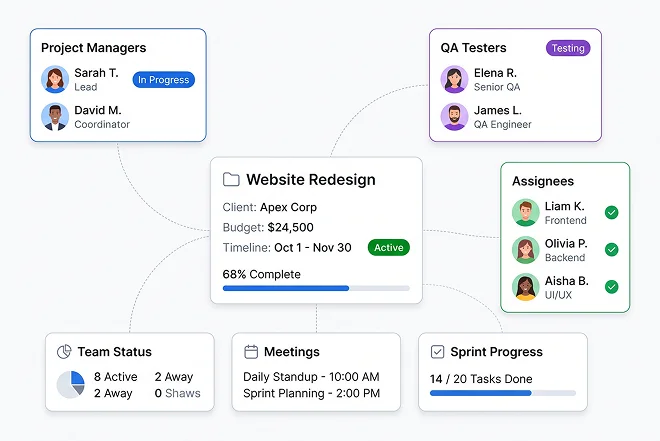
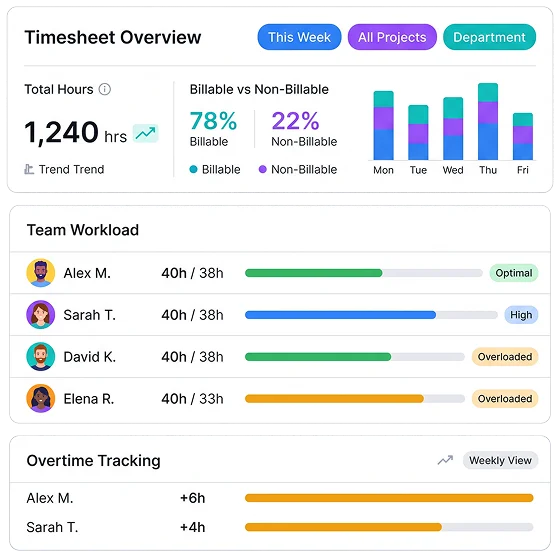
Understand the Time Behind Project Progress
Logged hours reveal the effort behind completed and ongoing work. Understand the share of billable and non-billable time, examine team workload and account for overtime when discussing how project hours have been used or planning upcoming work.
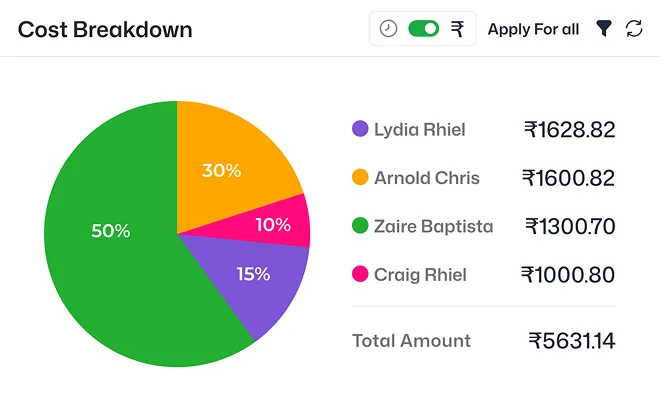
Understand What Contributes to Project Costs
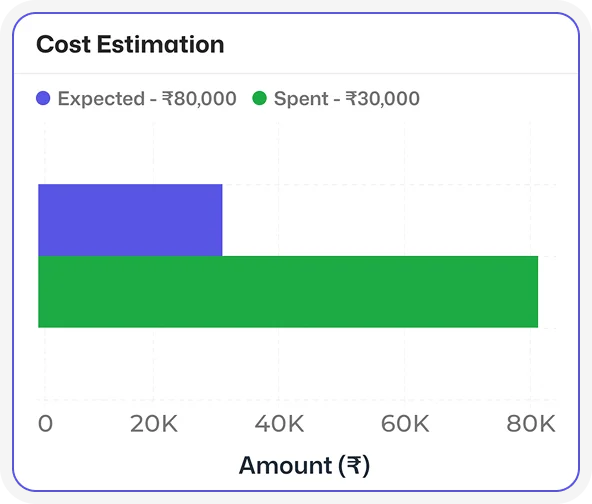
When project spending needs an explanation, an overall total is rarely enough. Examine how recorded costs are distributed across employees, departments, designations and modules, making it easier to identify where project resources have been used.
Analyze Project Hours, Costs & Status in Detail
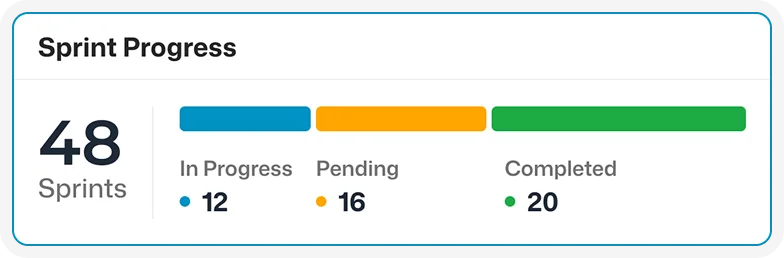
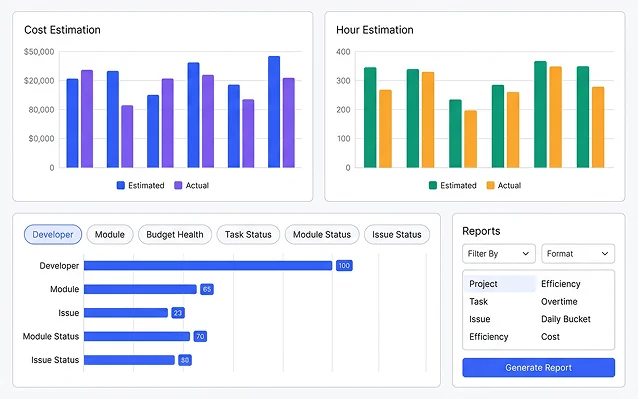
Compare expected and actual project hours and costs to understand how recorded work relates to estimates. Developer-wise and module-wise comparisons, budget information and task, module and issue status charts help managers examine the figures behind project progress.
Explore Project Reports and
Related Records
When a project summary raises more questions, go further with project, task, issue, efficiency, overtime, daily bucket and cost reports. The Documents and Activity Stream tabs also keep related project information within reach.
Frequently Asked Questions
Project 360 is a project management dashboard that lets you select an available project and examine its details, task and issue status, team information, working hours, costs and analytics. You can switch between projects to see each one's information.