

Bug Tracking System for Clear Reporting & Ownership
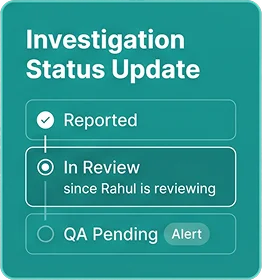
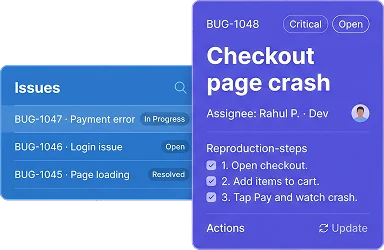
Keep reported bugs organized with the details developers and QA teams need to investigate them. BizCompass brings reproduction steps, severity, priority, assigned people and issue status together, giving each reported problem the context needed for follow-up.
Report Bugs With Reproduction Steps & Results
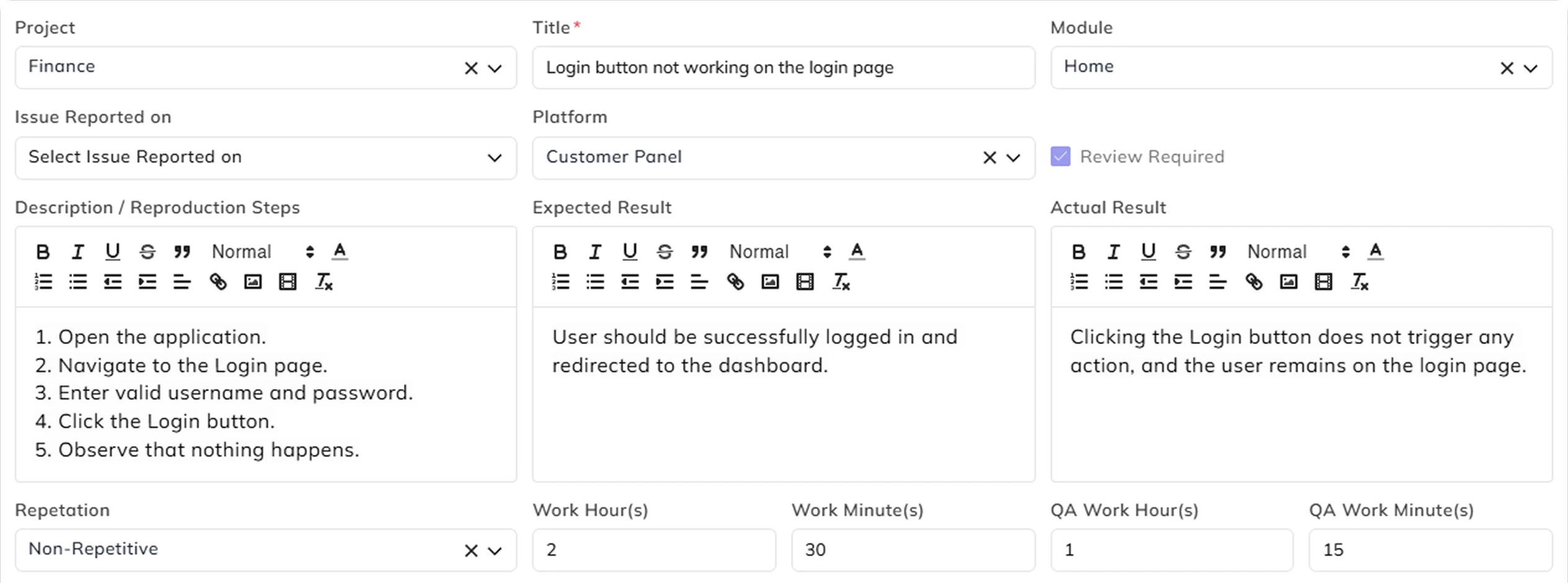
A useful bug report should explain what happened and what was expected. Record reproduction steps, expected results and actual behavior together, so developers can investigate with the details already documented.
Separate Bug Severity From Work Priority
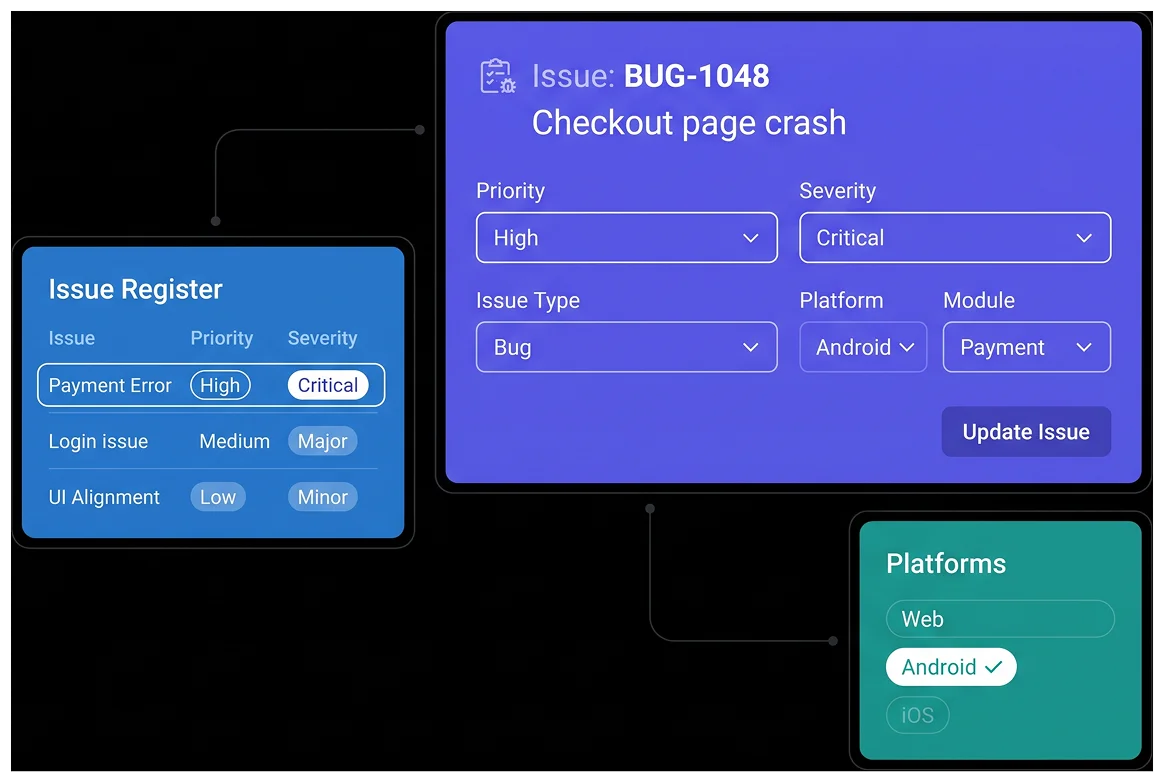
A serious defect and an urgent assignment are not always the same thing. Separate severity and priority settings help teams assess the importance of each issue, while issue type, platform and project module provide the context needed for investigation.

Assign Issue Owners, Deadlines & QA Effort
Give reported issues clear responsibility and a timeframe for follow-up. Assign team members, define work estimates and account for QA effort, so the team has a shared reference for the work involved and the hours recorded against it.
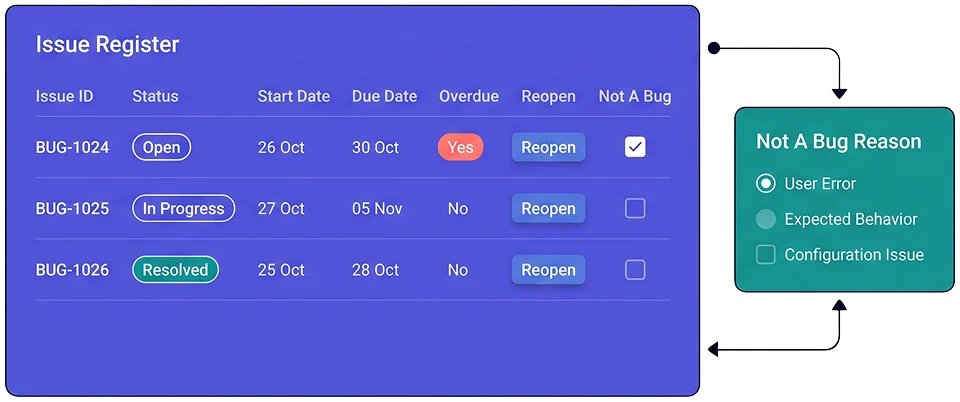
Keep Issue Status & Follow-Up Clear
Reporting a bug is only the beginning. Keeping its status, deadlines and recorded effort connected makes it easier to follow unresolved work and identify which issues need further attention, without losing the original report.
Keep Bug Evidence & Related Tasks Connected
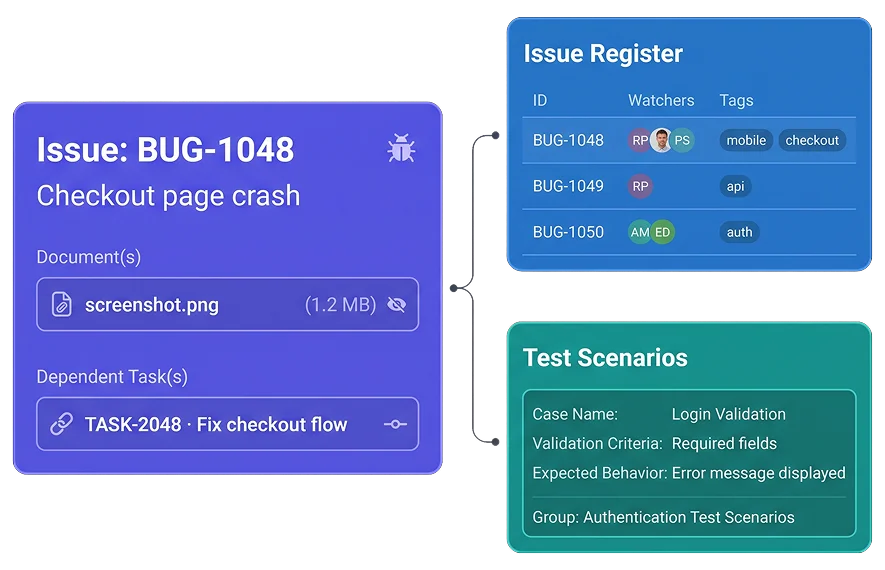
Keep the supporting information behind an issue close to the work involved in addressing it. Attachments and dependent-task references help preserve that context, while watcher and tag information adds detail to the issue record.
For QA requirements, BizCompass also provides separate Test Scenarios and Test Scenario Groups with validation criteria and expected behavior, supporting documented testing requirements without implying automated test execution.
Frequently Asked Questions
A bug tracking system helps teams report, classify, assign and follow software defects. BizCompass includes issue records with reproduction steps, expected and actual results, severity, priority, assignments and status information.