
Project Time Tracking Software for Tasks & Billable Hours
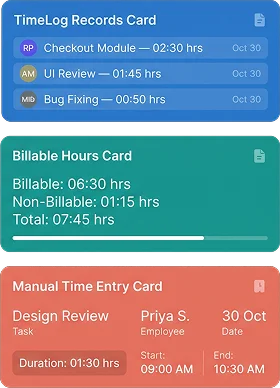
Know how much time goes into project work, whether hours are captured using a timer or entered manually. BizCompass keeps working hours connected to their tasks, with billing details and time-log records that help teams account for the work performed.
Know Who Is Tracking Time on Project Tasks
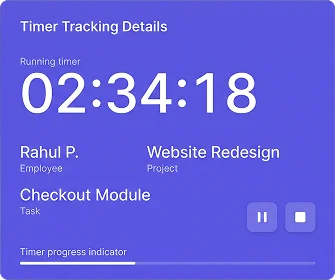
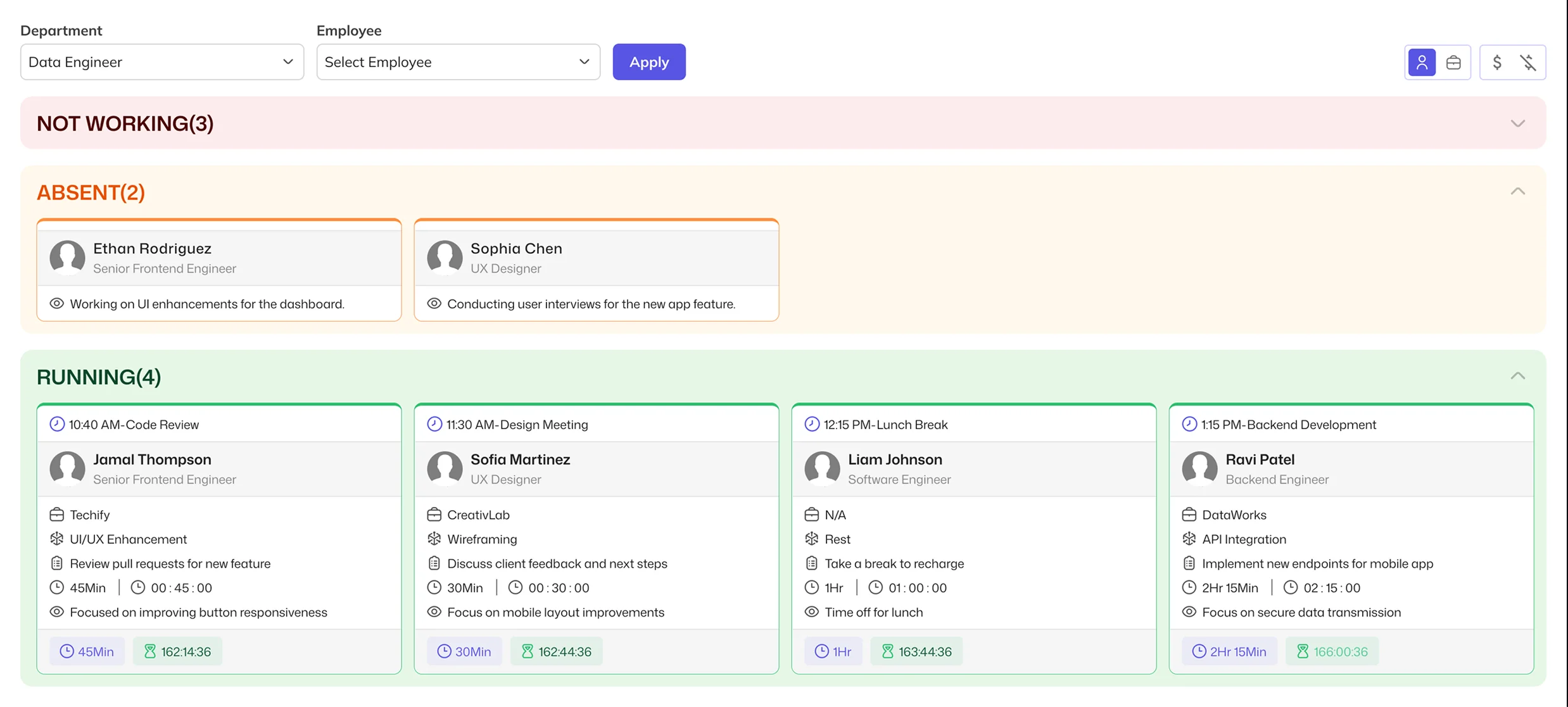
Employees can run and stop timers while working on project tasks. Timer Tracker gives managers a way to see current timer activity, identify the work being recorded and focus on relevant employees or departments without opening individual assignments.
Keep Billable &
Non-Billable Project Hours Separate
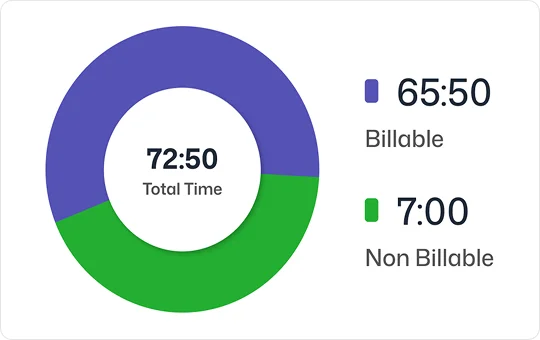
Not every hour spent on a project is chargeable. Classify recorded work by billing type and use split billable time when an entry needs to account for both billable and non-billable hours, keeping the distinction clear within the task's time records.
Keep Changes to
Logged Hours Accountable
When recorded hours need correcting, the reason matters as much as the updated time. Keep task-level entries, durations, adjustment reasons and available statuses together, giving teams a clearer record of the work and its changes.
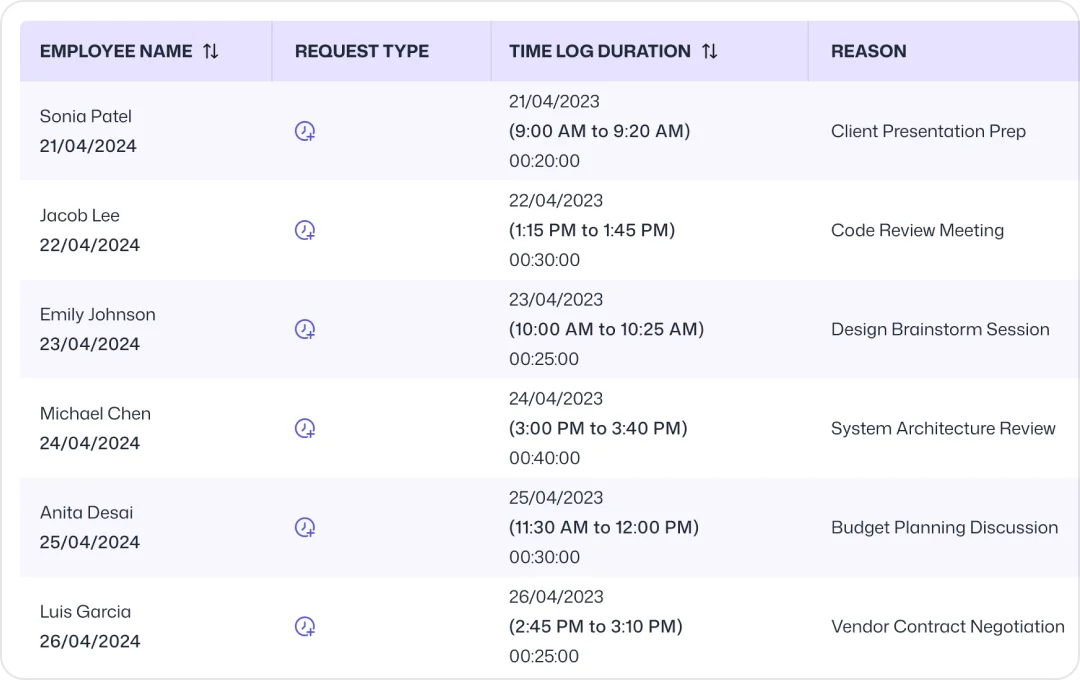
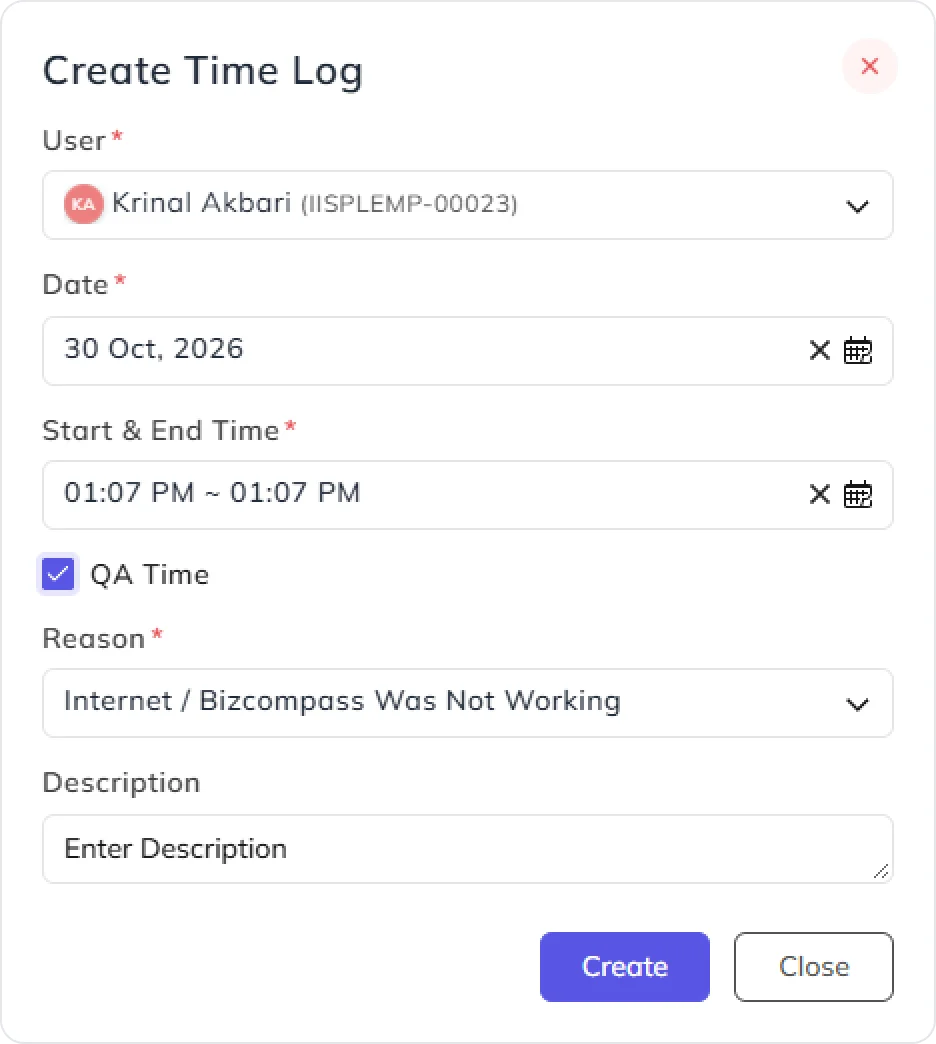
Add or Correct Hours Against the Right Task
Work isn't always recorded through a running timer. Manual time entries and updates help teams account for task hours with the appropriate dates, billing information and recorded reasons, even when an entry needs to be corrected later.
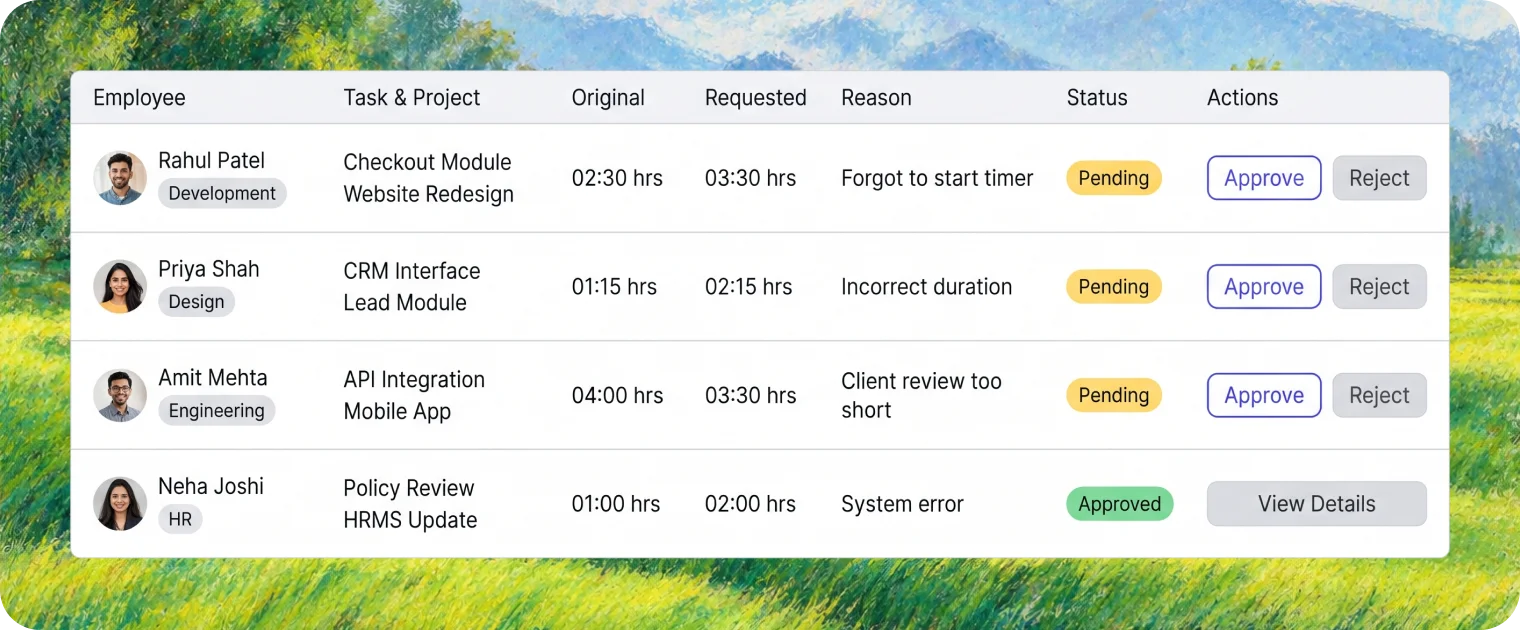
Manage Requests to Change Recorded Time
Some time-log corrections require a separate request and approval decision. BizCompass keeps the requested duration, reason, employee and related task information available in dedicated views, so the person handling the request has the context needed to act.
Frequently Asked Questions
Project time tracking software helps teams record working hours against project tasks. BizCompass supports task timers, manual time logs, billing classifications and records of time-log changes.