
Hero Background
Periodic Evaluation

Periodic Evaluation System

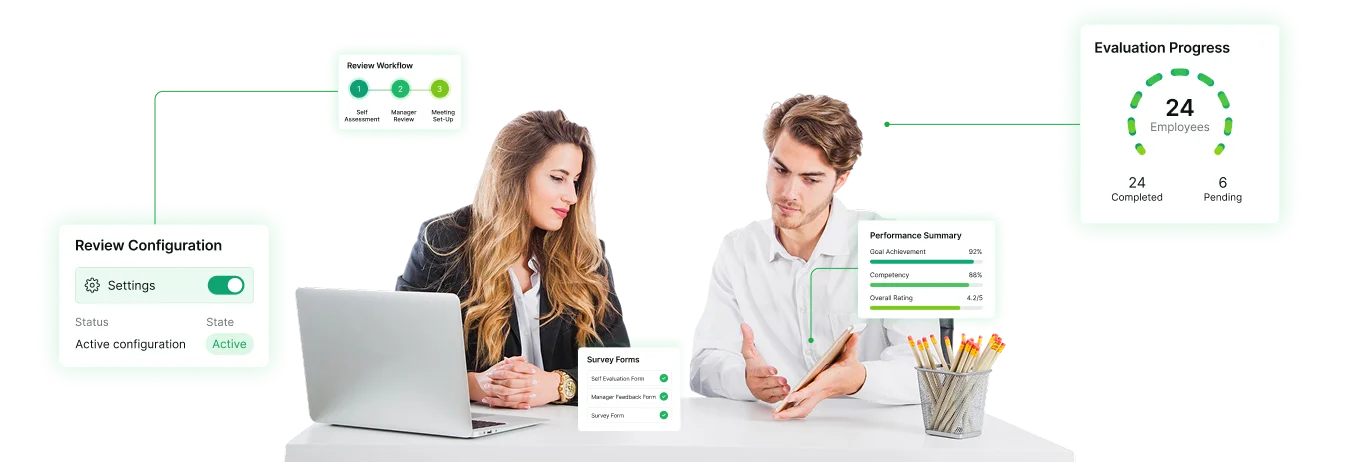
Conduct periodic performance and managerial evaluations with configurable survey forms, review directions and schedules. Collect feedback and track pending responses with Bizcompass.
Periodic Evaluation
Configure Performance

Configure Performance and Managerial Reviews

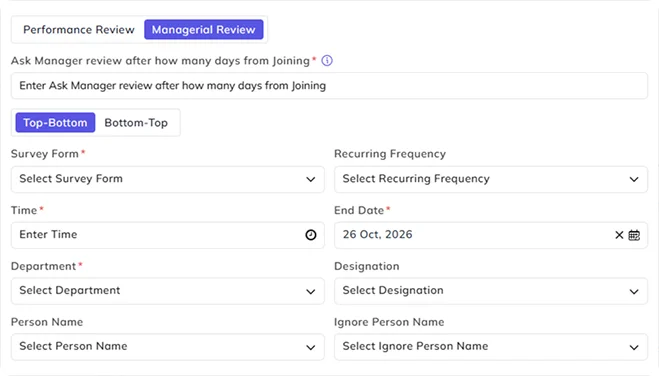
Choose Performance Review or Managerial Review and select the survey form for each evaluation. Keep different review configurations organized, with the option to activate or deactivate them as required.

Set Review Direction & Participants

Choose Top-Bottom or Bottom-Top review direction, or set up lateral peer-to-peer evaluations. Select the applicable departments, designations or individual participants to gather cross-functional feedback, with options to exclude selected people. Performance Review configuration also supports notification-recipient selection.

Schedule Periodic Reviews and Recurring Managerial Evaluations

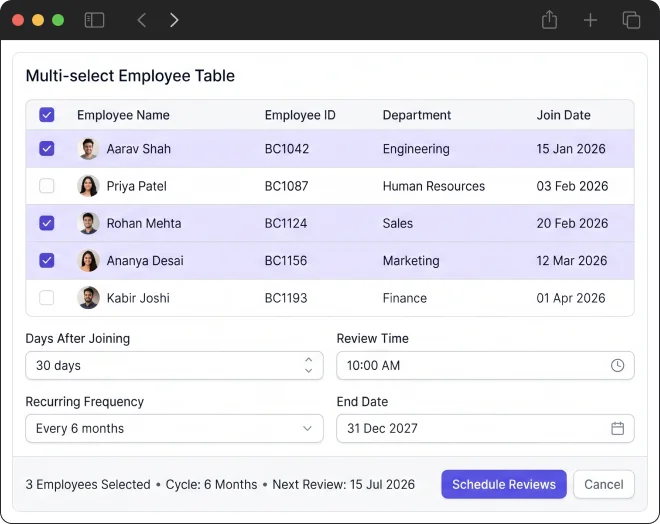
Set the start timing and scheduled time for Performance Reviews. For Managerial Reviews, specify the number of days after joining, review time, recurring frequency and end date.
Managerial Evaluations
Survey Forms

Collect Employee Evaluations Through Survey Forms

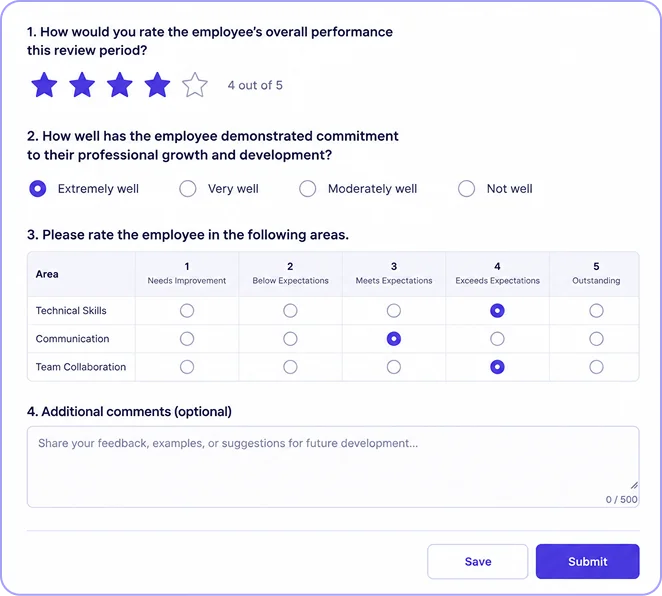
Collect structured managerial and peer feedback through multiple-choice questions, star ratings, rating grids and written comments to build a complete 360-degree view of employee performance. Participants can save their responses or submit the completed evaluation form.

Track Pending Reviews & Employee Responses

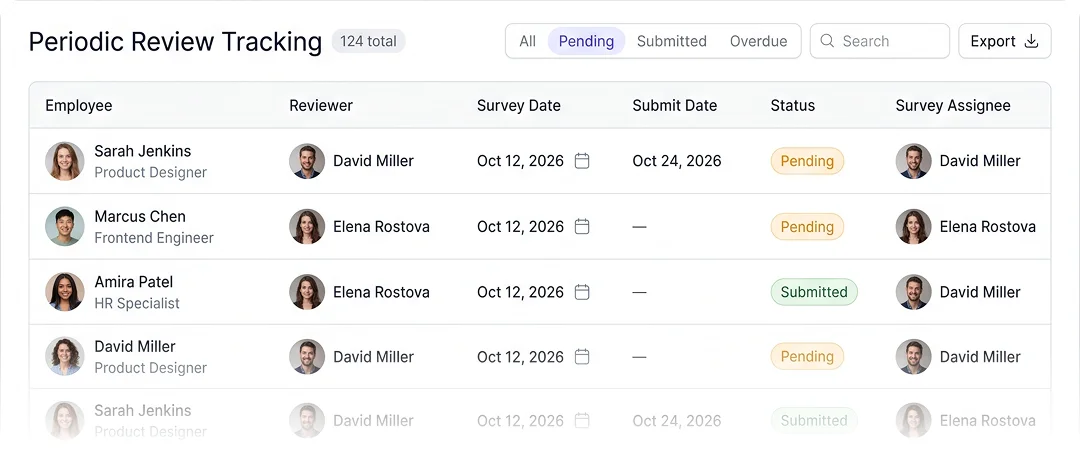
Find periodic evaluations by employee, reviewer, survey assignee and status. See the assigned survey form, survey date and submission details, then use the pending filter to identify reviews that still need attention.
Employee Responses

Frequently Asked Questions

Periodic evaluations collect feedback through scheduled performance or managerial reviews using survey forms. Formal performance appraisals follow a separate process for employee assessments, final ratings and publishing. BizCompass provides distinct configurations for both activities.
Yes. BizCompass supports separate Performance Review and Managerial Review configurations. HR can select the survey form, review direction, relevant participants and available scheduling settings for each type.
Yes. BizCompass provides both Top-Bottom and Bottom-Top options when configuring periodic reviews, allowing HR to select the direction required for the evaluation.
Yes. Managerial Review configuration includes days-after-joining, review time, recurring frequency and end-date settings. Performance Reviews have their own start-timing configuration.
Yes. Available settings include departments, designations, individual participants and exclusions, depending on the review type. Performance Review configuration also provides a field for selecting notification recipients.
The supplied survey form supports multiple-choice answers, star ratings, rating grids and written comments. Participants can save responses or submit the completed form.
The Periodic Reviews screen shows employee-wise evaluations with reviewer details, survey dates, submission dates and status. HR can filter pending reviews and examine survey assignees to identify outstanding responses.
Yes. Beyond standard Top-Bottom or Bottom-Top directions, HR can select individual participants to conduct lateral peer reviews. You can configure specific survey forms and recurring schedules to capture continuous 360-degree feedback outside of the formal annual appraisal process.