
KRA KPI Management
Bell Curve

Bell Curve Performance Management

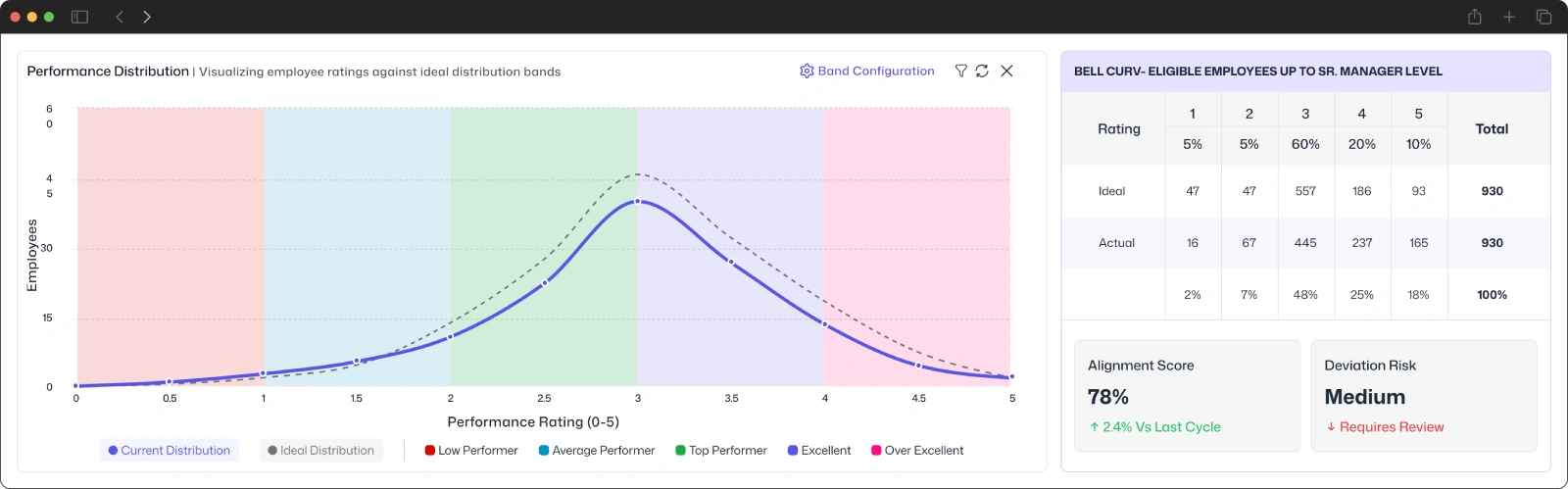
See how employee ratings compare with your ideal distribution. Identify differences across performance bands, examine final-rating adjustments and keep rating decisions traceable with BizCompass.
Bell Curve Performance Appraisal
Review Statutory

Set Performance Bands That Reflect Rating Standards

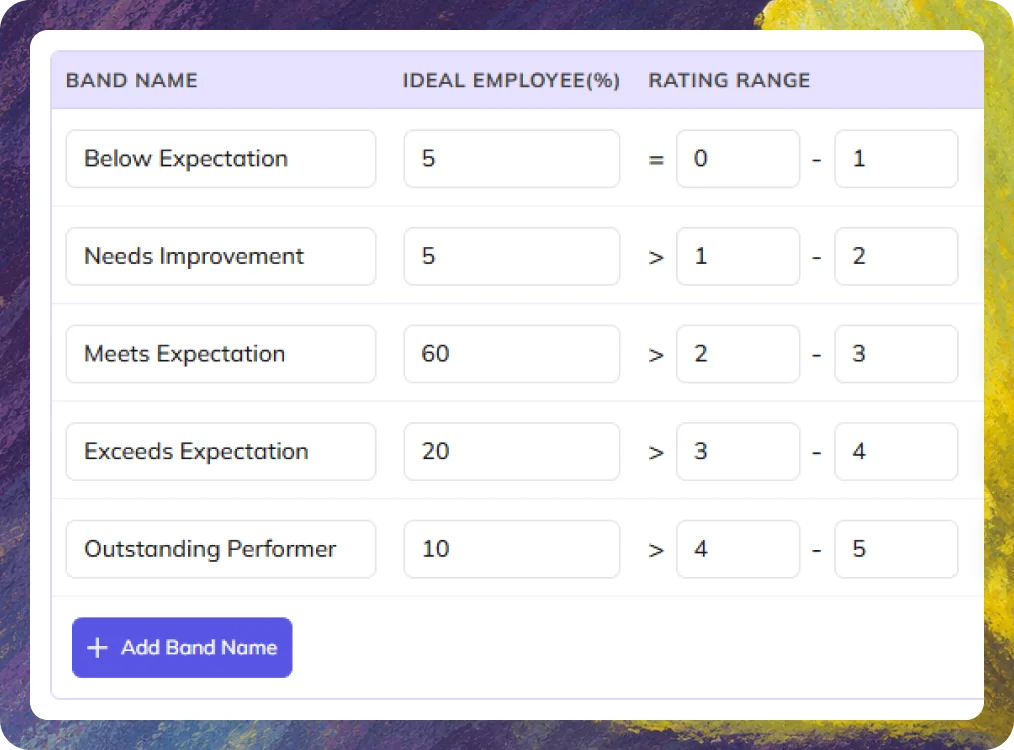
Define how employee ratings are grouped, with configurable rating ranges and ideal percentages for each performance band. Establish your organization's expected distribution as the benchmark for comparing actual appraisal results.

Make Informed Adjustments to Final Ratings

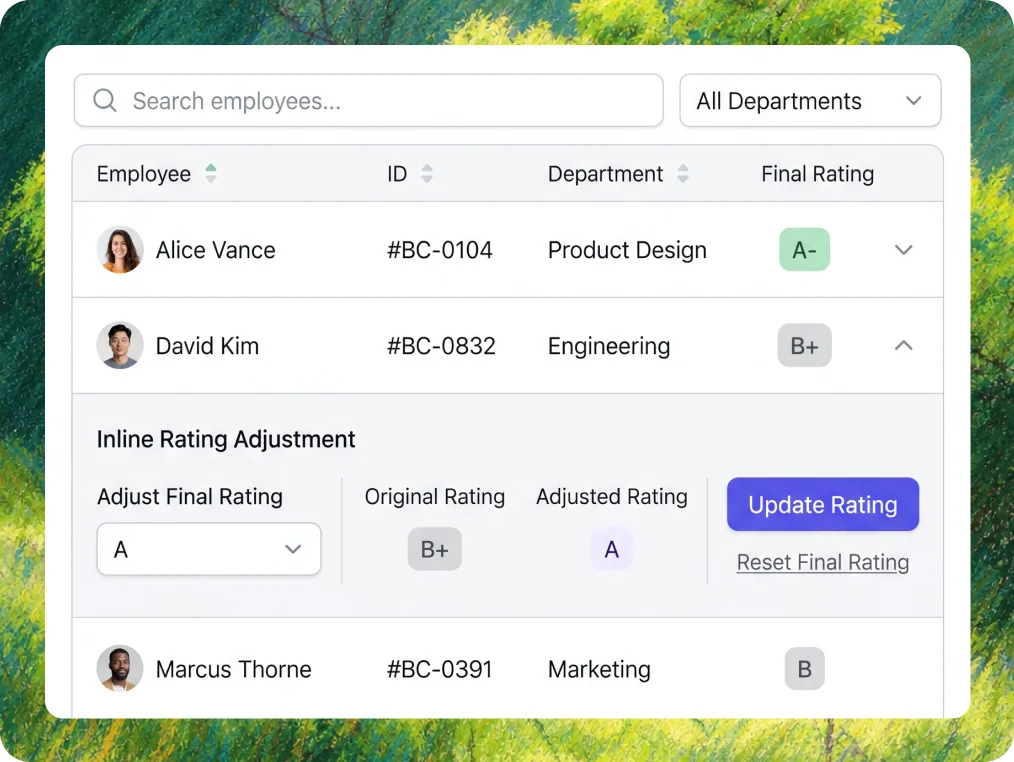
When the bell curve highlights differences in rating distribution, examine individual scores before deciding what needs to change. BizCompass provides controls to update or reset final ratings when an adjustment is required.
Create KRAs and KPIs
Assign KRAs and KPIs

Keep Final Rating Changes Clear and Accountable

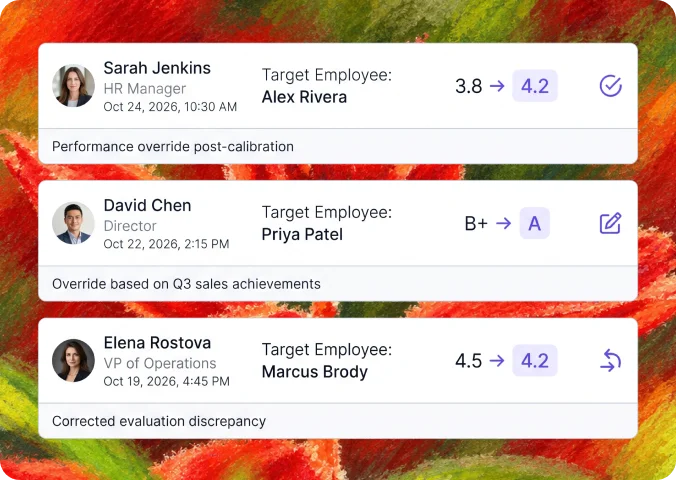
Maintain a traceable record of rating adjustments. See previous and updated scores, who made each change and when, with notes and override or reset details where available.

BuConnect Rating Patterns with Appraisal Results

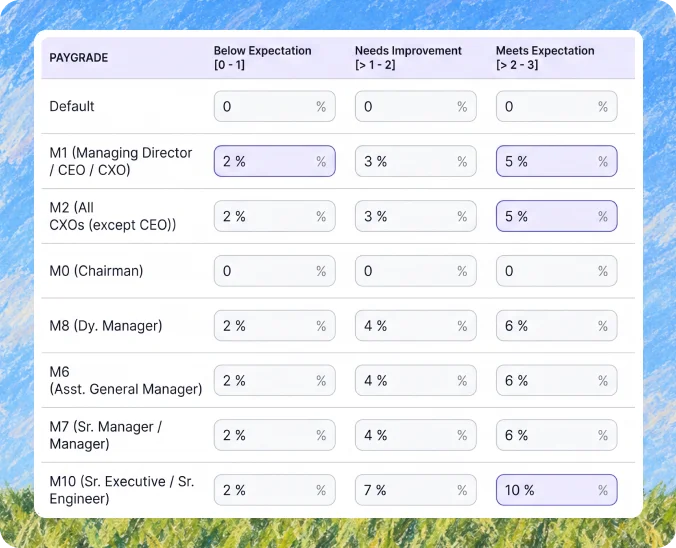
The bell curve shows where performance ratings are concentrated and how they differ from your expected distribution. BizCompass's broader Performance Report adds grade-wise employee summaries and the reported financial impact of appraisal outcomes, giving HR and leadership more context for performance discussions.
Build Reusable Templates

Frequently Asked Questions

Bell curve performance management helps organizations understand how employee ratings are distributed across performance categories. Comparing actual results with an expected distribution allows HR to identify rating differences that may need closer examination.
BizCompass displays Current and Ideal Bell Curves with employee counts and percentages across performance bands. Alignment Score and Deviation Risk provide additional indicators for examining the differences between the two distributions.
Yes. BizCompass supports configurable performance-band names, rating ranges, colors and ideal employee percentages, allowing organizations to define the distribution against which actual ratings are compared.
Bell curve analysis compares actual ratings with the expected distribution. Final-rating changes are handled through separate update and reset controls, rather than being presented as automatic adjustments to fit the curve.
Yes. BizCompass provides controls to update or reset an employee's final rating when an adjustment is required.
Yes. Final Rating Changes History shows previous and updated ratings, timestamps, the person who made the change and related notes where available. Rating overrides and resets are also identified.
Bell curve analysis makes differences between ideal and actual rating distributions visible. HR can examine these findings alongside individual rating adjustments, change history and broader performance reports to better understand appraisal outcomes.