KRA & KPI Management Software
Set clear employee responsibilities and measurable KPIs. Create KRAs, build reusable templates, assign targets and track assignment status and activity with Bizcompass.
Create KRAs and KPIs with Clear Performance Measures
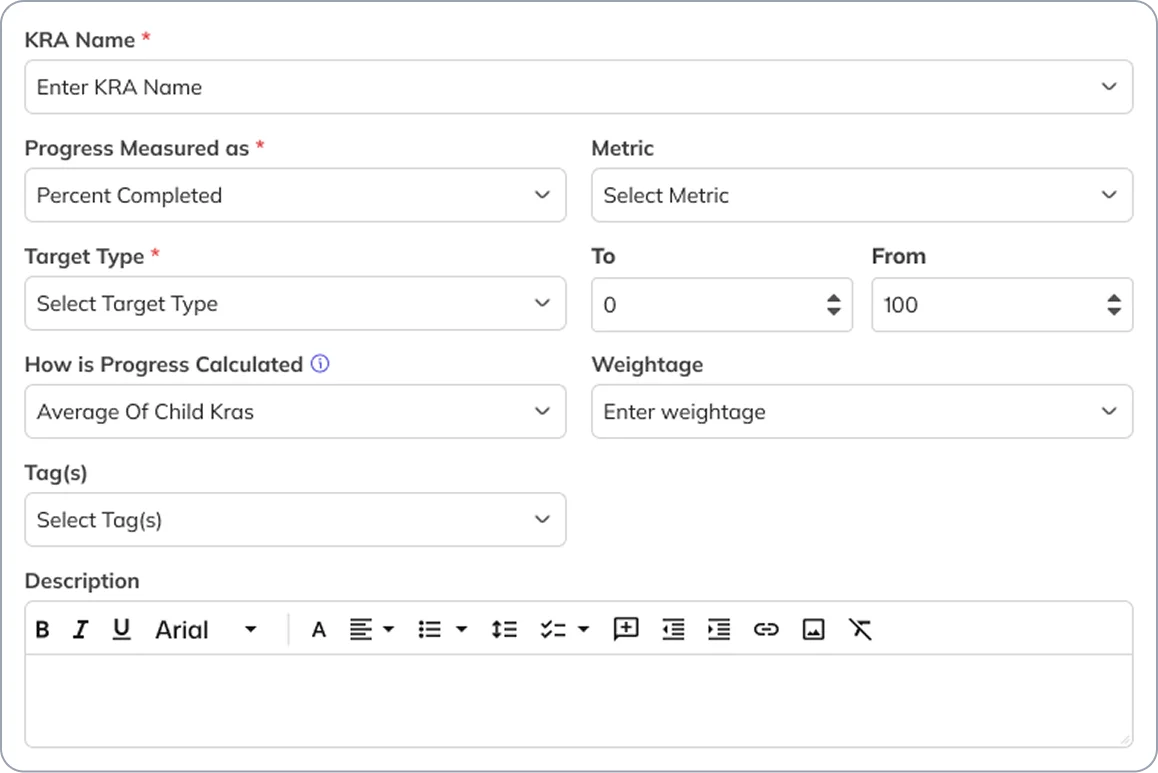
Define key responsibilities through KRAs and measurable outcomes through KPIs. Choose progress measurement types such as numbers, percentage completion or completed/not-completed, and set criteria, weightages and relevant targets.
Configure Measurement Criteria, Statuses and Time Frames
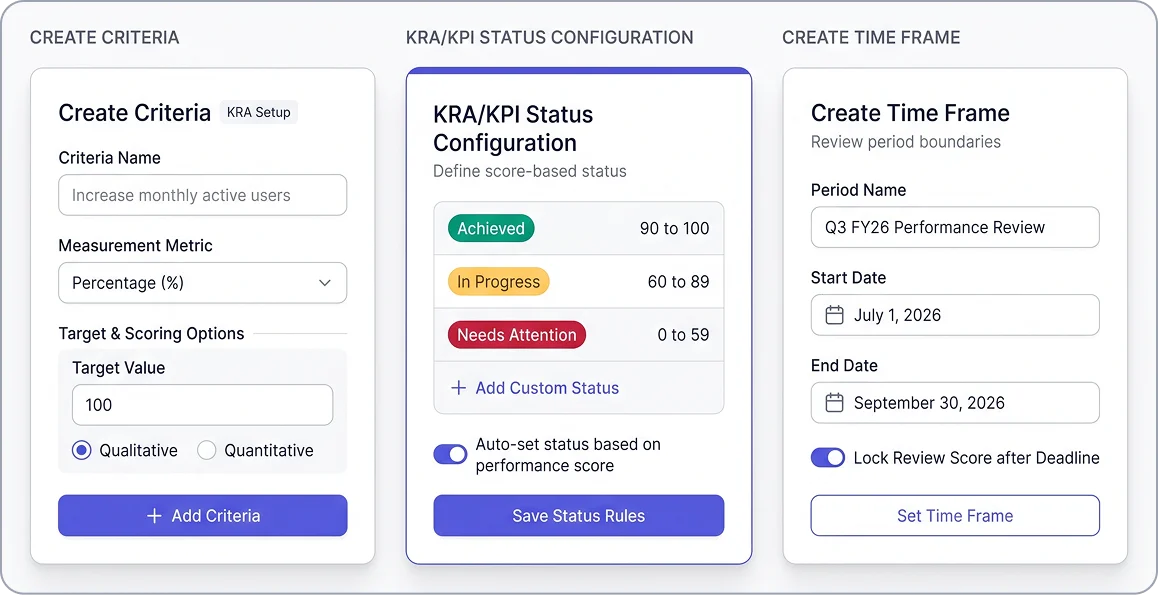
Define measurement criteria and configure KRA/KPI status labels, colors and applicable status ranges. Set evaluation time frames with start and end dates, including the available score-lock setting.
Build Reusable Templates for Employee KRAs and KPIs
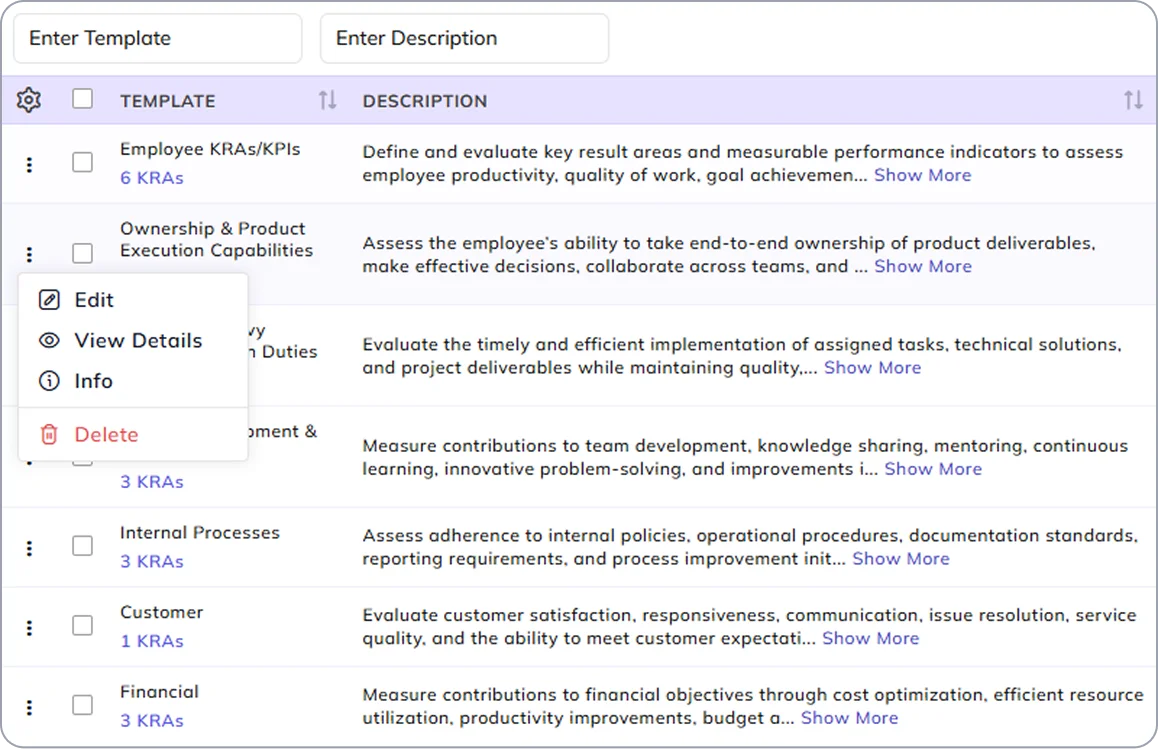
Create templates containing KRAs and their related KPIs, with defined targets, progress measures and weightages. Update these templates as requirements change and reuse them when assigning performance measures to employees.
Assign KRAs and KPIs to Employees
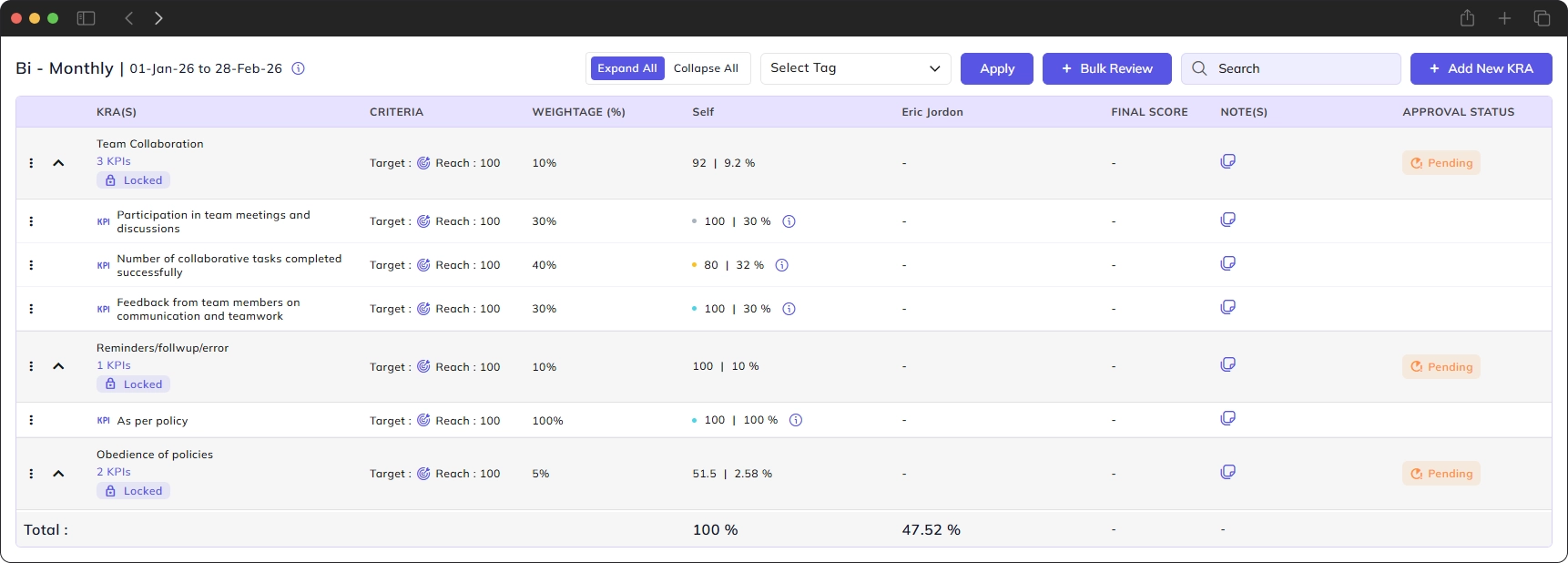
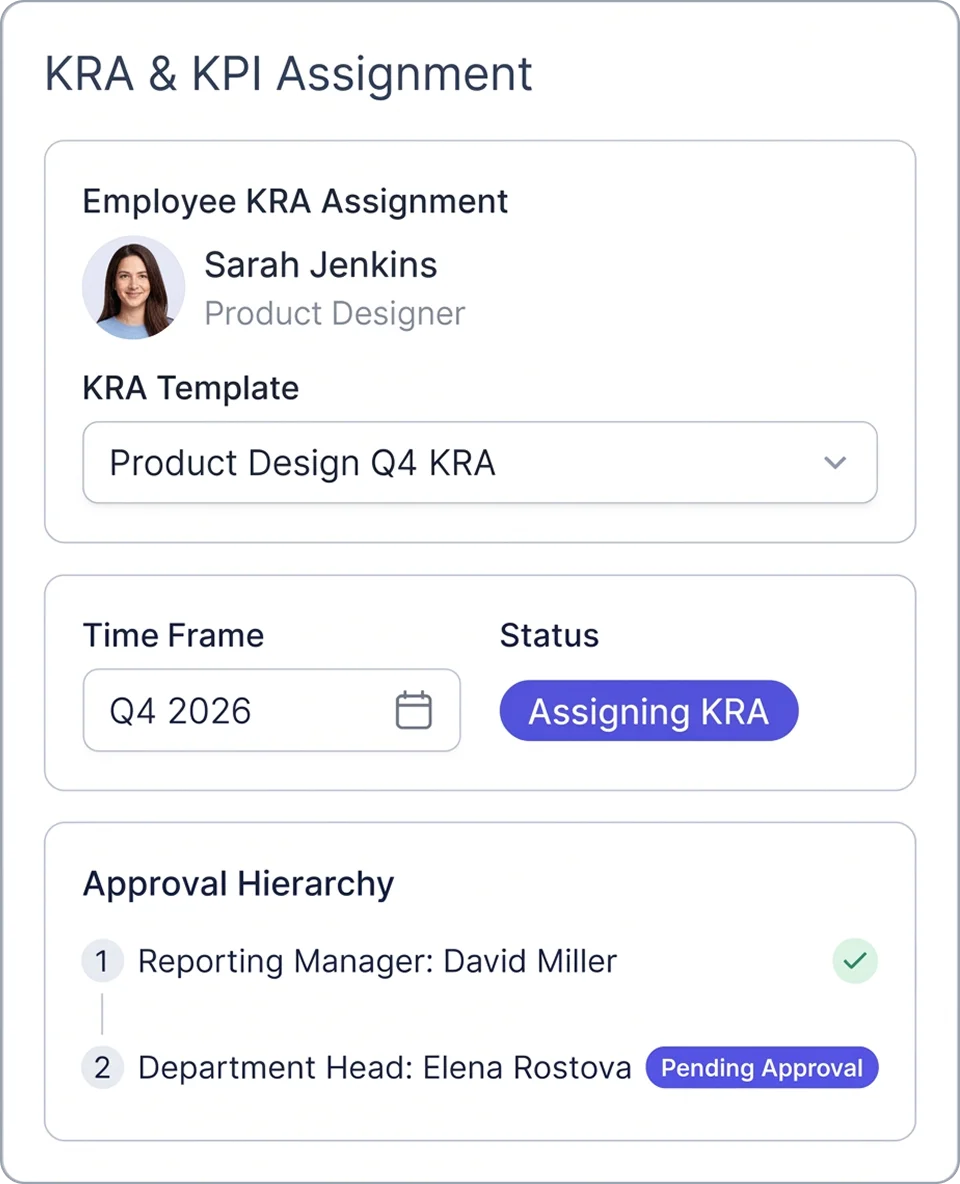
Assign KRAs directly or select them from reusable templates. Choose the employee and time frame, then use KRA-wise, employee-wise, department-wise and company-wise views to examine assignments, statuses and pending approvals.
Track KRA/KPI Assignments, Notes and Activity History
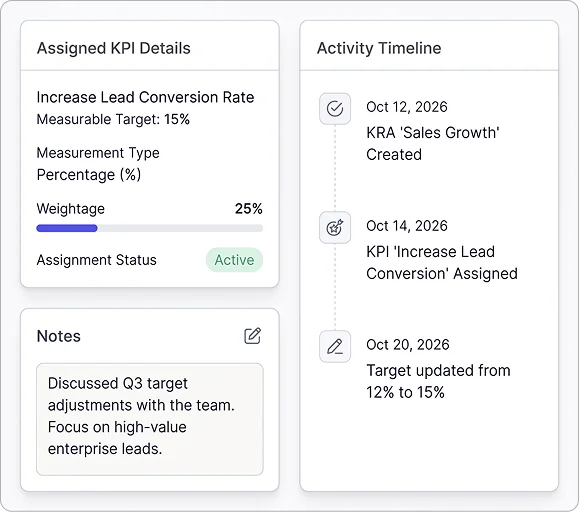
Open an assigned KRA to examine its related KPIs, targets, measurement types and weightages. Check assignment status, add notes and use the activity timeline to see recorded actions, including KRA and KPI creation.