
Performance Review & Appraisal
Manage employee performance reviews from self-assessments and manager feedback to final ratings. Configure review cycles, track submissions and publish appraisal results with BizCompass.

Configure Performance
Review Cycles, Forms & Reviewers
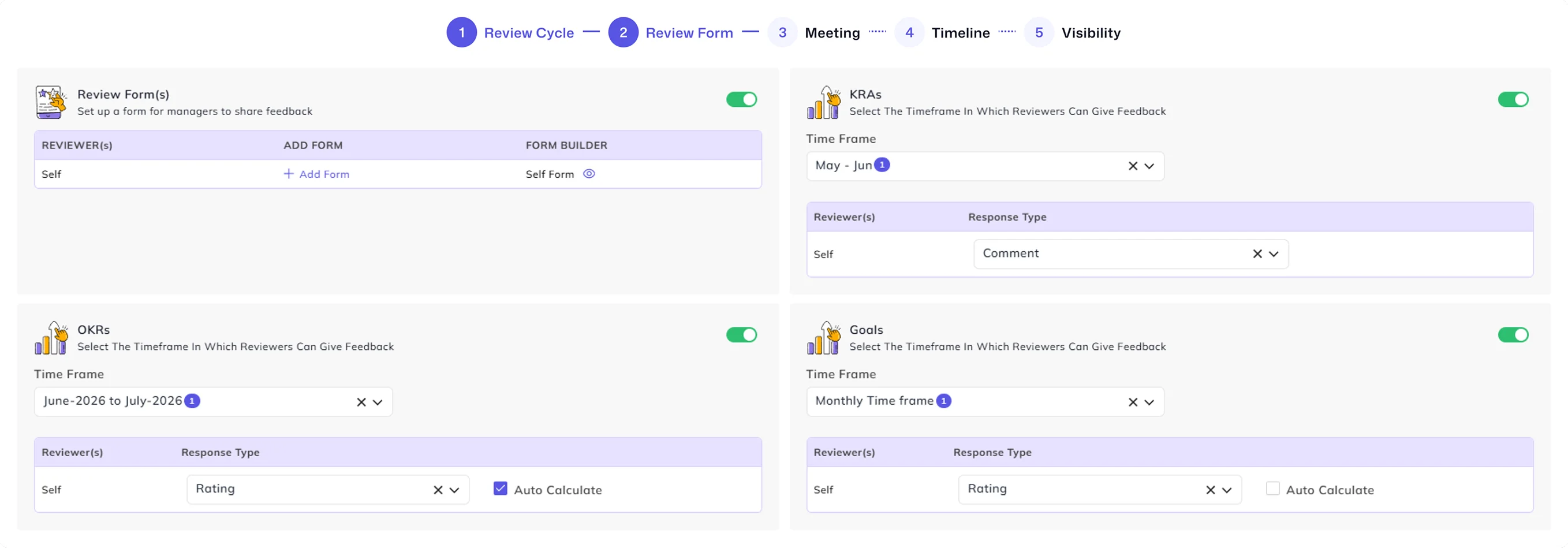
Set review frequency, release dates, reviewers, forms, meetings, timelines, rating bands and visibility through seven configuration stages. These settings bring the key steps of appraisal automation into one structured process.
Set Evaluation Forms for
Peers, Employees and Managers
Choose separate forms for employee self-assessments, reporting managers, peer reviewers, and additional reviewer levels. Include relevant performance measures and configure rating options for each evaluation stage to facilitate complete 360-degree feedback.
Track Employee and Manager Review Submissions
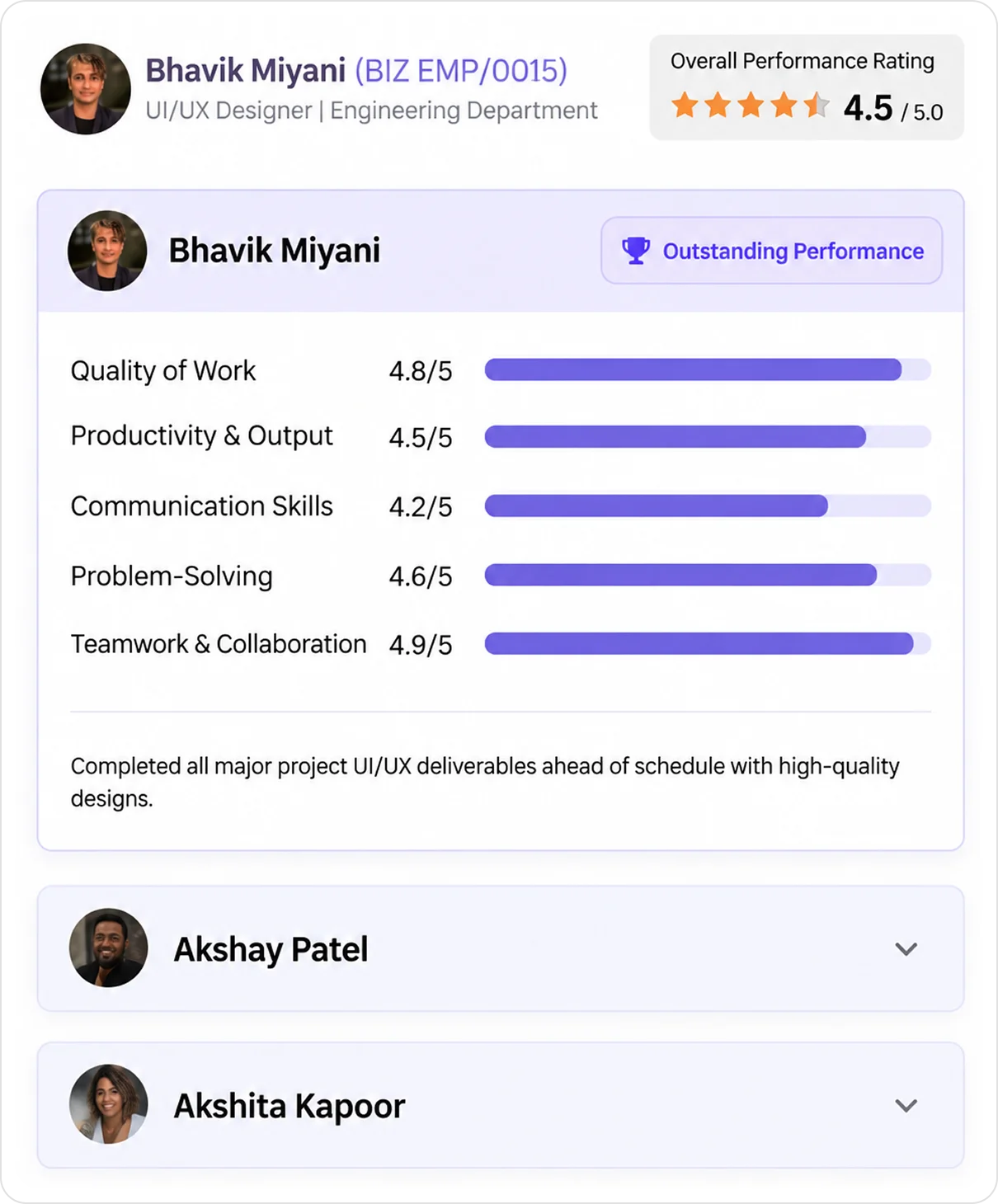
Follow employee and manager assessments as they are completed. Open submitted forms to examine performance ratings, comments and improvement suggestions, while the activity timeline shows who completed each evaluation and when.
Finalize Performance Ratings and Publish Results
Examine employee performance ratings before publishing appraisal results. Where permitted, update or reset final scores and manage publication through the Performance & Publish view.
Keep a Record of Final Rating Changes
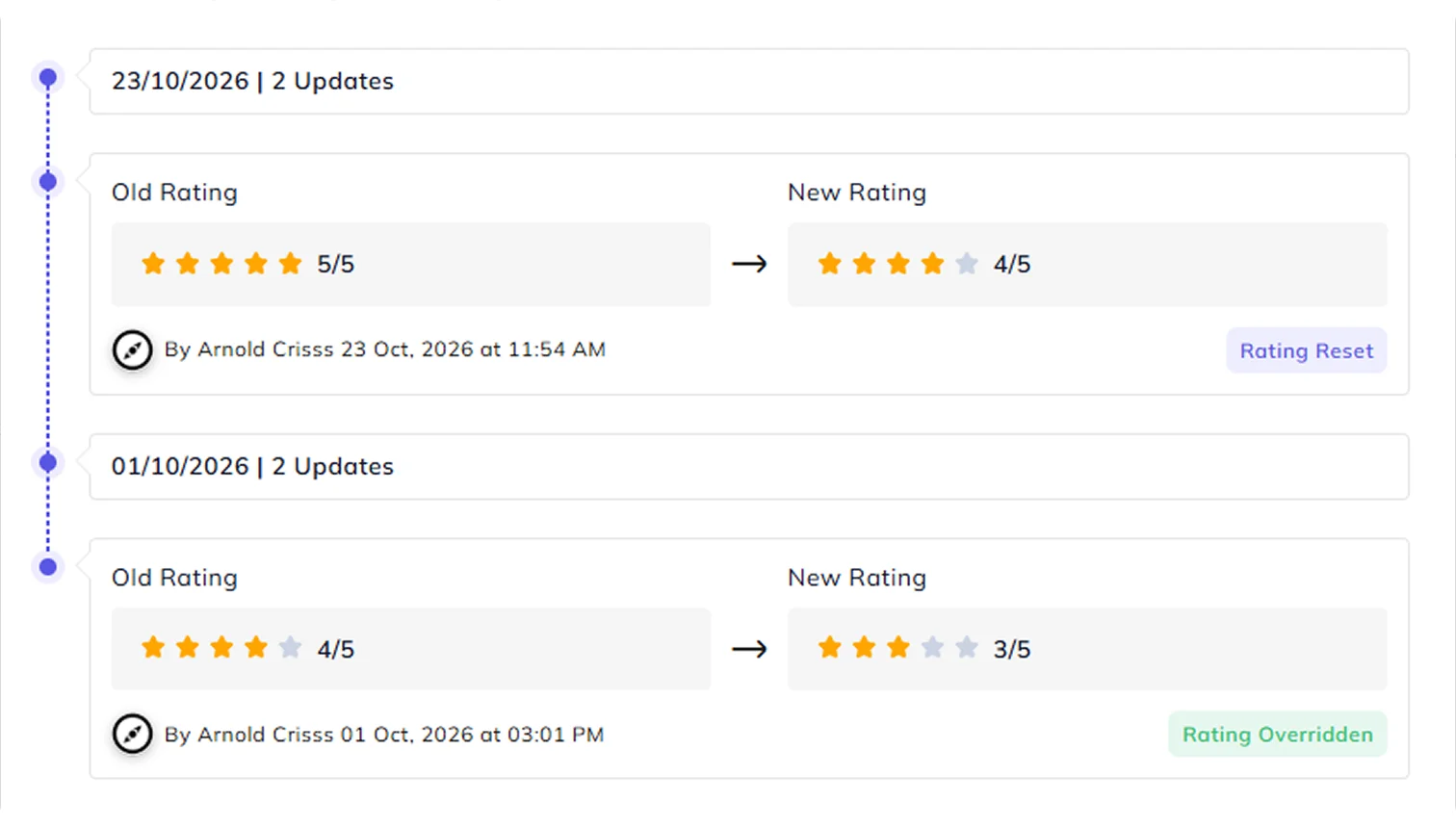
Compare previous and updated ratings, including who made each recorded change and when. Use rating-change history to understand adjustments made before finalizing appraisal results.
Use Performance Ratings to Plan Salary Revisions
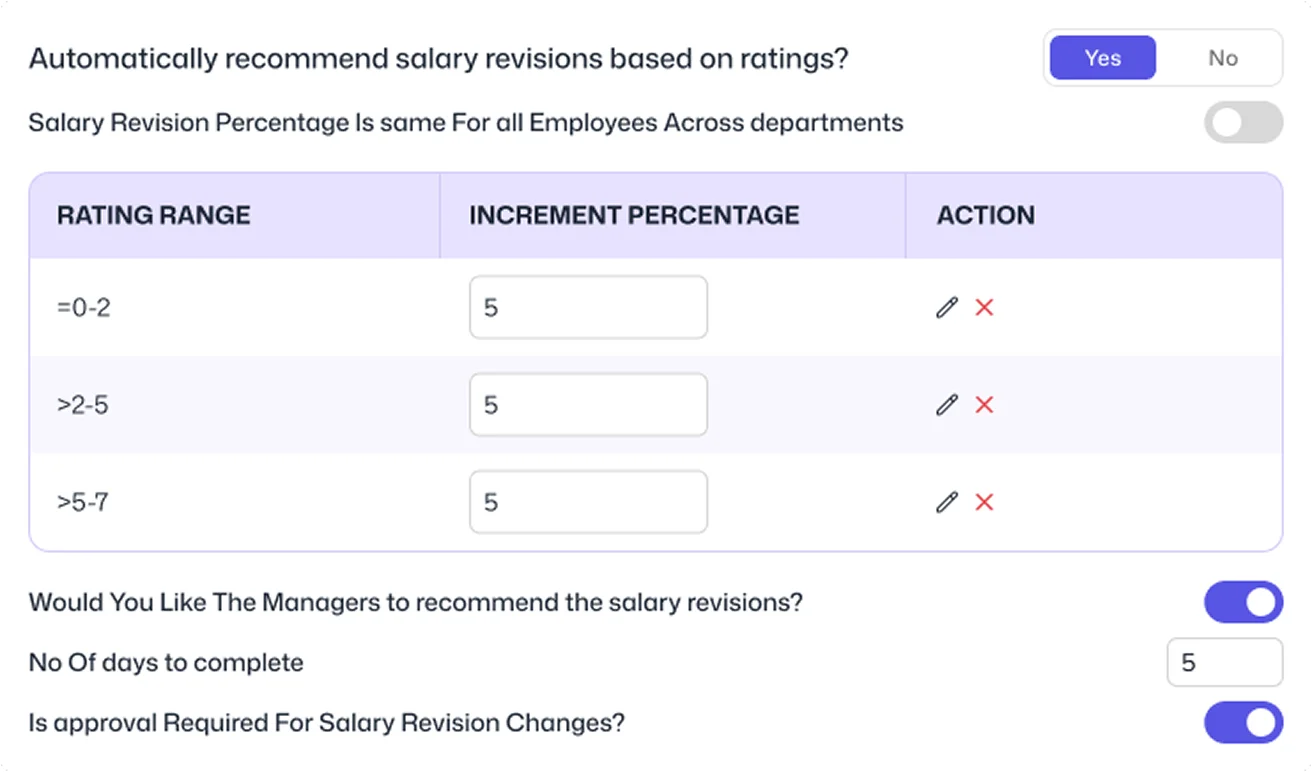
Once employee performance has been evaluated, use appraisal ratings when considering salary revisions and promotion decisions. Configure increment percentages by pay grade and performance band, then examine current salaries, proposed increments and revised amounts in Salary & Promotion.
Examine the Cost of
Proposed Salary Changes
Use the salary review tool to simulate budget impacts before finalizing compensation decisions. Assign proposed salary adjustments to individual employees or across teams, then instantly view the updated salary budget and total compensation expenses.