See Your Recruitment Performance Clearly
Create recruitment reports and use analytics to understand hiring activity and performance across your recruitment process.
Build the Reports Your Team Needs
Use Report Wizard to create reports from your recruitment data and bring the information your team needs into a structured report.
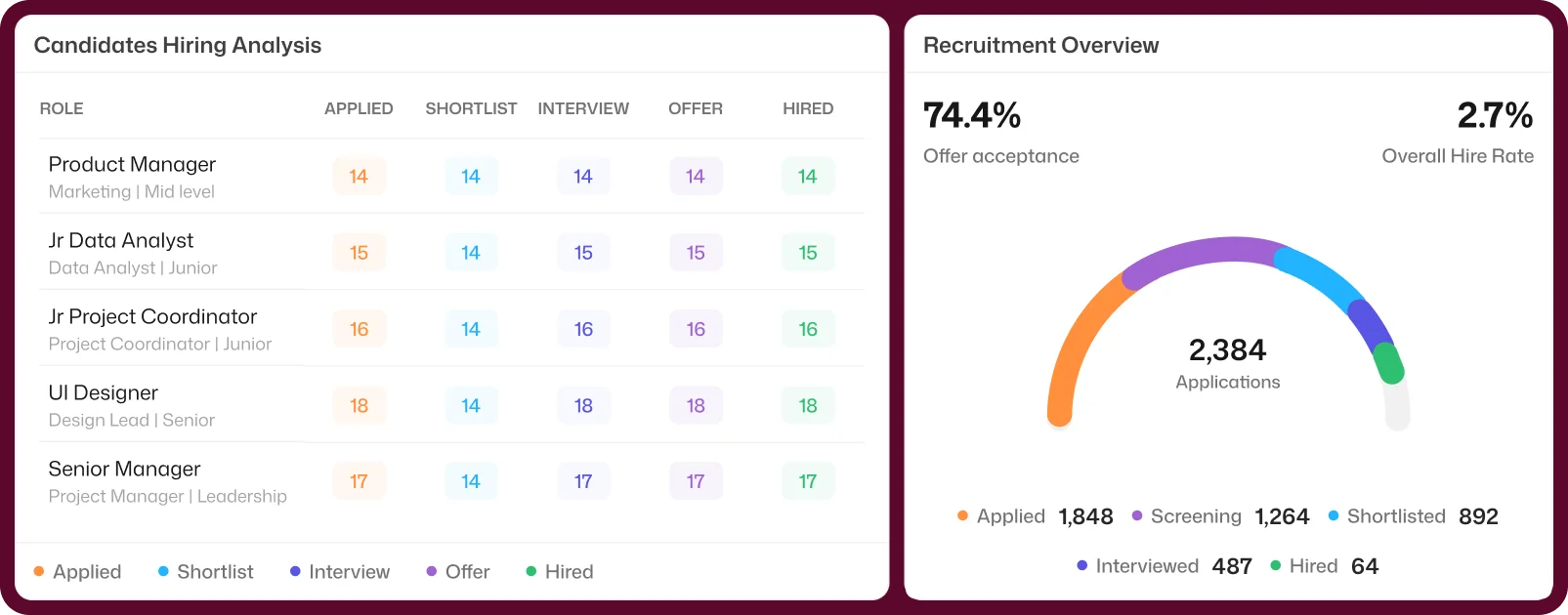
Review Reports for Key Hiring Activities
Access recruitment reports for specific hiring activities, including Candidate Offer Report, Interview Performance Report, and Employee Document Report.
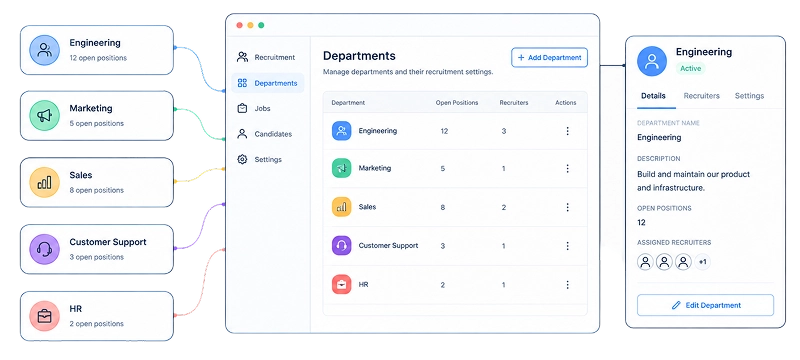
Keep Recruitment Organized by Department
Organize recruitment around the departments involved in hiring so your team can work with recruitment information in the right organizational context.
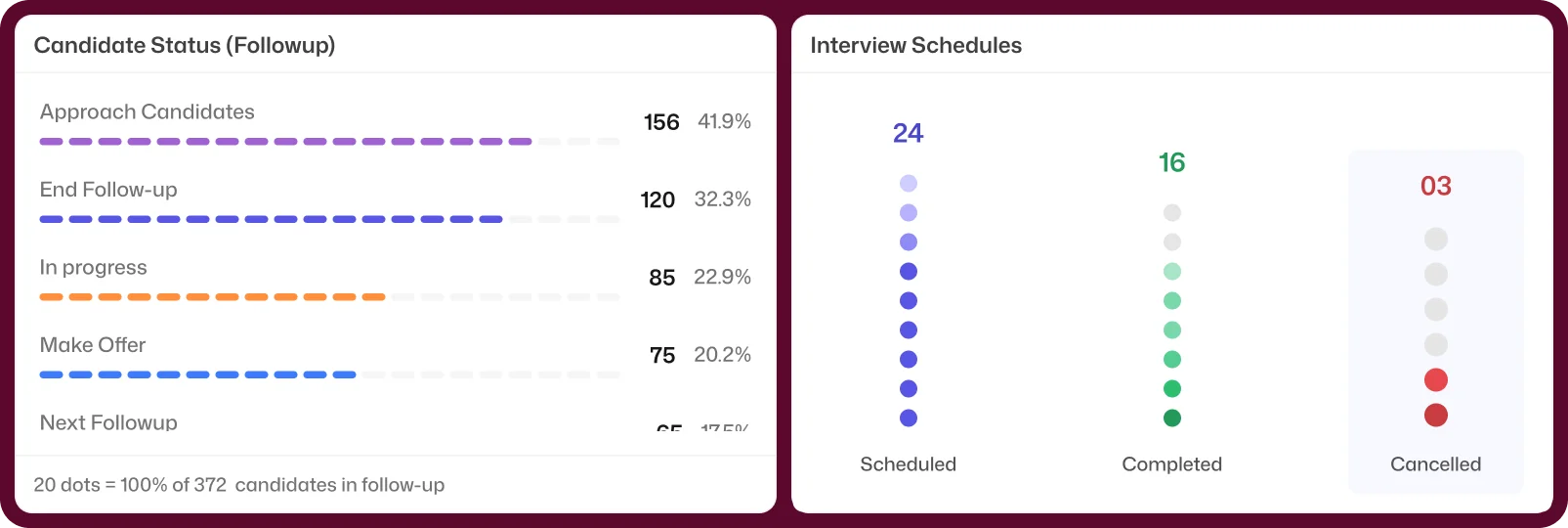
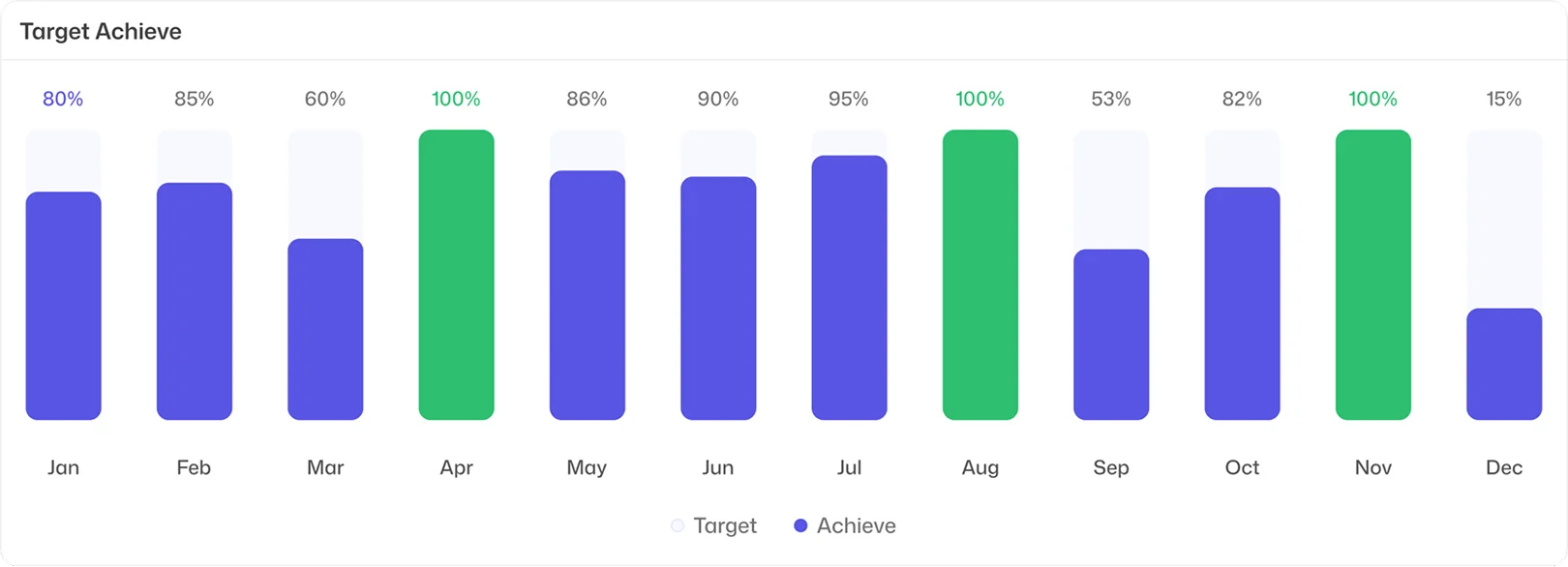
Understand Your Recruitment Performance
Use Recruitment Analytics to review recruitment activity and performance and get a clearer view of what is happening across your hiring process.
Frequently Asked Questions
Find clear answers to common questions about features, workflows, and how the system works in real scenarios.
What is recruitment reporting and analytics?
Recruitment reporting and analytics helps teams review hiring data, recruitment activity, and performance through reports and analytics.
What is Report Wizard in Bizcompass?
Report Wizard allows your team to create reports using recruitment data available in Bizcompass.
What recruitment reports are available in Bizcompass?
Bizcompass includes recruitment reports such as Candidate Offer Report, Interview Performance Report, and Employee Document Report.
Can I review interview performance in a recruitment report?
Yes. Interview Performance Report is available within the Recruitment Report section.
Can I review candidate offer information in a report?
Yes. Candidate Offer Report is available within the Recruitment Report section.
Can recruitment information be organized by department?
Yes. Bizcompass includes Department Management within its Reporting & Analytics capabilities to organize recruitment around departments.