Compare Shortlisted Candidates Side by Side Before You Hire
Compare candidates within the recruitment process and review candidate information, ratings, comments, and evaluation captured during hiring before deciding who moves forward.
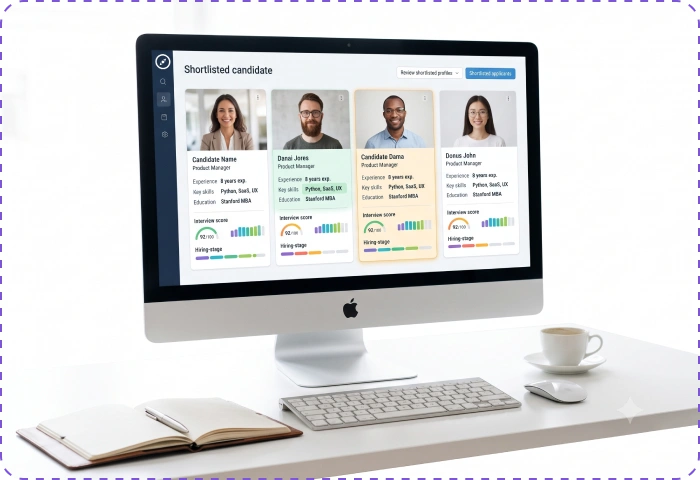
Bring Your Shortlist Into One Comparison View
Bring shortlisted candidates into comparison when your team is ready to review the options together and decide who should progress to the next hiring stage.
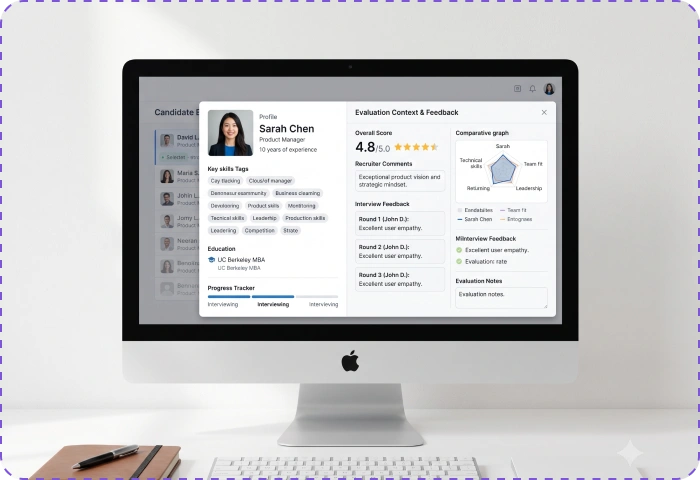
See the Information Behind Every Candidate
Review candidate information alongside ratings, comments, and evaluation captured during recruitment, keeping the context behind each candidate available as you compare them.
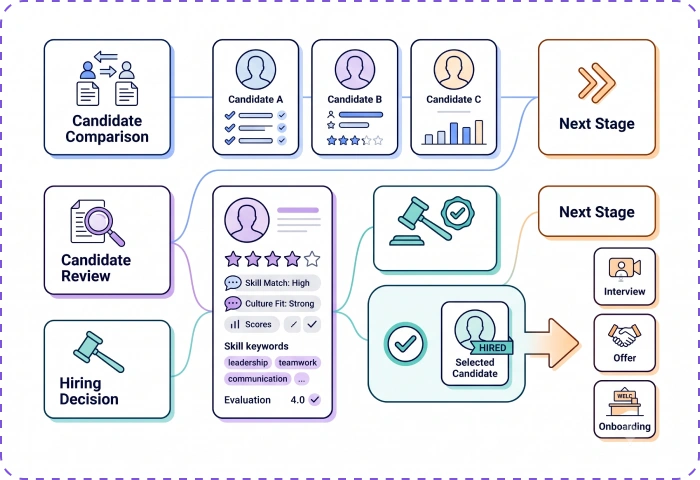
Make the Final Choice With Candidate Context in View
Use the available candidate information and evaluation context to support the decision on who should move forward in your configured hiring process.
Frequently Asked Questions
Find clear answers to common questions about features, workflows, and how the system works in real scenarios.
What is Candidate Comparison in recruitment?
Candidate Comparison lets hiring teams review multiple candidates together when deciding who should move forward in the recruitment process.
Can I compare multiple candidates in Bizcompass?
Yes. Bizcompass includes Candidate Comparison for reviewing candidates within the recruitment process.
What can I review when comparing candidates?
Candidate information, ratings, comments, and available evaluation details can be considered as part of the candidate review.
When should I compare candidates?
Candidate Comparison is useful when your team is ready to review candidates together and decide who should progress to the next hiring stage.
Does Candidate Comparison make the hiring decision automatically?
No. Candidate Comparison supports the review process, while the hiring team makes the final decision.