Sales Pipeline Software to Track Leads Through Every Stage
Follow leads from qualification and customer contact through quotations, negotiation and closure. BizCompass brings your sales stages into a visual pipeline, so your team can see where opportunities stand and keep their progress organized.
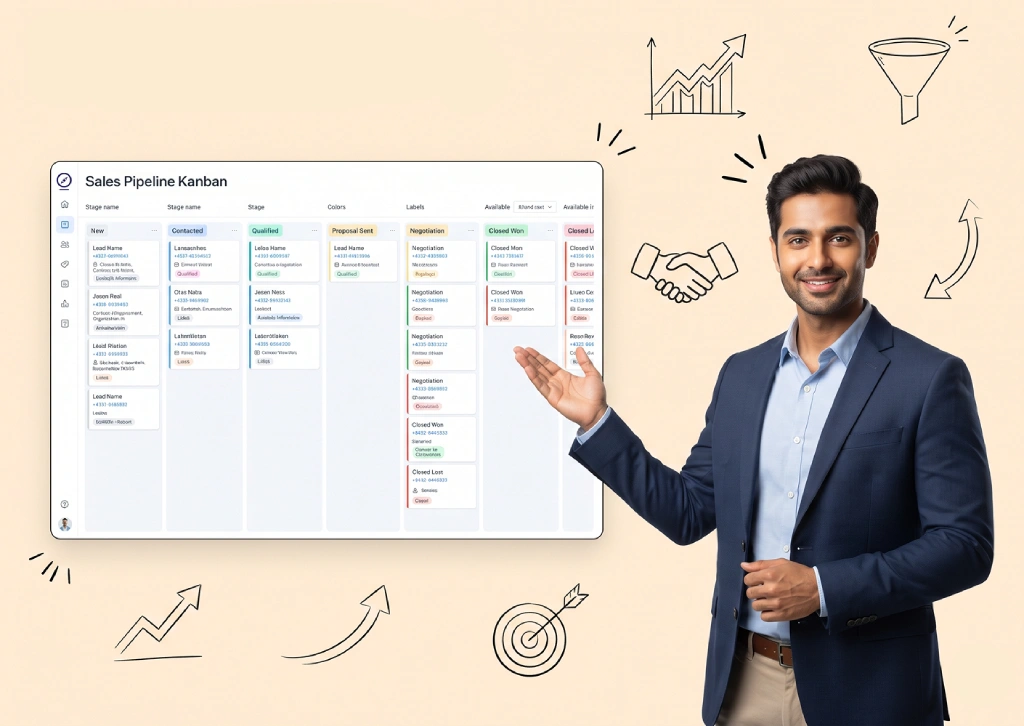
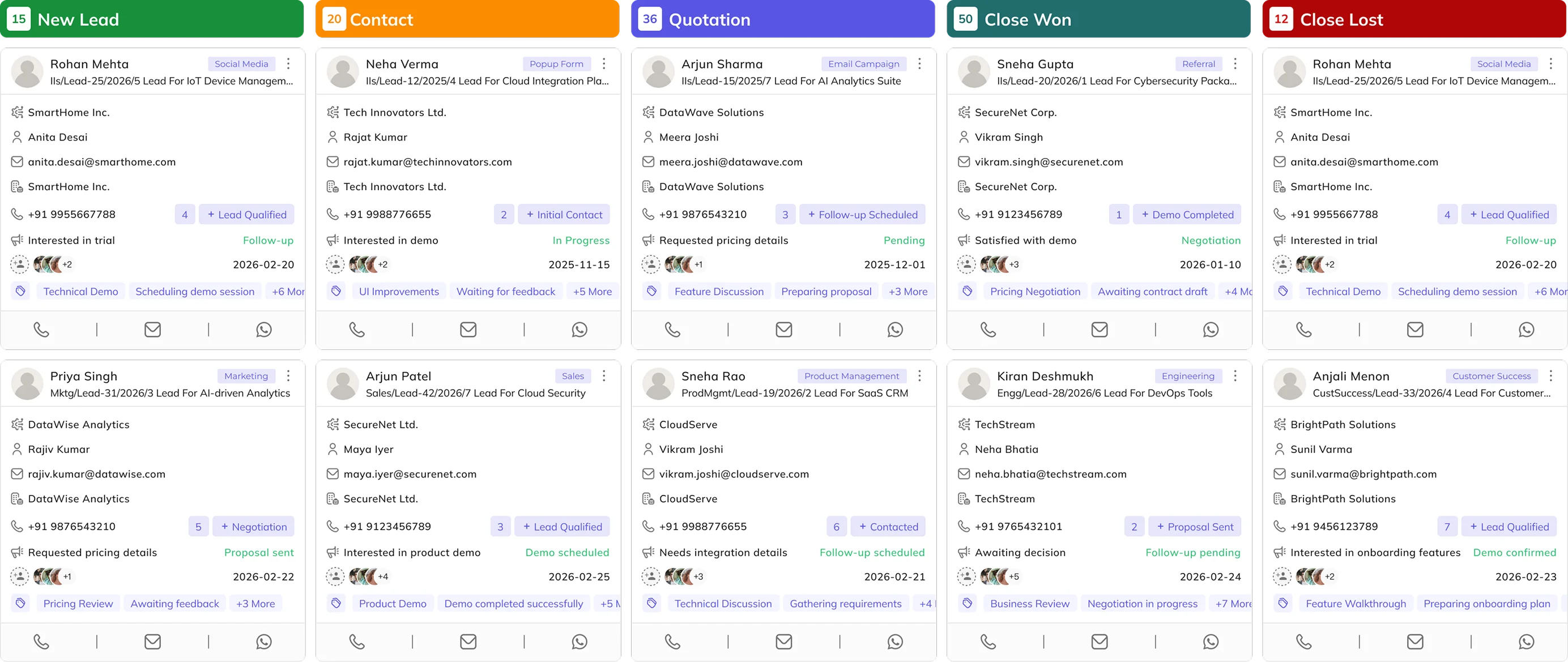
See Which Leads Are in Each Sales Stage
Lead cards bring customer and ownership details into the context of each sales stage. Salespeople can identify opportunities at different milestones, while managers can see which leads are still being qualified, quoted or negotiated.
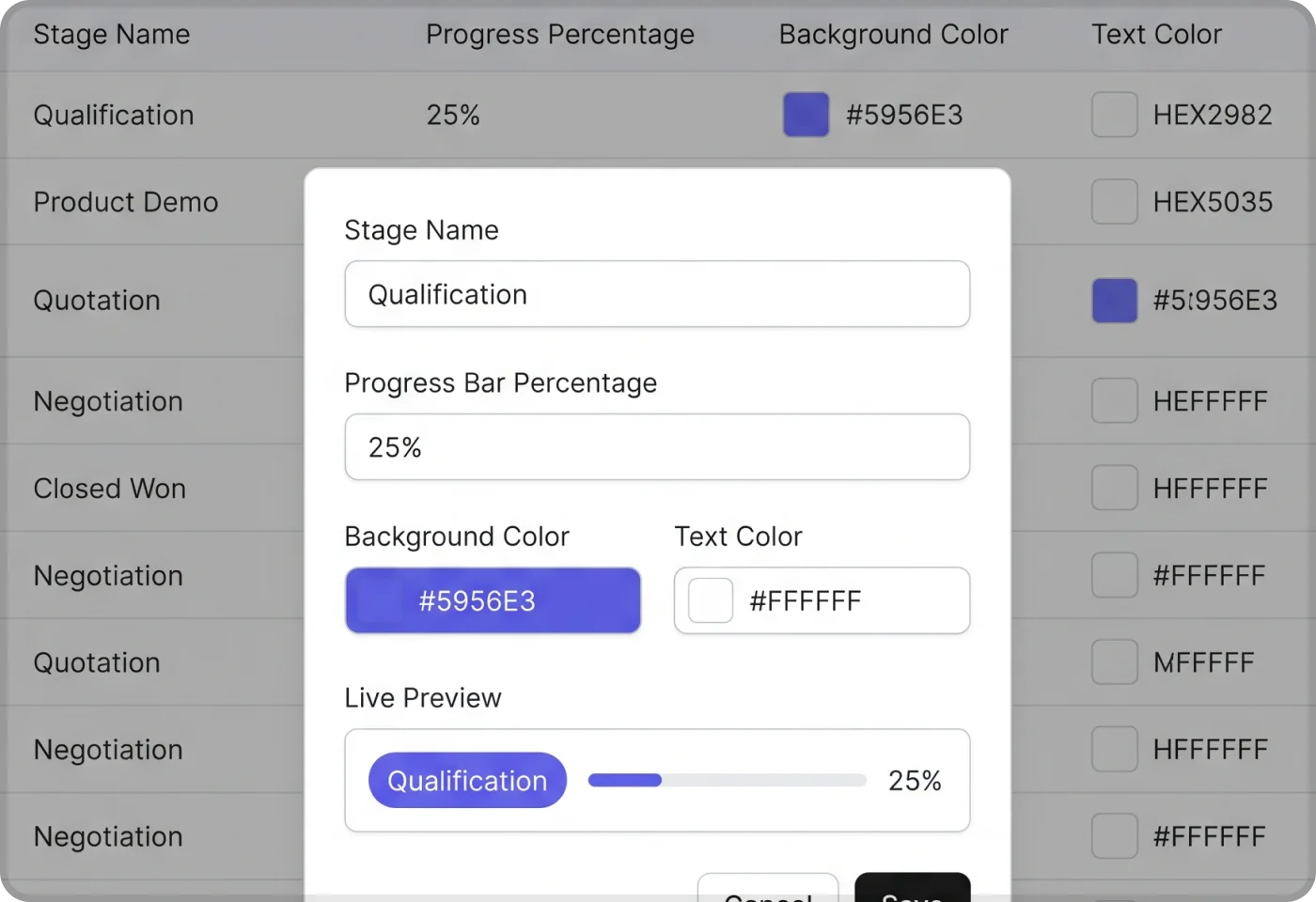
Set Sales Stages to Match Your Process
Define stages around the milestones your team uses, from qualification and demos to quotation and negotiation. Assign progress percentages and display colours to individual stages, giving your pipeline a consistent structure that reflects your sales process.
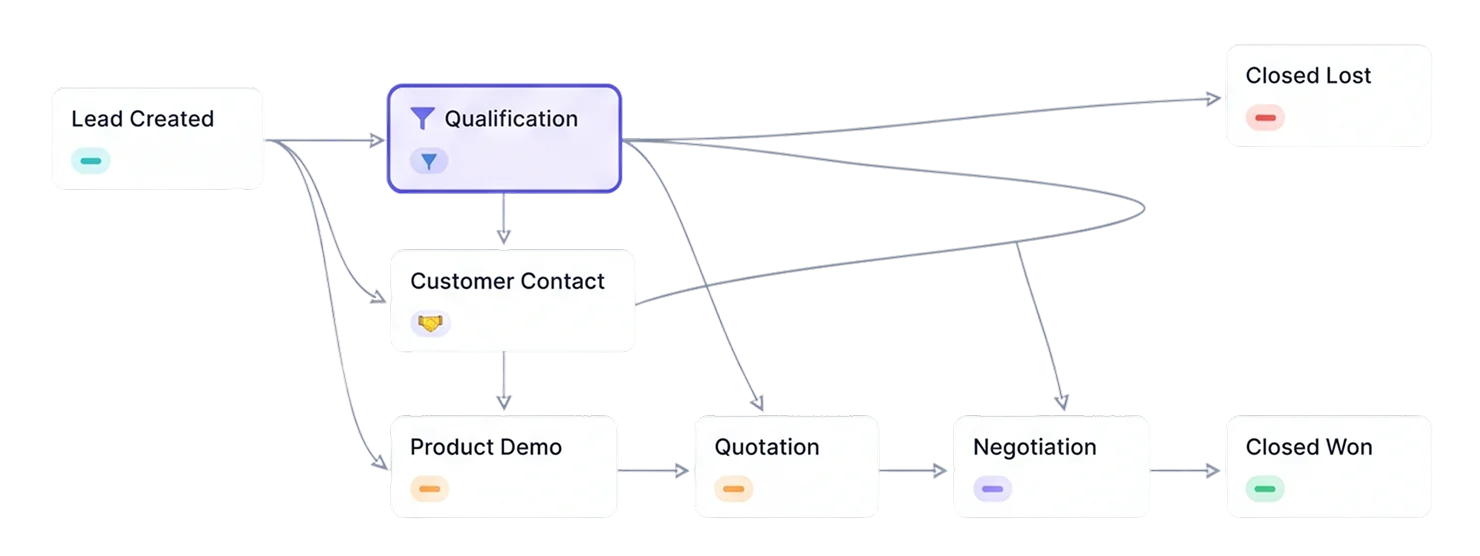
Define Lead Flow Between Sales Stages
Arrange and connect sales stages in a visual Lead Flow to represent the paths opportunities may follow. Your team can map its sales process beyond a simple sequence, including different routes toward quotation, negotiation or closure.
Keep Each Lead's Sales Stage Current
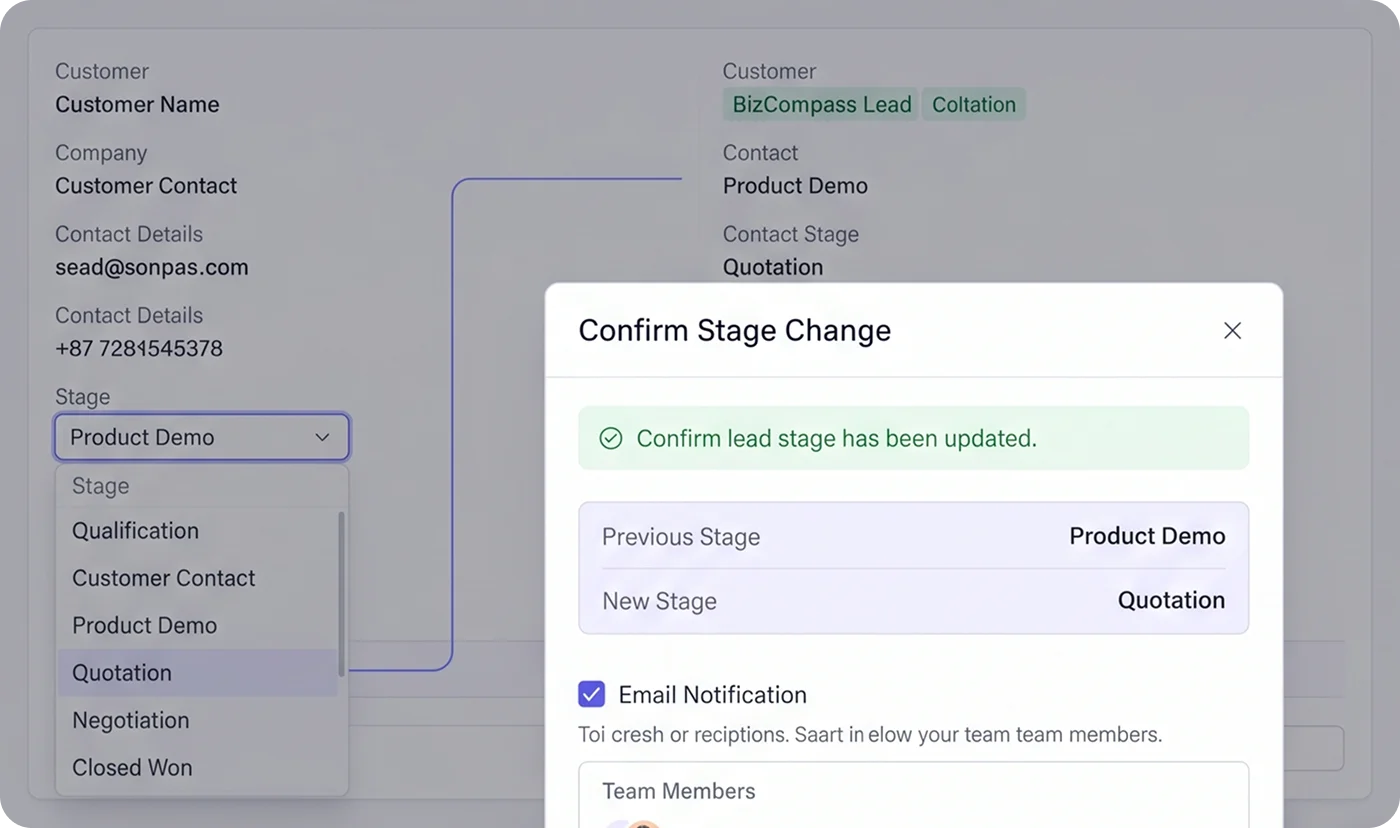
Update a lead's stage as the conversation reaches a new milestone, such as a scheduled demo, submitted quotation or negotiation. BizCompass also provides an email notification option during stage changes, giving users a choice about informing relevant recipients.
Distinguish Lead Statuses From Sales Outcomes
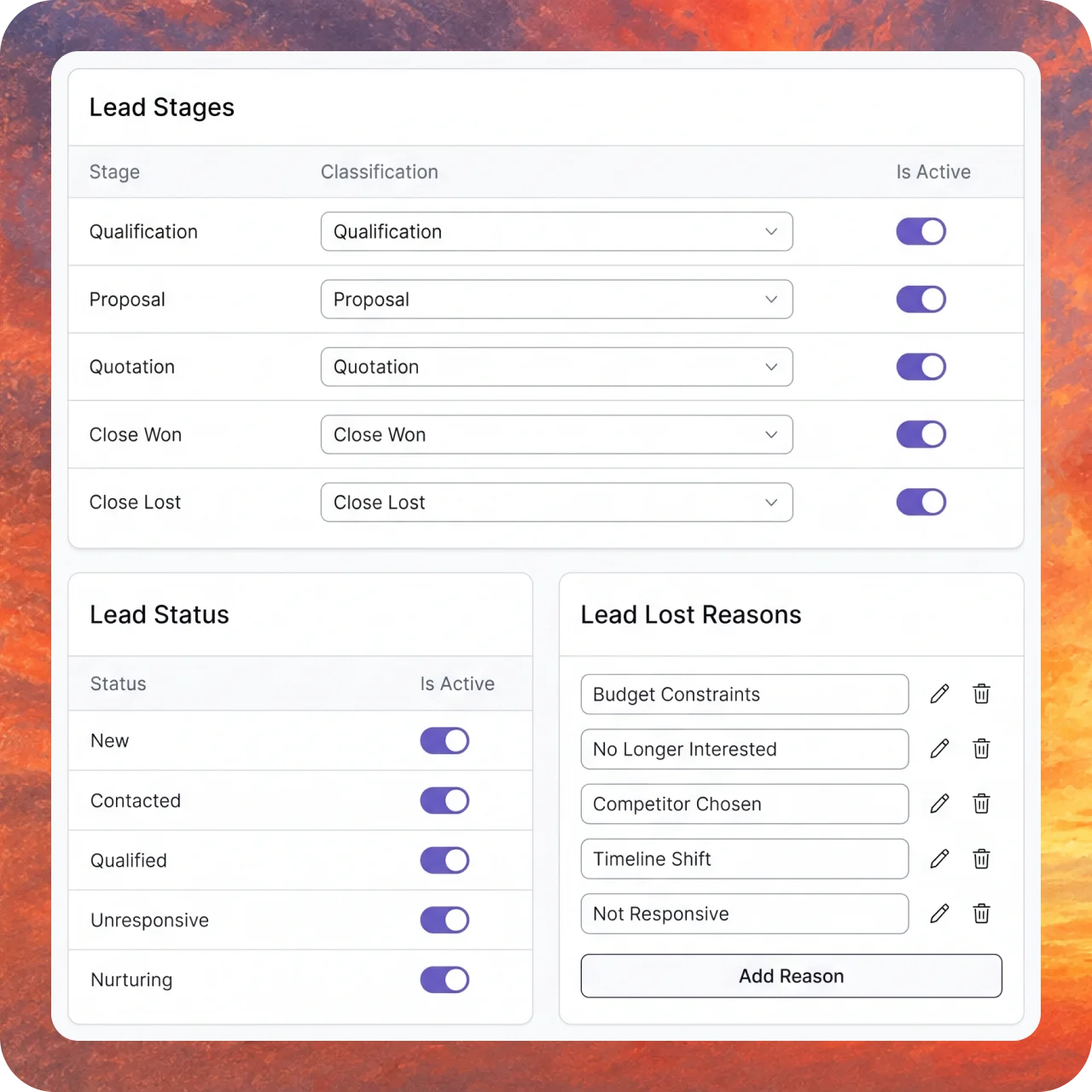
Lead statuses add context about an opportunity's current condition, while stages show its position in the sales process. Configure quotation, close-won and close-lost stage classifications, along with lost reasons, to distinguish ongoing opportunities from those that have reached an outcome.