CRM Reporting Software for Leads, Activity and Sales Results
Understand what's happening across your sales process with 12 CRM reports covering leads, sources, team activity, follow-ups and target achievement. BizCompass combines detailed reports and dashboard charts to help managers examine sales performance using recorded CRM information.
Understand How Leads Are Distributed
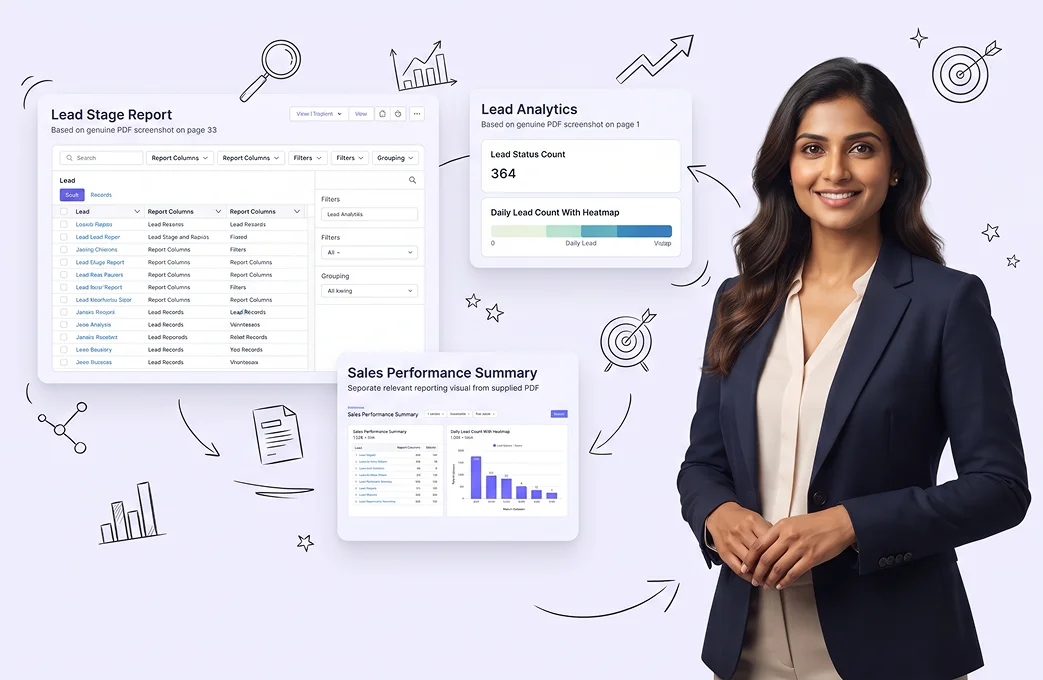
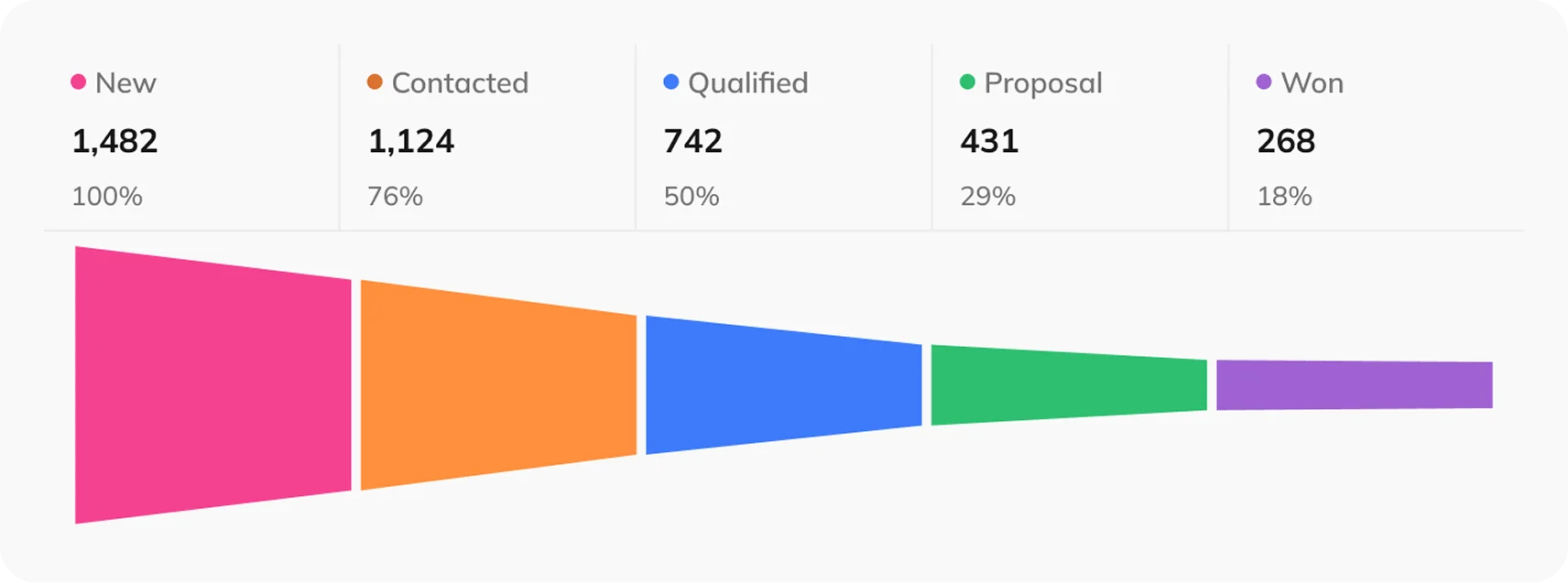
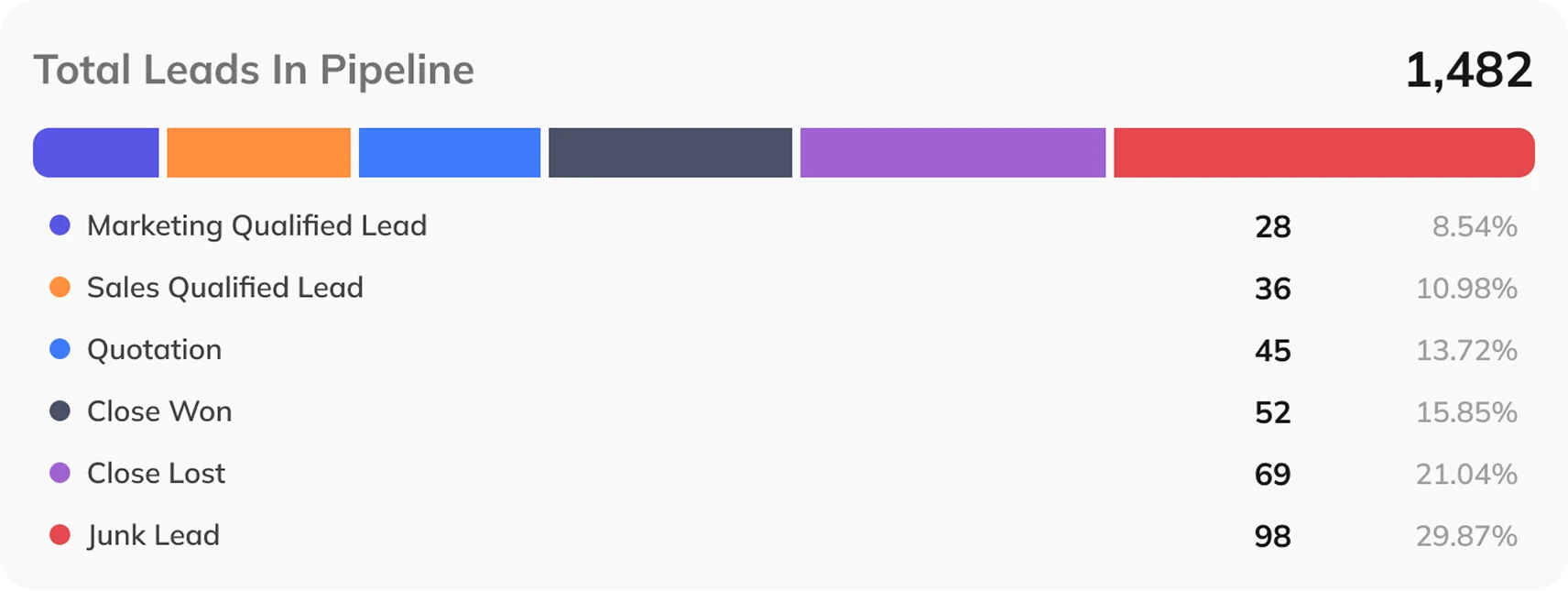
Examine leads by their sales stage, tags, acquisition sources and categories to understand the different enquiries entering your CRM. These breakdowns help managers identify relevant lead groups and examine the records behind them.
Examine Lead Ownership Across Your Team
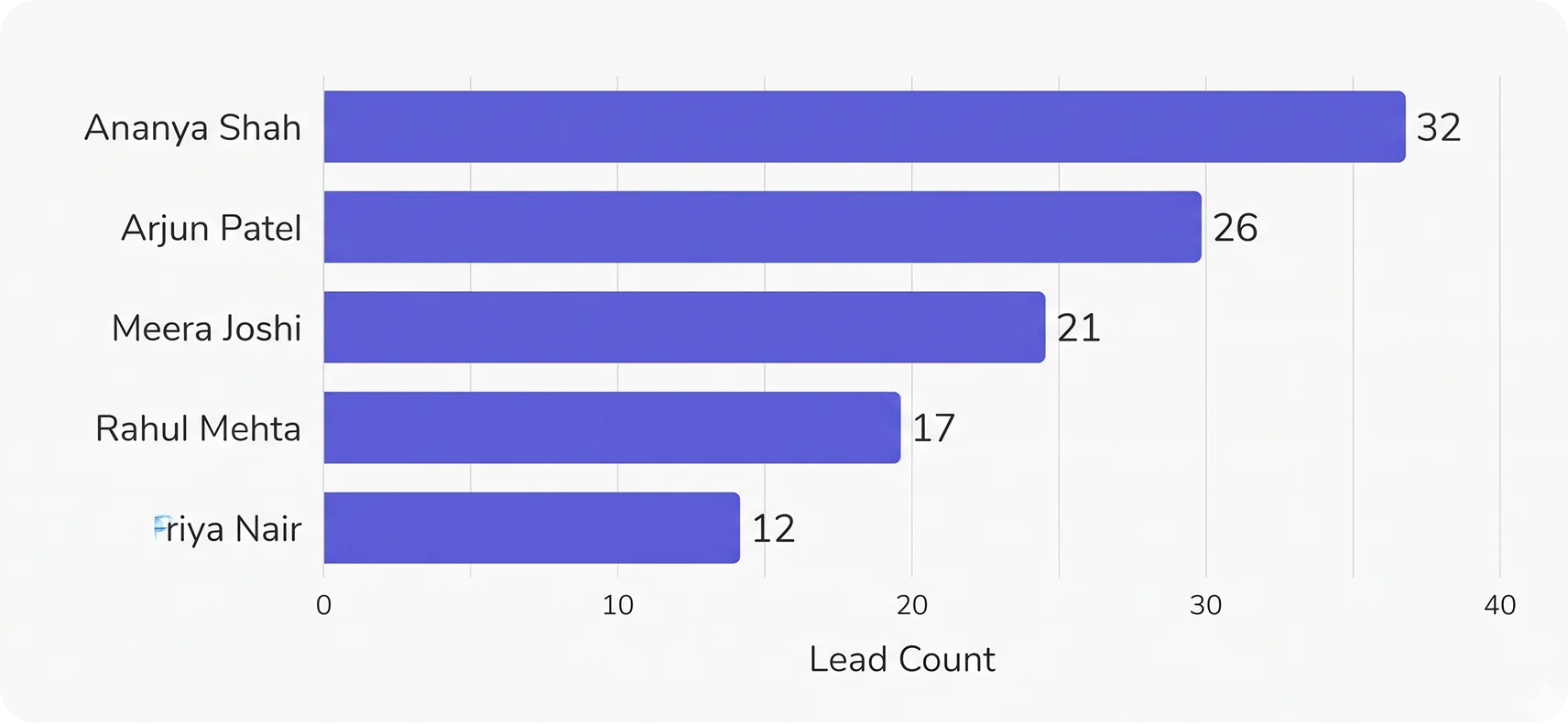
Identify the salespeople responsible for different leads and examine their associated records through Sales Wise Reports. Person Wise Reports provide an additional employee-focused reporting view, helping managers investigate individual lead responsibilities when relevant records are available.
Compare Sales Targets With Actual Activity
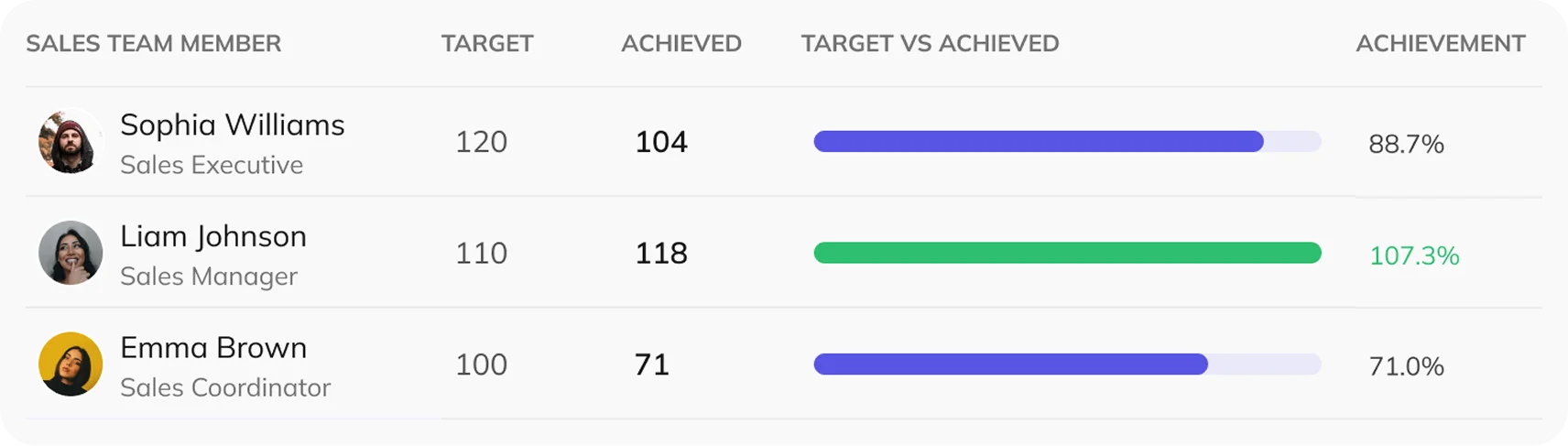
Compare assigned targets with achieved figures and examine employee call activity through scheduled and attended counts. Dedicated call-and-meeting achievement reports, along with stage-wise target reporting, provide additional ways to assess performance against defined expectations.
Examine Follow-Up Activity by Lead & Owner
Find follow-up records associated with specific leads, their stages and responsible salespeople. Scheduled and logged activity details, together with lead-stage summaries, help managers examine the follow-up work recorded across the team.
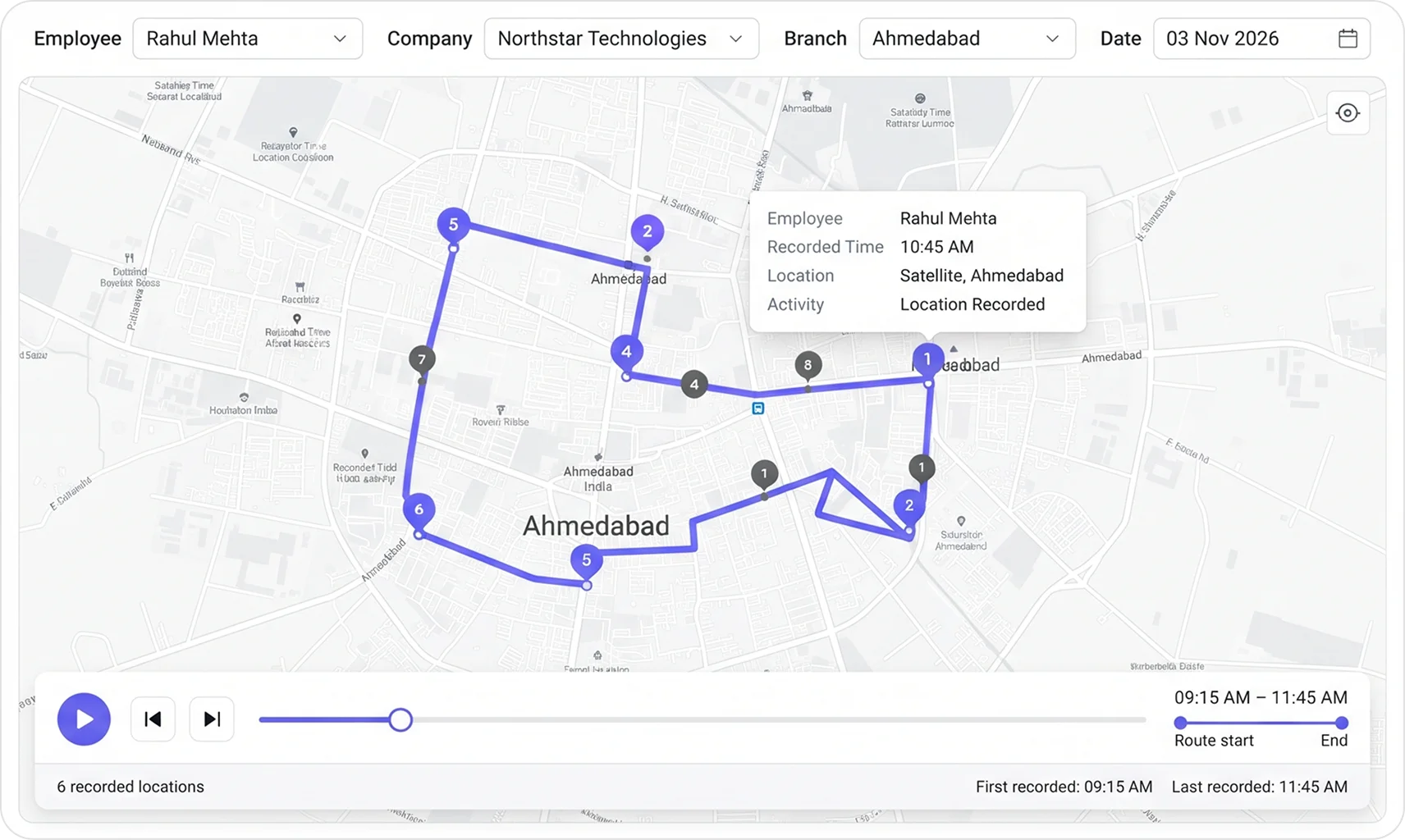
View Recorded Field Activity on a Map
Examine recorded employee location activity for selected dates, companies and branches. Map markers, routes and playback controls provide geographic context for understanding where field activity was recorded.
Spot Lead & Target Patterns Through Charts
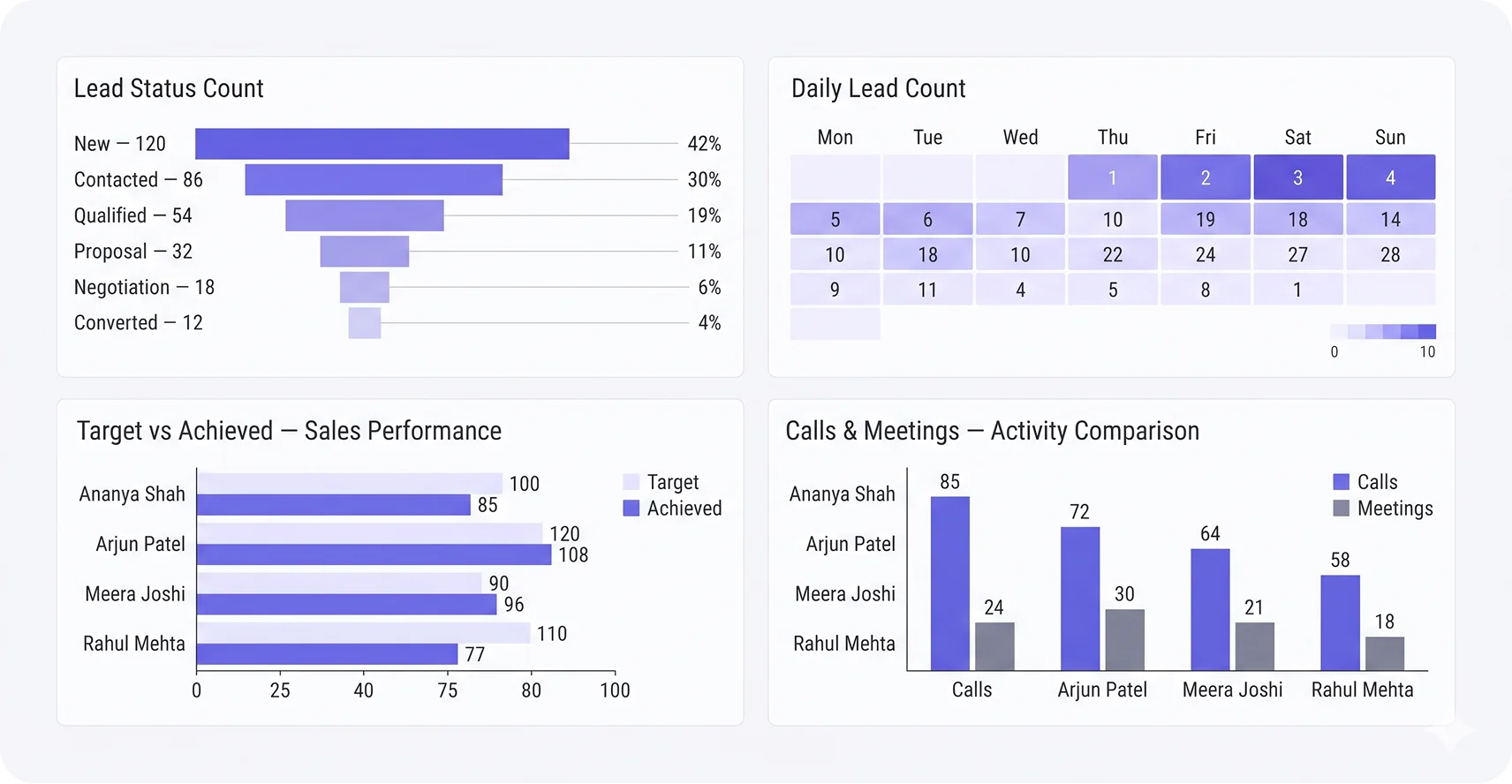
Visual summaries show lead-stage counts and daily lead activity, while target-versus-achieved charts compare sales goals with recorded results. These dashboard views help managers recognize patterns before exploring the relevant CRM reports in greater detail.